

Software for property management companies: Roll TowerLine AI out one community at a time, starting with a pilot.
TowerLine AI gives a property management company an AI concierge, work orders and resident and board portals, set up one community at a time. Each community gets its own rules, contacts, on-call roster and escalation policy before the AI concierge answers a call. Start with one pilot community, review the calls together, then add the next.
What a first deployment covers. The AI concierge on the phone, work orders, the Resident Portal and the core manager dashboard. Other modules, such as financials, vendors and the Florida compliance tools, are added after launch and scoped with you.
What gets set up for each community
TowerLine AI was designed around a single condominium tower first, so the unit of setup is one community: its rules, its vendors, its people on call and what the AI concierge says when it picks up. For a property management company that setup repeats for every community you bring on, and each one keeps its own answers. Nothing arrives as a preset template: the AI concierge’s greeting and scripts, the night roster and the vendor list are built with the manager who knows that community.
- 01Rules and FAQs48 answers, each tied to its section of the CC&Rs or rulesReady
- 02Amenities and booking rulesPool, clubhouse and two courts; the clubhouse needs approvalReady
- 03Vendors14 vendors; two insurance certificates expiringReview
- 04On-call rosterWeeknights, weekends and holidaysReady
- 05Escalation policyFire, medical, police: 911 first. Water or a stuck gate arm: page on-call. Routine: next business dayReview
- 06Concierge greeting“Thanks for calling Cedar Ridge. I’m Quinn, an AI concierge, and this call is recorded.”Approved
- 07LanguagesMultilingual, including English and SpanishReady
- 08RolesManager, gate staff, maintenance, board, accountantReady
Counsel, CPA, insurance agent and engineers on file · open items tracked for this community
Before launch, the community manager reads every answer the AI concierge will give beside the clause it came from, and signs off on the sheet.
How does a rollout across a portfolio work?
Five stages from the first conversation to the second community. Timing depends on your documents, your systems and how quickly the pilot manager can review calls, so we set the dates with you.
Discover
- You provide
- Your list of communities, the systems you run, where calls go today and who is on call
- We do
- Pick the pilot community with you, map the calls it gets, scope integrations and the security review
- You review
- The pilot choice and a written scope
Configure
- You provide
- Governing documents, amenity rules, the vendor list and certificates, the on-call roster, a roster export
- We do
- Build the community profile, import the roster, set up roles and the escalation policy
- You review
- The answers the AI concierge will give and the escalation policy
Train the AI concierge
- You provide
- The calls your team gets most, including the ones that went badly
- We do
- Write the greeting and test the AI concierge against those calls, including emergencies and “I want a person”
- You review
- Test calls, the greeting and what the AI concierge will not do
Pilot
- You provide
- One manager who reviews calls with us
- We do
- Turn on the line for that community, review calls and records together, adjust the rules
- You review
- Transcripts and the work orders, passes and messages they created
Next community
- You provide
- The next community’s documents and roster
- We do
- Reuse what worked (roles, policy templates), then set up that community’s own rules
- You review
- The same sheet, for that community
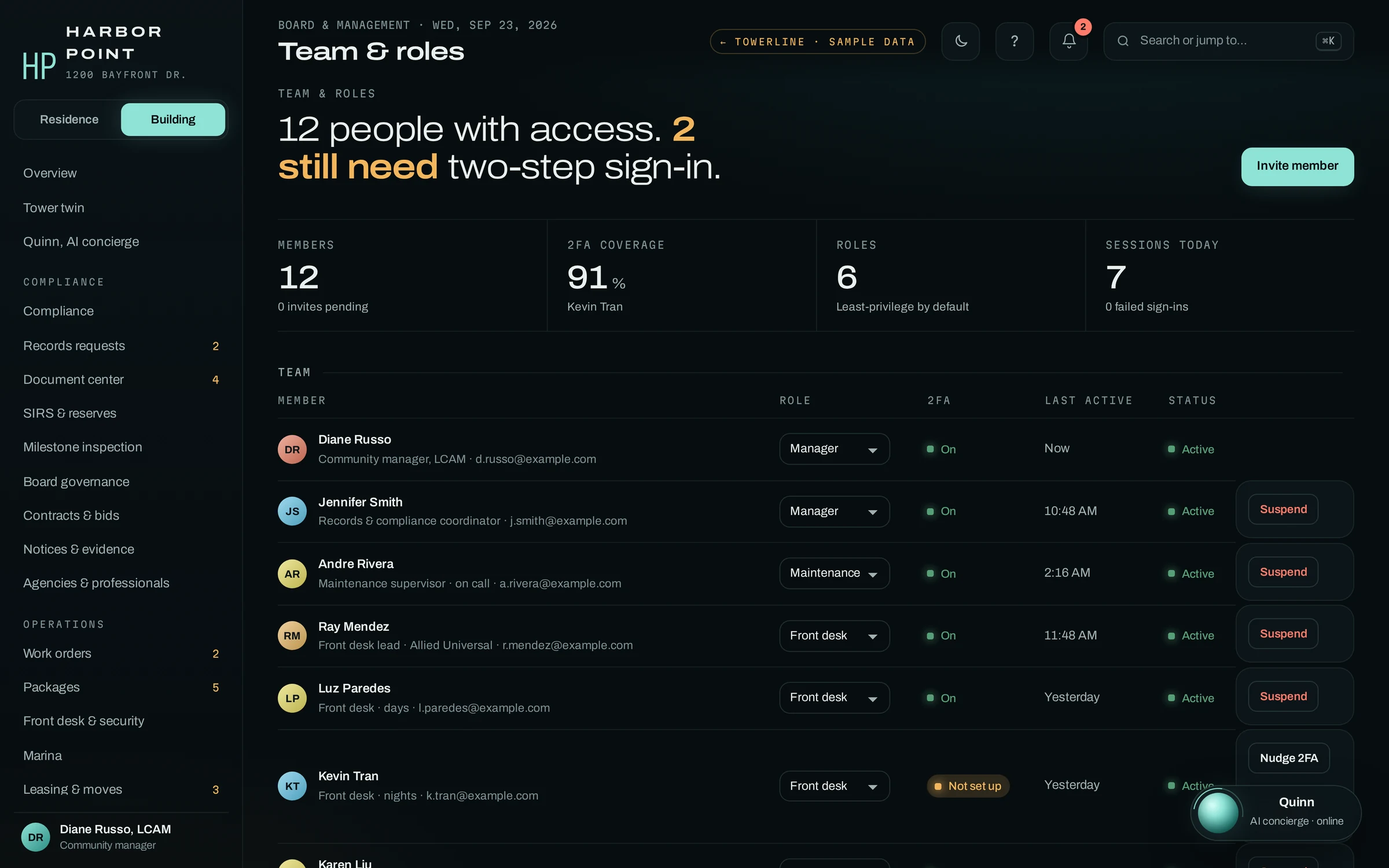
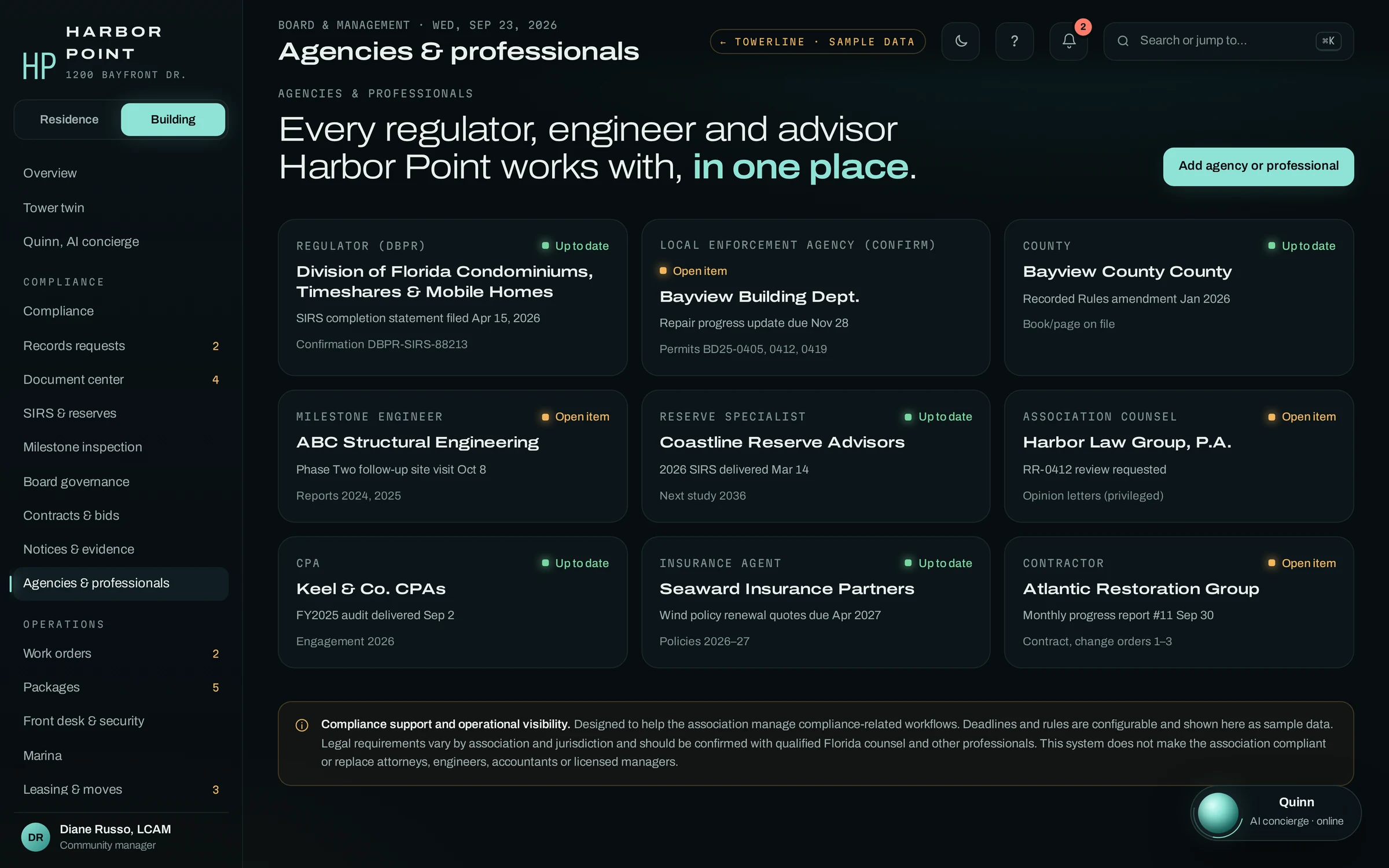
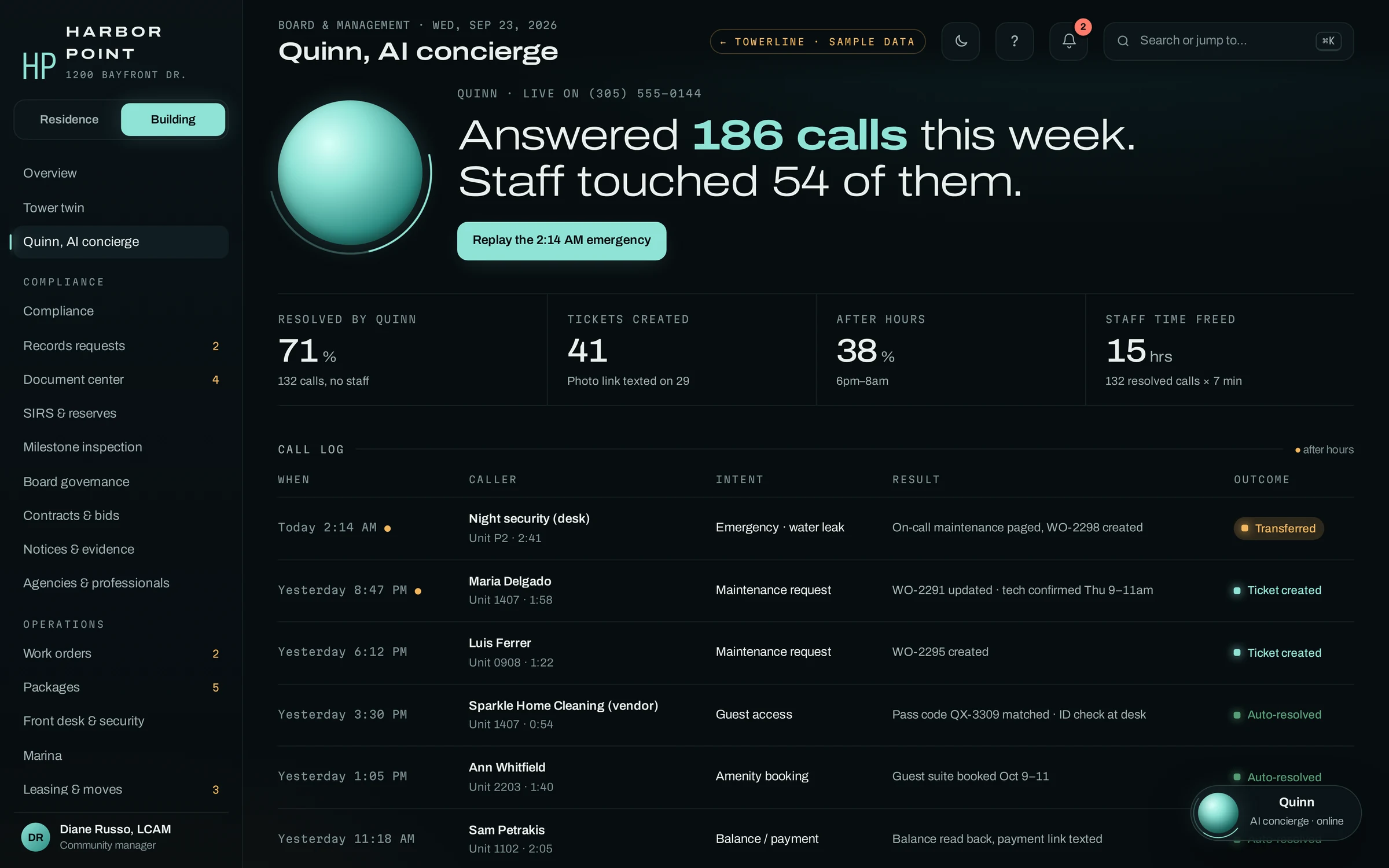
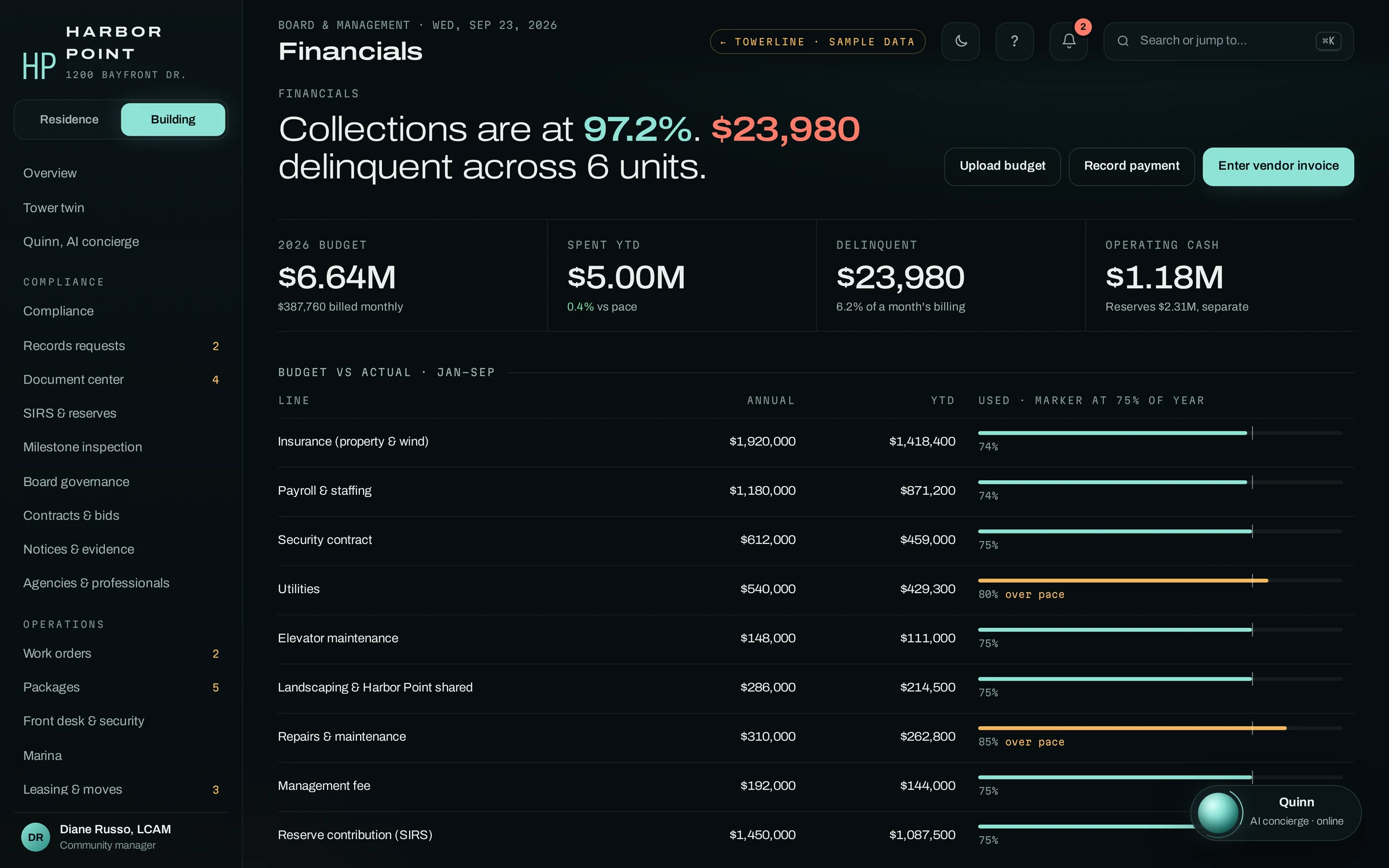
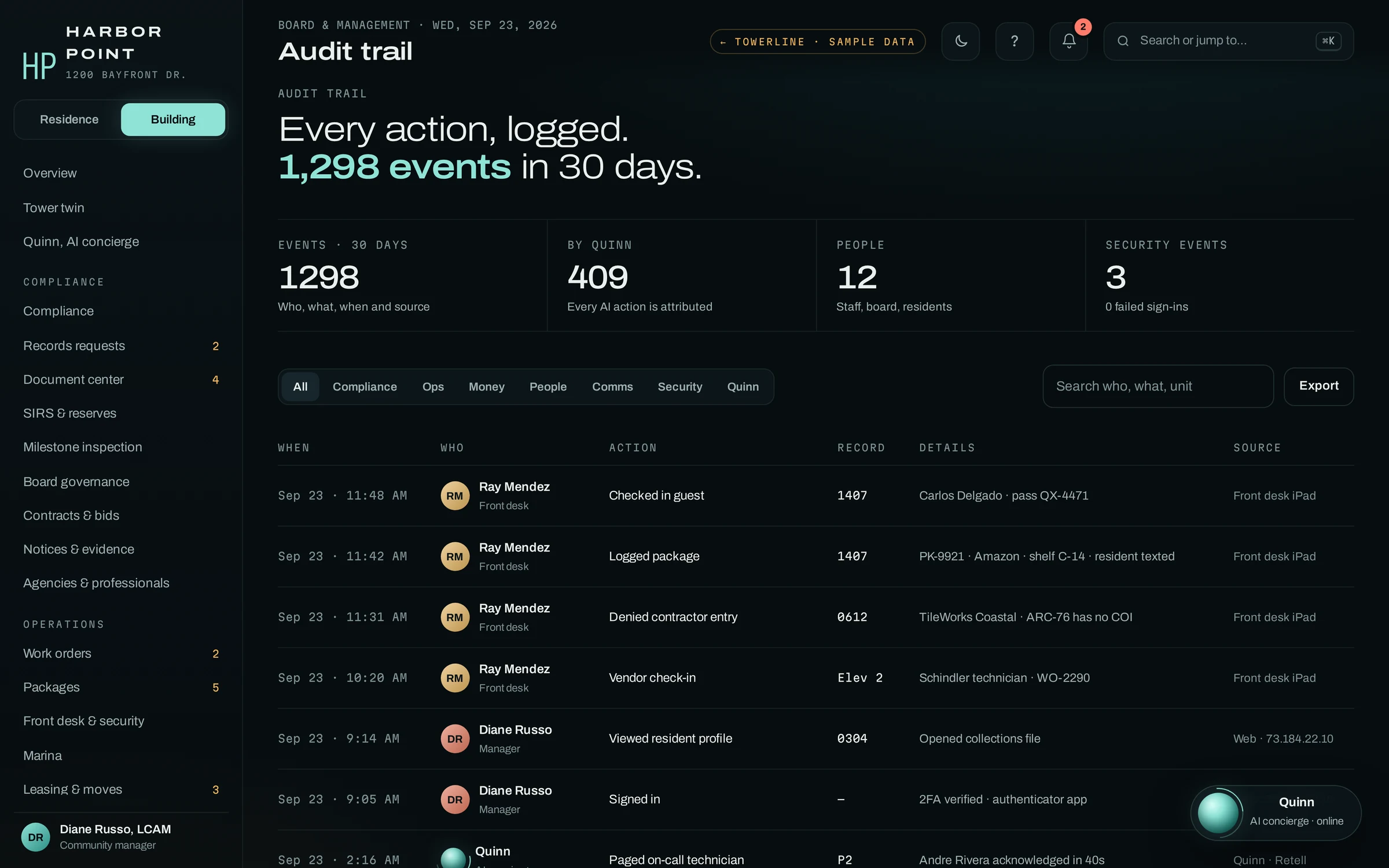
The screens a regional director opens first
Each community has its own Command Center. These are the views an operations lead checks while a community is new: the calls the AI concierge took, money against the budget, and who did what. Reporting across communities is part of the implementation scope.
Questions a COO asks first
The short answers, and which of them depend on the scope we agree with you.
Can each community have different rules?
Set up per communityEach community is set up with its own rules, documents, vendors, on-call roster and escalation policy, and the AI concierge answers from that community’s set.
Can we see all communities in one view?
Scoped during implementationGrouping communities and reporting across them are part of the implementation scope. We agree with you what that view includes before anything is built.
Can it carry our brand?
Scoped during implementationBranding under your company name is scoped during implementation. The AI concierge’s greeting is written for each community during setup.
How are roles handled across communities?
Example configurationPermissions are set by role (manager, front desk, maintenance, board, accountant) for each community, and two-step sign-in is tracked per person. How roles span several communities is part of the scope. Security
How is it priced?
After the demoPricing is scoped to your portfolio, with a firm number after the demo. Book a demo
What does the security review cover?
Security reviewWhat we can verify today is listed on the Security page. Your deployment’s controls are covered line by line in the review. What we can verify
Elevator B down, handled in one call.
At 6 AM the front desk lead reports Elevator B stuck at the lobby. The AI concierge opens a high-priority work order, pages the elevator contractor, drafts a notice in English and Spanish, sends it to 212 residents once he approves, and gives every resident who calls afterward the same answer.
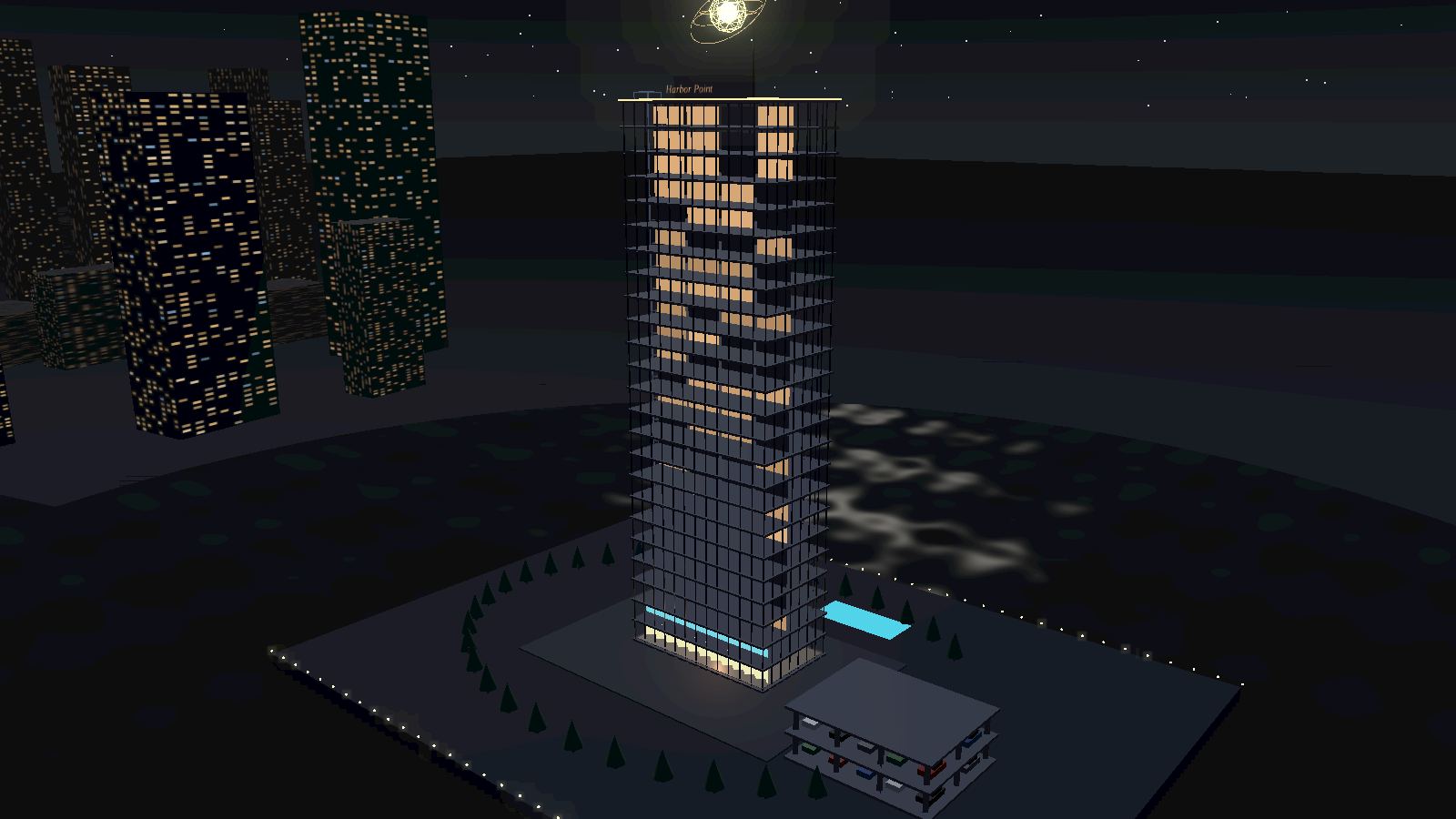
Property types in one portfolio
Most management companies run more than one kind of community. Each has its own page; student, single-family, affordable and 55+ communities are covered on the apartments page, and gated and master-planned communities on the HOA page.
Frequently asked questions
How do we choose the pilot community?
Pick one with steady call volume, current governing documents and a manager who will review calls with us. A community with an after-hours problem you already know about makes the review more useful. It is usually better not to start where a board dispute or a management transition is under way.
How much staff time does the pilot take?
Most of it is the community manager’s: gathering documents and the on-call roster during setup, listening to test calls before launch, then reviewing calls and the records they created with us during the pilot. We do the configuration: the community profile, the roster import, roles, the escalation policy and the AI concierge’s scripts. Your team reviews and approves them before launch.
What happens to our answering service?
It stays in place for every community outside the pilot. You can start the AI concierge on one community, or only on nights and weekends there, and decide about the service after you have reviewed the calls. You can keep the service as a fallback during the pilot, so nothing changes for residents while your managers check what the AI concierge did on each call.
How does the AI concierge know which community is calling?
Each community can be set up with its own phone number, which is how the AI concierge picks that community’s rules, vendors and on-call roster. If several communities share one number today, we look at how calls are routed during discovery and decide with you whether to split them before the pilot.
How is TowerLine AI priced for a management company?
Per community, after scoping. There is no public price list. A quote is built from a one-time implementation fee, a monthly platform fee for each community on TowerLine AI and the AI concierge’s phone time, so the cost follows the size of the portfolio on it. You get a firm, written number after the demo, starting with the pilot community.

Bring two or three of your communities to the walkthrough.
Pick different types if you can, such as a tower, an HOA and a garden-style apartment community. We show what gets set up for each, an AI concierge call answered from one community’s own rules, and the rollout plan we would scope with you.