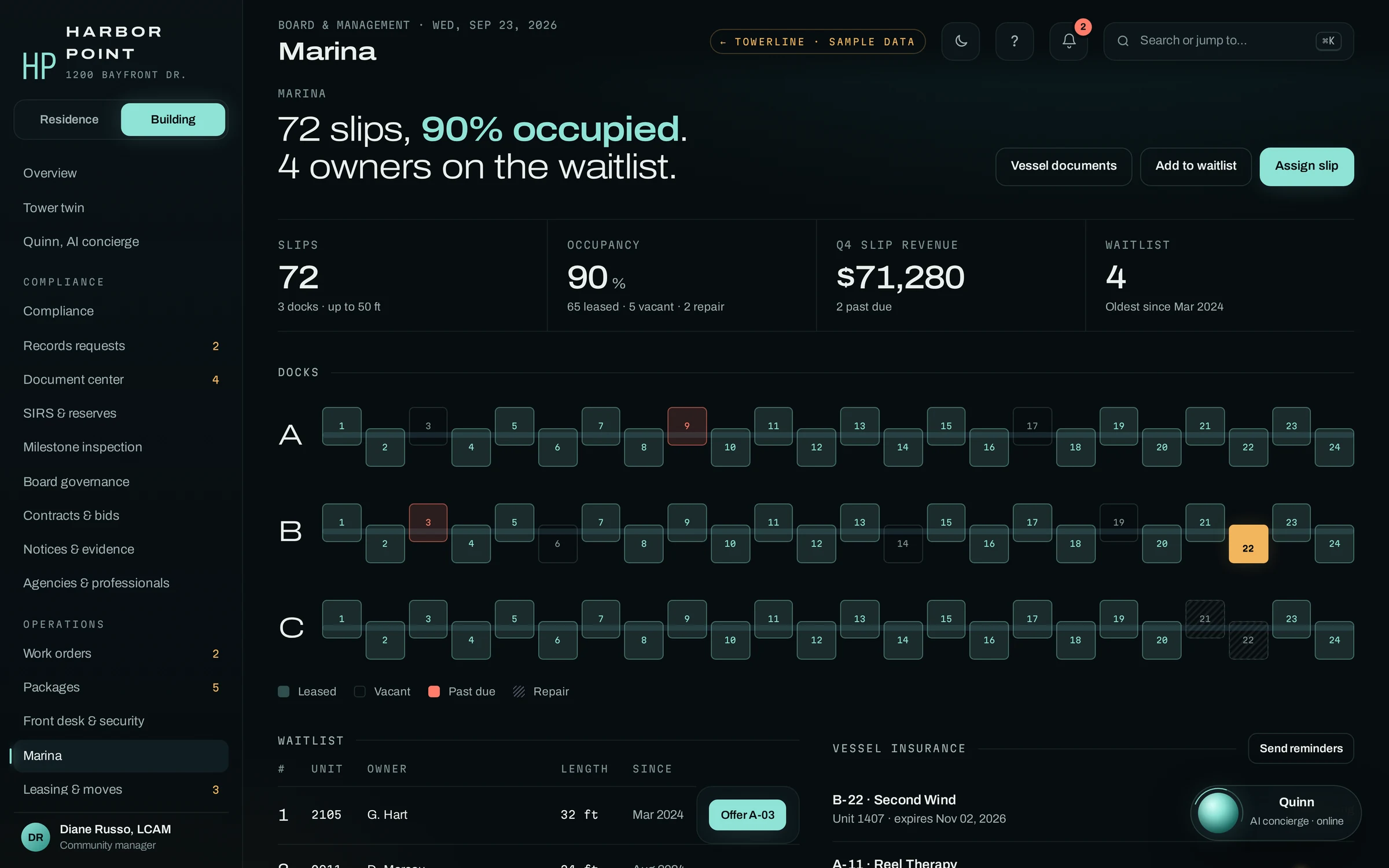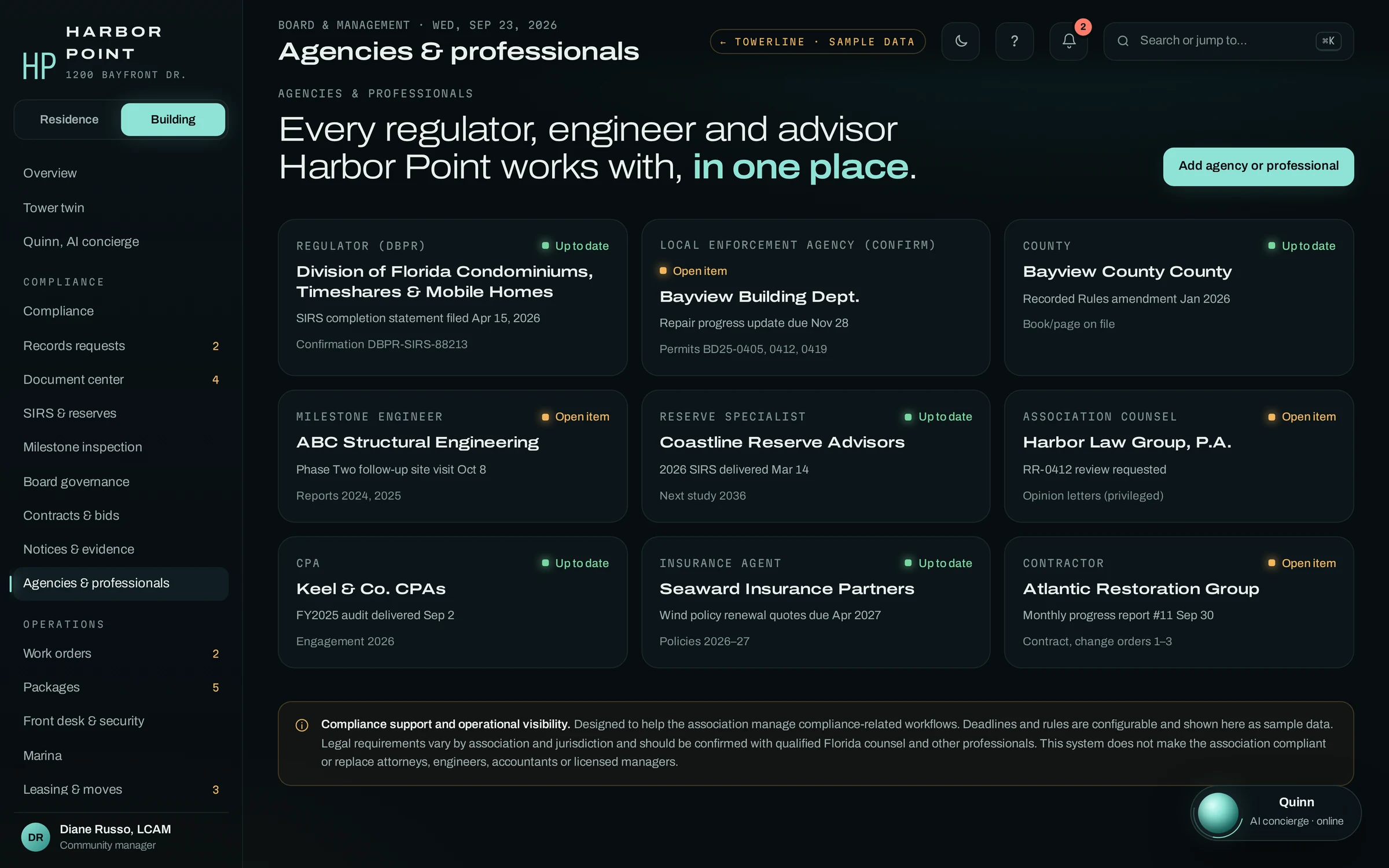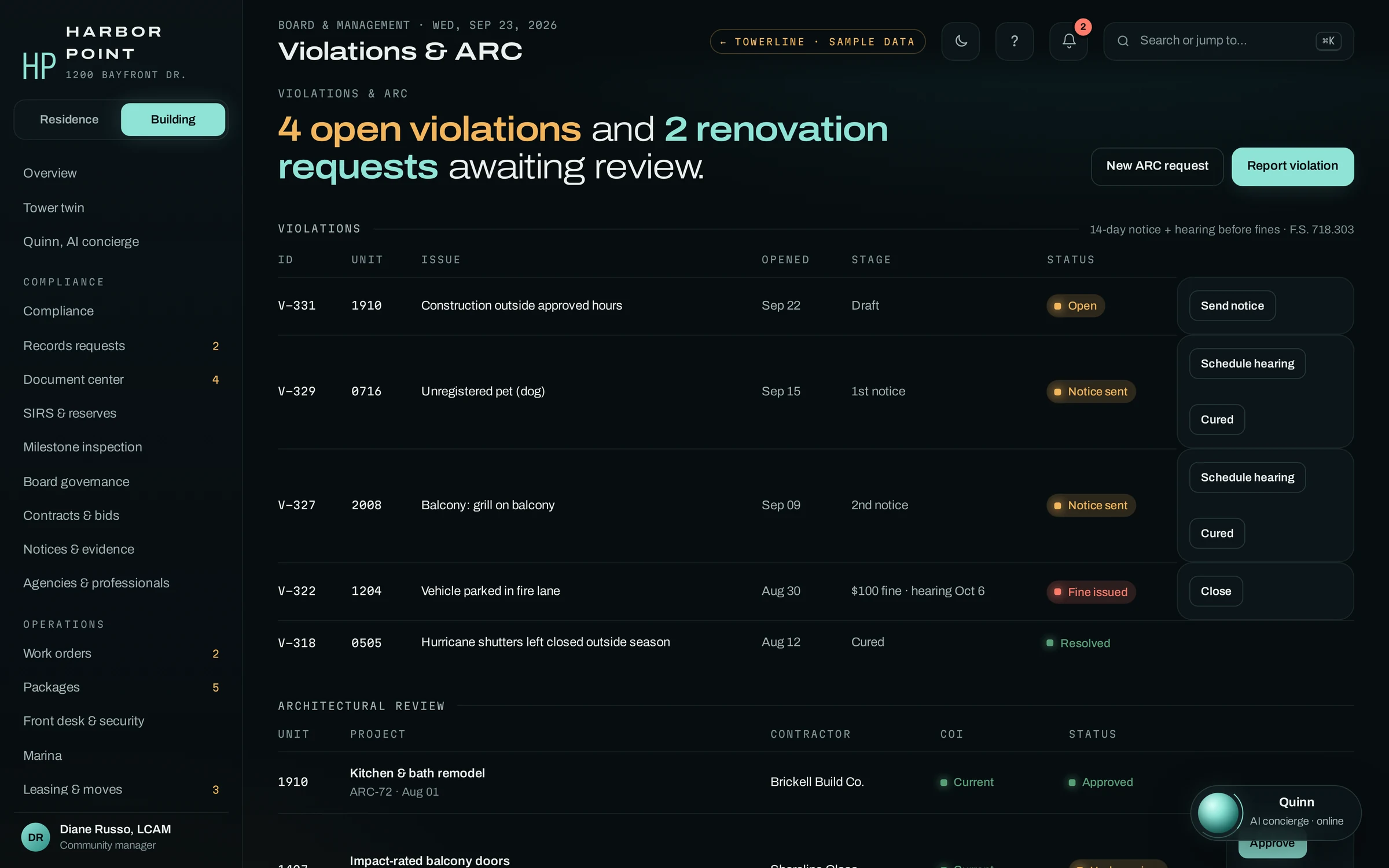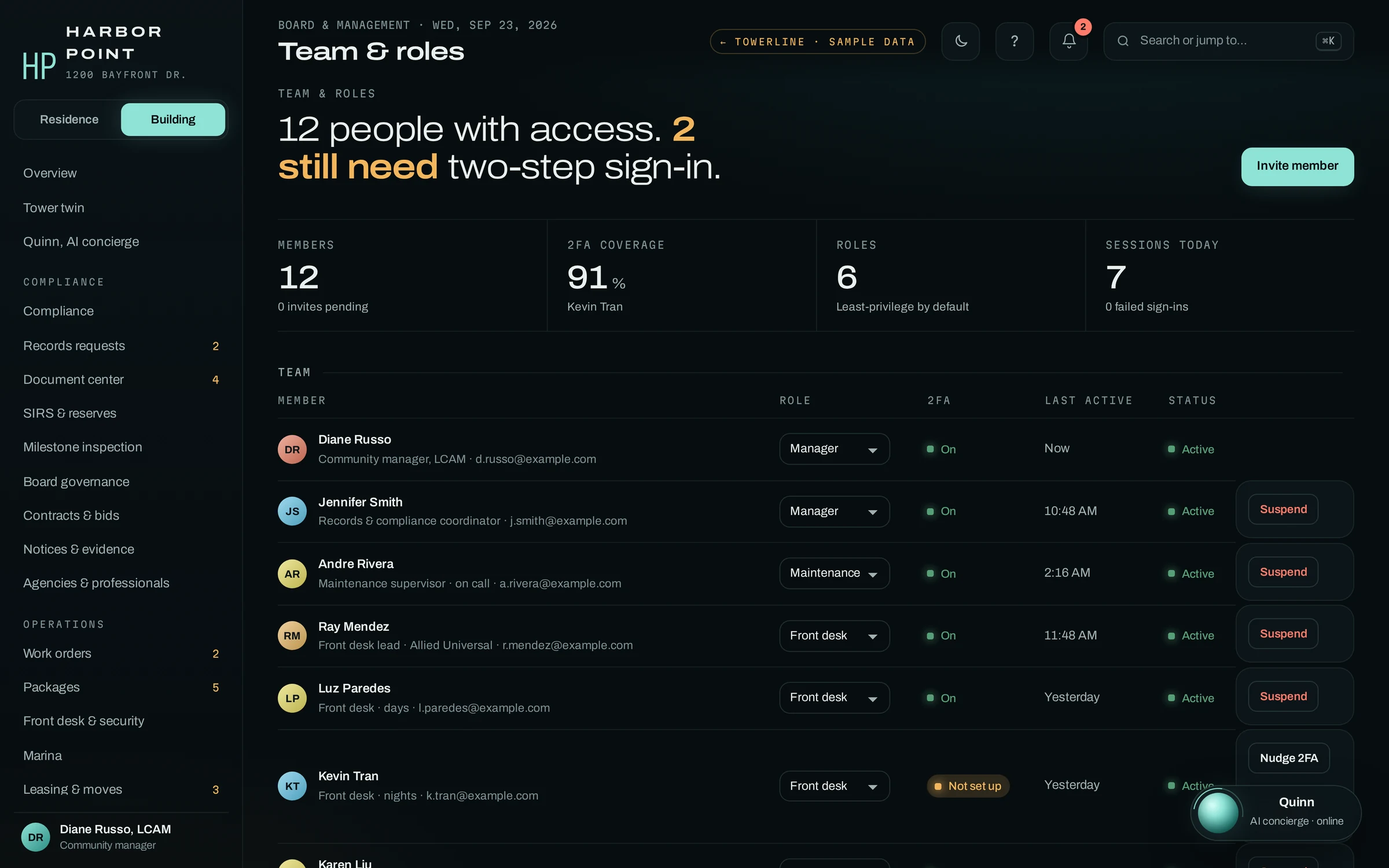

The AI concierge answers the phone and does the work.
It takes calls and texts in the caller’s language, verifies the caller, then checks, opens or updates the record while they are still on the line.
AI Concierge
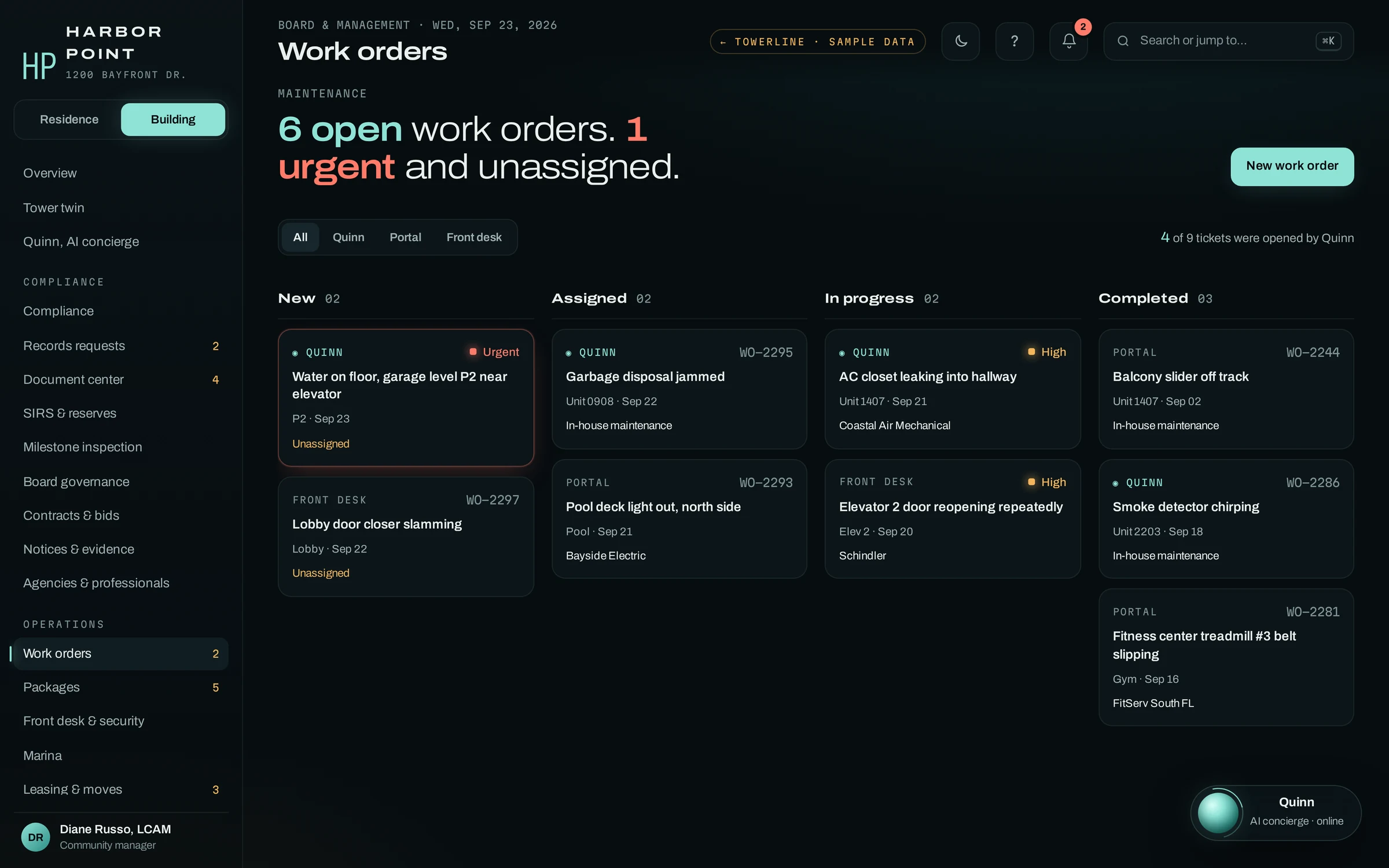
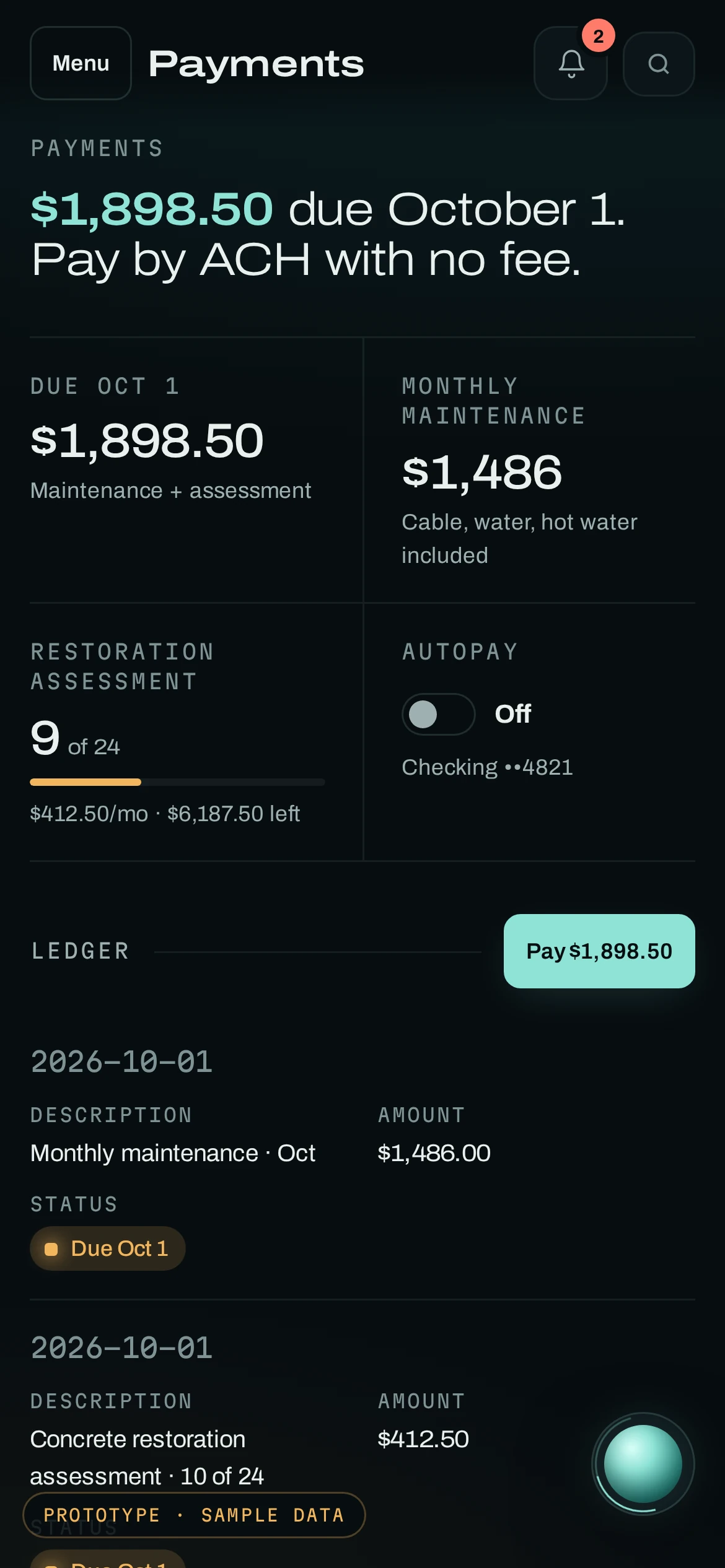
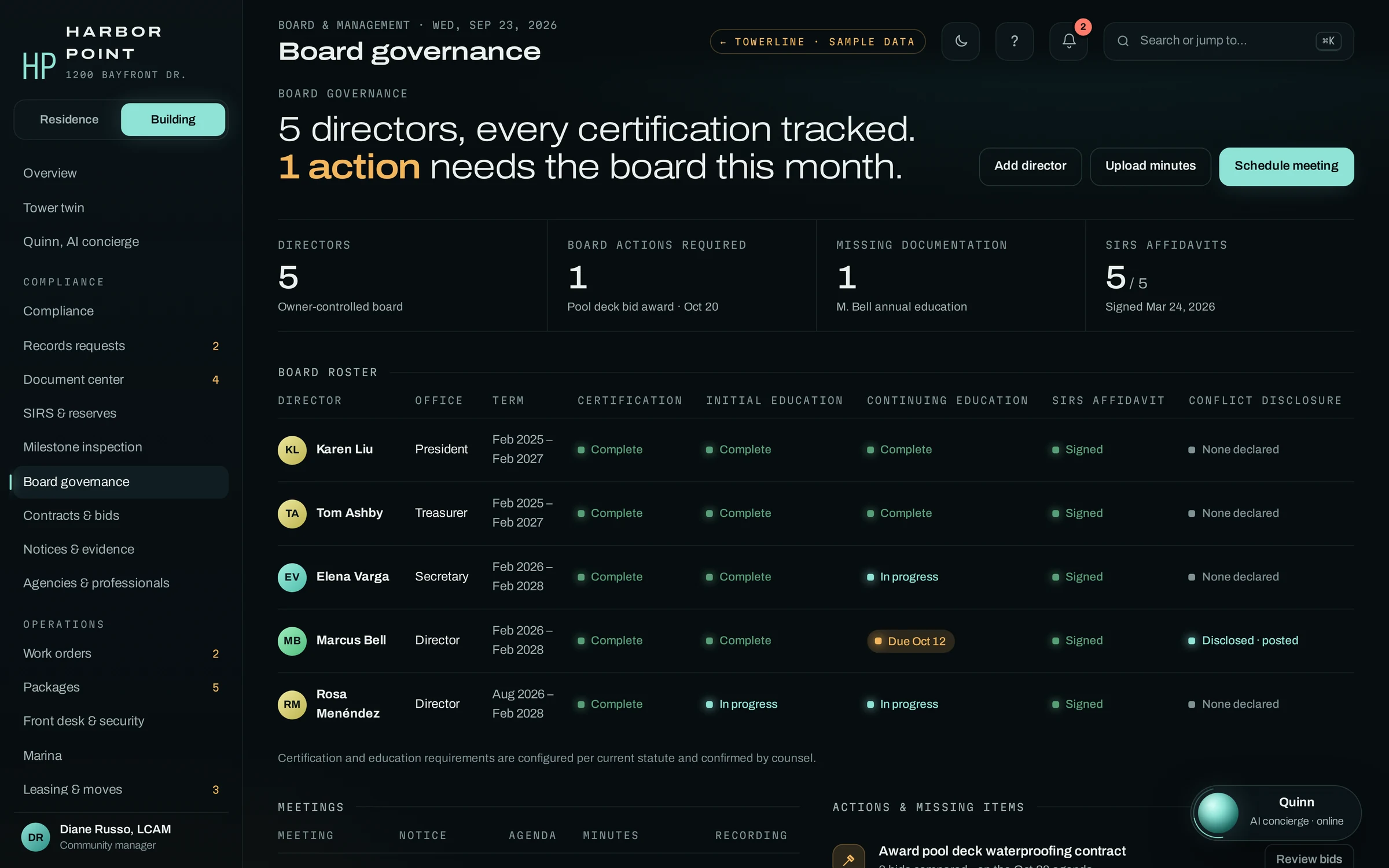
TowerLine AI is a property operations platform for residential communities. Calls, work orders, desk logs, notices and board decisions land on one record, with a view for each role. The AI concierge is the front door; the Command Center, the Resident Portal and the Board Portal are the rooms behind it.


The resident, the on-call worker, management and the board, each seeing the same request their own way. Watch one night at Harbor Point, our example building.
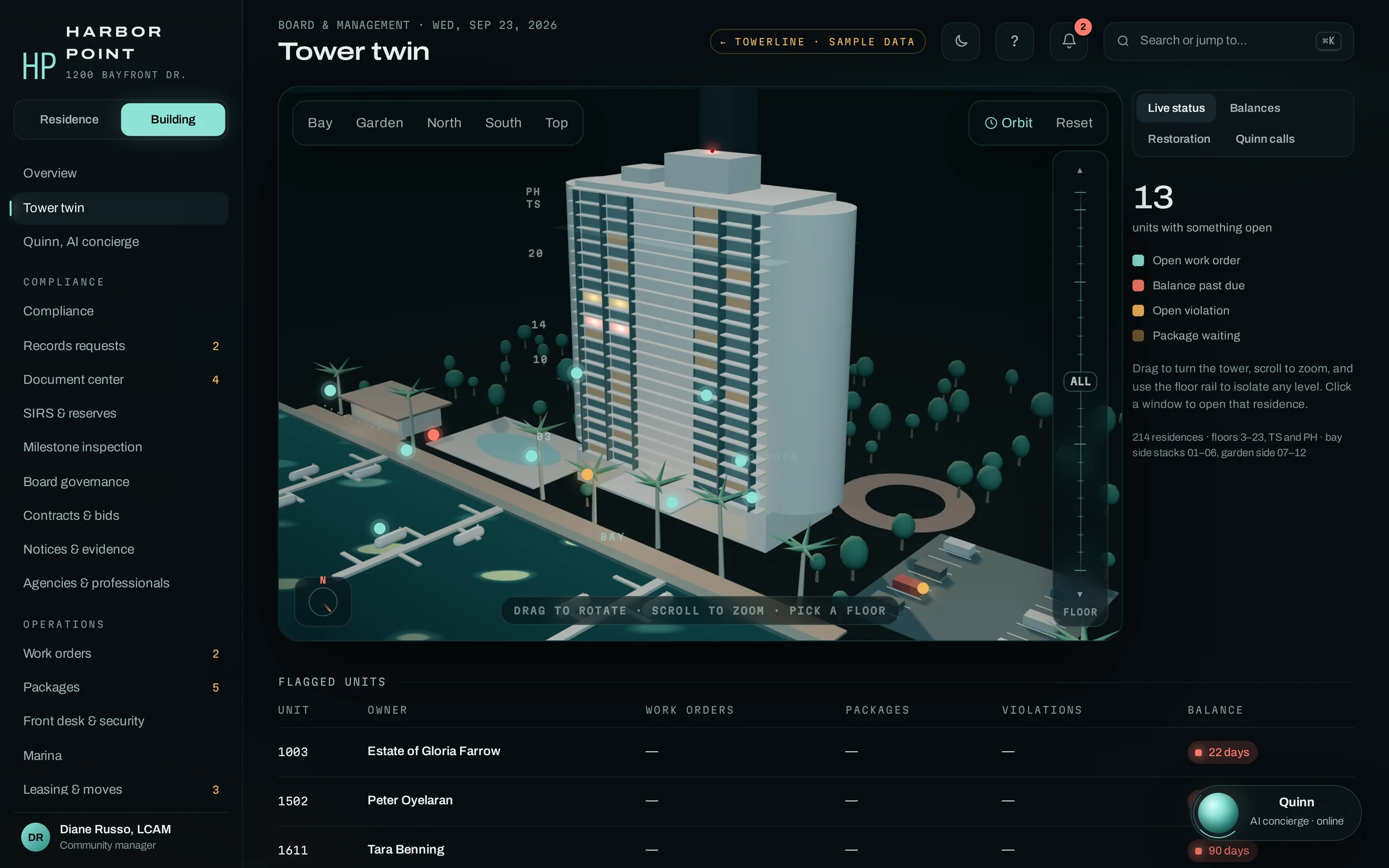
Whoever opens a request, it lands on the unit it belongs to. The tower twin shows that record for the whole building at once: open work orders, balances past due, open violations and packages waiting, floor by floor.

The AI concierge takes the call; staff, residents and directors each open their own view of what it created. Every view here is the real product for Harbor Point, our example property.
It takes calls and texts in the caller’s language, verifies the caller, then checks, opens or updates the record while they are still on the line.
AI Concierge
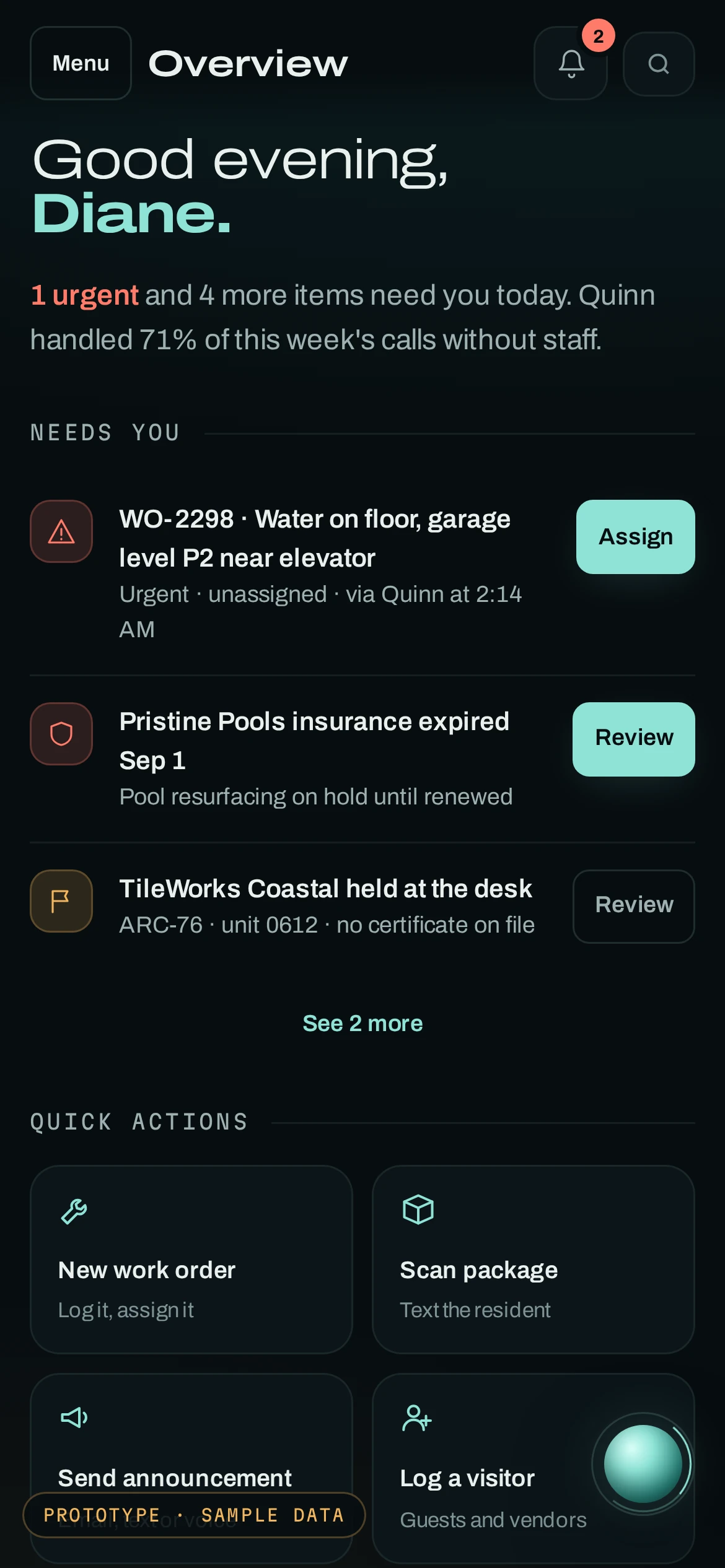
Requests from the AI concierge, the Resident Portal, the front desk and staff land on one work order board, each card tagged with its source and urgent, unassigned work first.
See the Command Center
A mobile web app that opens from a link: balance and ACH payments, requests with photos, package pickup codes, guest passes and owner-only records.
Resident Portal
Directors, terms and certification status, approvals waiting on a vote and owner records on their statutory clock, with work orders as summaries.
Board PortalTowerLine AI keeps a small set of record types. Units and households come in from your roster; the AI concierge, staff, residents and directors create the rest, and each role sees the ones it is allowed to see.
Floor, stack, owners and residents. Everything else hangs off it.
Imported from your systemContact preferences, language and household members, from your roster import.
Imported from your systemOpened by the AI concierge, the portal, the desk or staff. Seen by staff and the unit.
Kept in TowerLine AISent under your escalation policy, with the acknowledgement recorded by name.
Kept in TowerLine AICertificate of insurance, license, contract and assigned jobs, kept by staff.
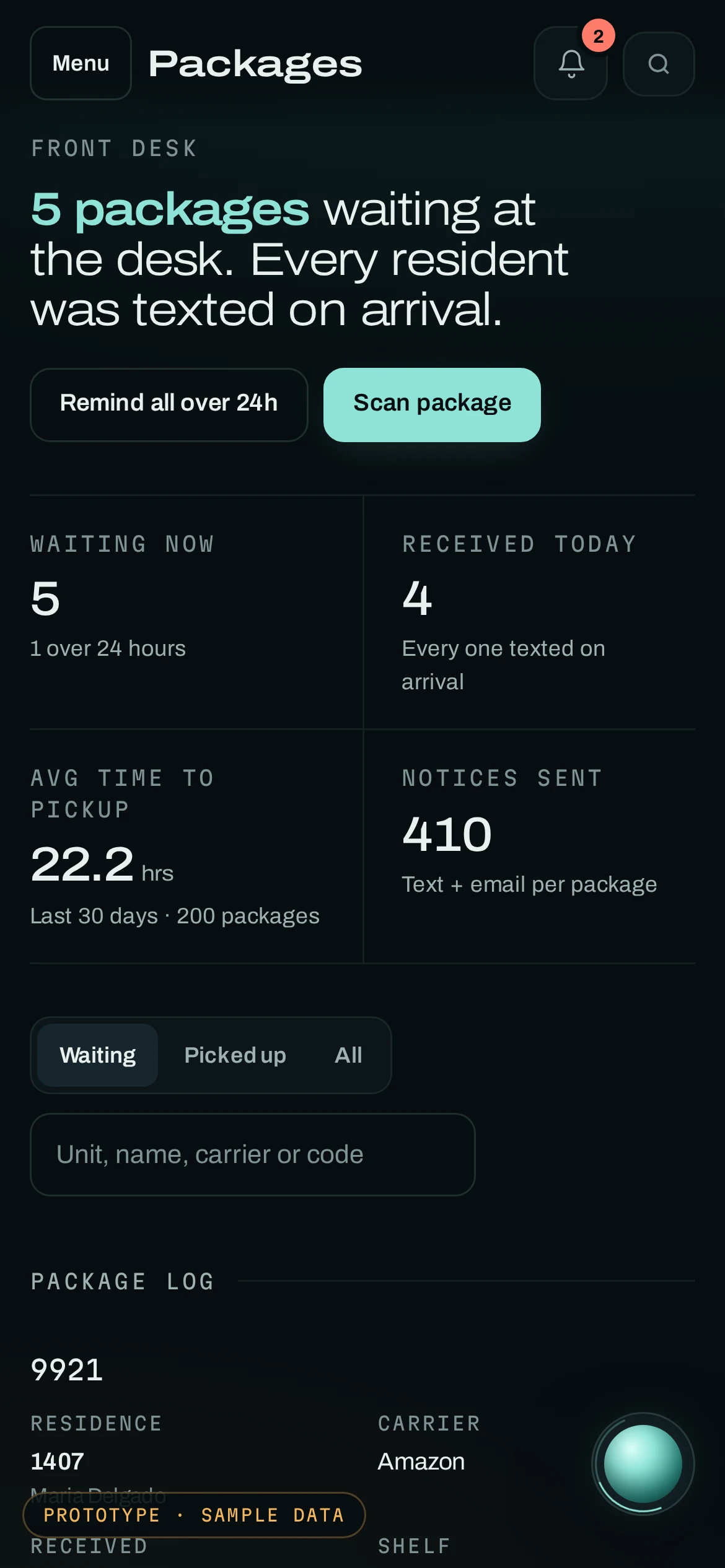
Kept in TowerLine AILogged at the desk. The unit gets a text with the shelf and pickup code.
Kept in TowerLine AIAdded by a resident or by asking the AI concierge. The desk sees it before the guest arrives.
Kept in TowerLine AIMade in the portal or with the AI concierge, under that amenity's rules and fees.
Kept in TowerLine AISent by staff as a text, email or AI concierge voice call, with delivery tracked.
Kept in TowerLine AIOwner-only or board-only by role, posted on the schedule the statute sets.
Kept in TowerLine AIBids, budget, change orders and approvals, with the meeting each was decided at.
Kept in TowerLine AIWho did what and when, for every record above.
Kept in TowerLine AI


Leasing and moves, special assessments and the structural reserve study are in the product too.
Stays in your property management or accounting system: leases, rent roll, general ledger, payables and owner accounting. Balances can be read in where your system allows it.
Systems management companies commonly run include AppFolio, Yardi, Buildium, Entrata, RealPage, Vantaca and CINC. Product names belong to their owners and appear only as examples; every connection is scoped during implementation.
How data moves: IntegrationsTowerLine AI does not come out of a box. Before the first community switches on, we build it with your team, from the way the phone is answered to the report your manager reads on Monday morning.
The AI concierge’s greeting, the questions it asks, what it may answer and when it hands a call to a person, written for each community.
What counts as an emergency at each property, who is paged first and who comes next, taken from your on-call roster.
House rules, amenity hours, move procedures and the answers your team approves, loaded per community. The AI concierge answers from that set.
Your vendor list with insurance on file, and which kinds of jobs go to whom. Staff still assign the work.
Community names, the AI concierge’s greeting and how the Resident Portal is branded under your company.
What managers and directors see each morning and each month, agreed with you around the decisions they make.
A sync map for the systems you already run, scoped account by account. How data moves.
One community first. The next one follows when the first runs the way your team wants.
What a first deployment covers. The AI concierge on your number, work orders, the Resident Portal and the core manager dashboard, at one community. The Board Portal, the Florida compliance suite, the marina and the other modules are added after launch, scoped together. The pilot program sets out that first scope.
Roles are set per community during implementation, least privilege by default, with two-step sign-in for staff. An accountant reads balances but no work orders or call transcripts; a resident sees their own unit and nothing else.

| Data | Resident | Front desk | Maintenance | Manager | Accountant | Board | AI concierge |
|---|---|---|---|---|---|---|---|
| Work orders | Own unit | Full | Assigned | Full | None | Summary | Caller's unit |
| Call transcripts | None | None | Assigned | Full | None | None | Writes them |
| Balances and payment status | None | None | None | Full | Full | Summary | Verified caller |
| Board-only folder | None | None | None | Full | None | Full | None |
Accountant
Resident, Front desk, Accountant, Board
Resident, Front desk, Maintenance
Resident, Front desk, Maintenance, Accountant, AI concierge
It is the system a property team uses to run the daily work of a building or community: resident calls, maintenance requests, dispatch, packages, guests, vendors, notices and approvals. Accounting and lease software records the money. An operations platform records the work, who did it and when, so the manager, the desk and the board read the same history.
No. Leases, ledgers and balances stay in the property management or accounting system you already use. TowerLine AI keeps the operational side: calls, work orders, pages, notices and approvals. Which data moves between them, which way and how often is agreed for your account during implementation.
Residents and owners use the Resident Portal or reach the AI concierge by phone. Front desk staff, maintenance and managers work in the Command Center. Directors use the Board Portal. Each role is set up to see only the records it needs, and every change is logged with the person and the time.
No. The Resident Portal opens in the phone's browser from a link in a text or email, and in any browser on a computer. Staff use the Command Center and directors use the Board Portal in a browser too, so nothing has to be installed or updated on anyone's device.
Yes. Rules, documents, contacts and the escalation policy are loaded per community, and the AI concierge answers from the set approved for the caller's community. How communities are grouped, branded and reported on is scoped with management companies during implementation.
There is no public price list: each building is priced after scoping. The quote has three parts: implementation once, a monthly fee for each community and the AI concierge's phone time. The written quote follows discovery, and the first deployment can be a fixed-scope pilot at one community.

We run the resident’s call through the AI concierge, then open the work order, the notice, the board’s view and the audit trail it creates.