
Resident Portal for condos, HOAs and apartments: Everything a resident asks the front desk, on their phone.
The Resident Portal is a mobile web app that opens from a link in a text. Residents pay, report a leak with photos, pick up packages, add a guest, read owner-only records and vote, with nothing to install. When they would rather call, the AI concierge answers from the same record.
Amazon package for 1407 is at the front desk, shelf C-14. Pickup code 9921.
What does a resident see in the Resident Portal?
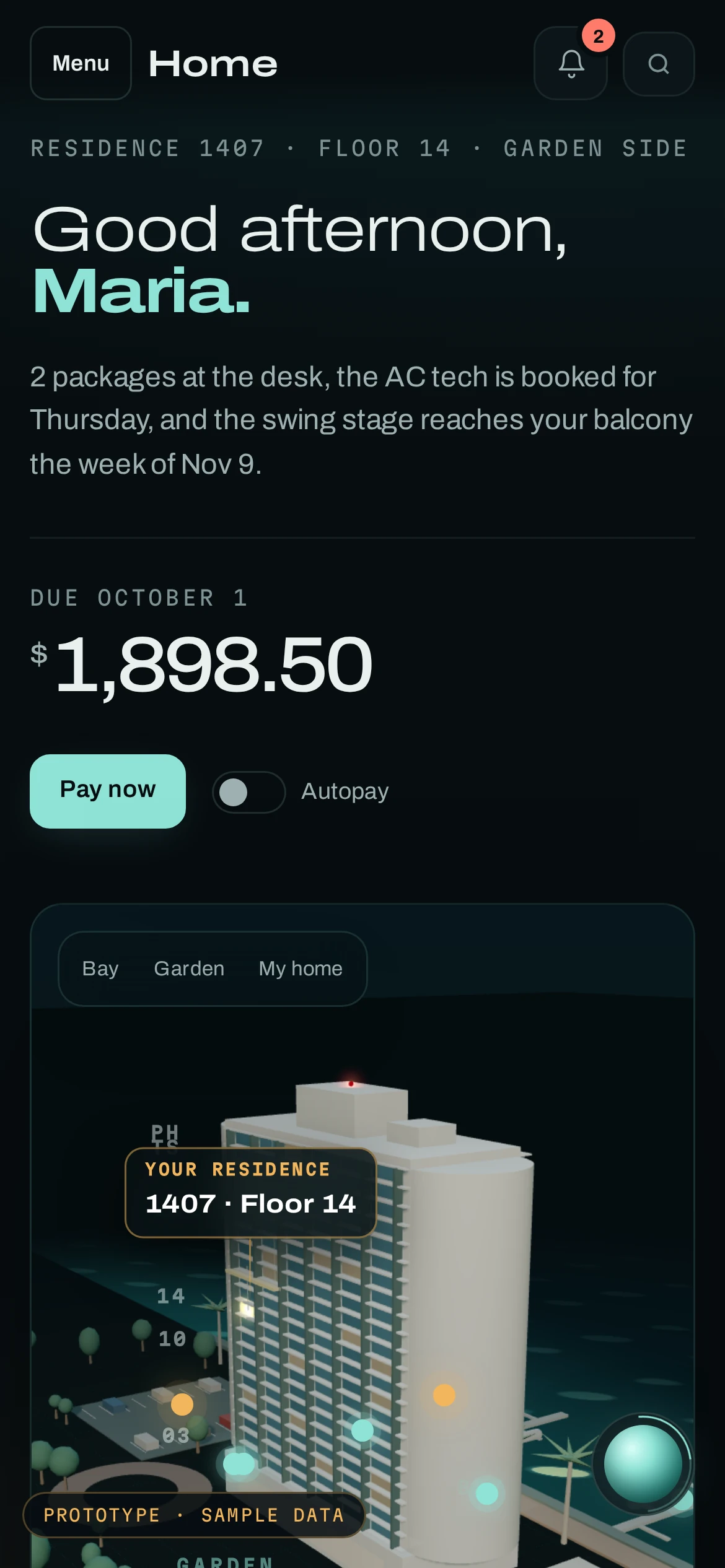
Maria Delgado owns residence 1407 at Harbor Point, our example property. Her home screen leads with what changed: two packages at the desk, the AC technician booked for Thursday, the swing stage reaching her balcony in November, and the balance due October 1.
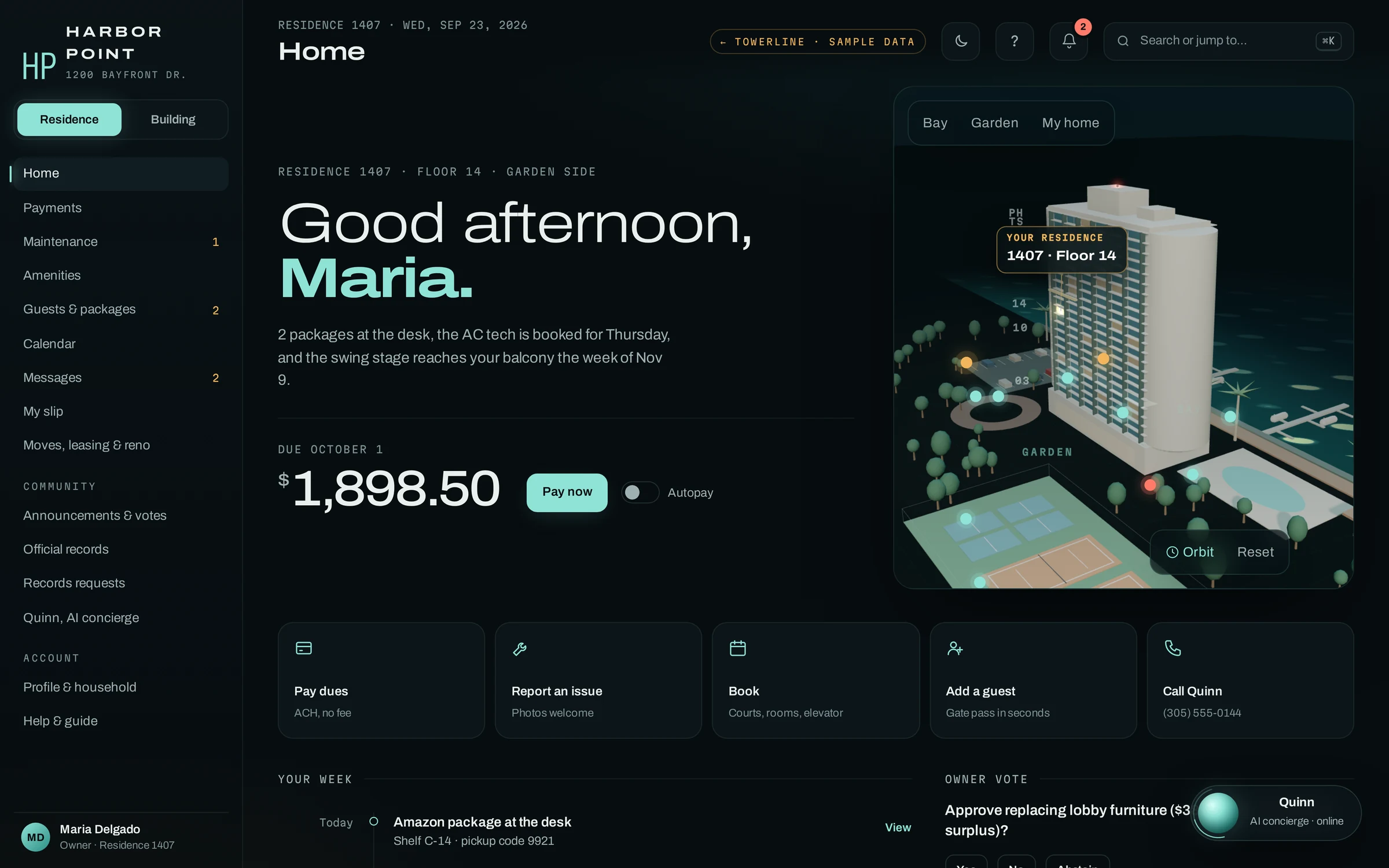
Six things a resident handles without a phone call.
Each of these used to be a call or a visit to the desk. Pick one to see the real screen as it appears on a phone. Which screens a community turns on, its amenities and their rules, its branding and the notices residents get are set up for that community during implementation.
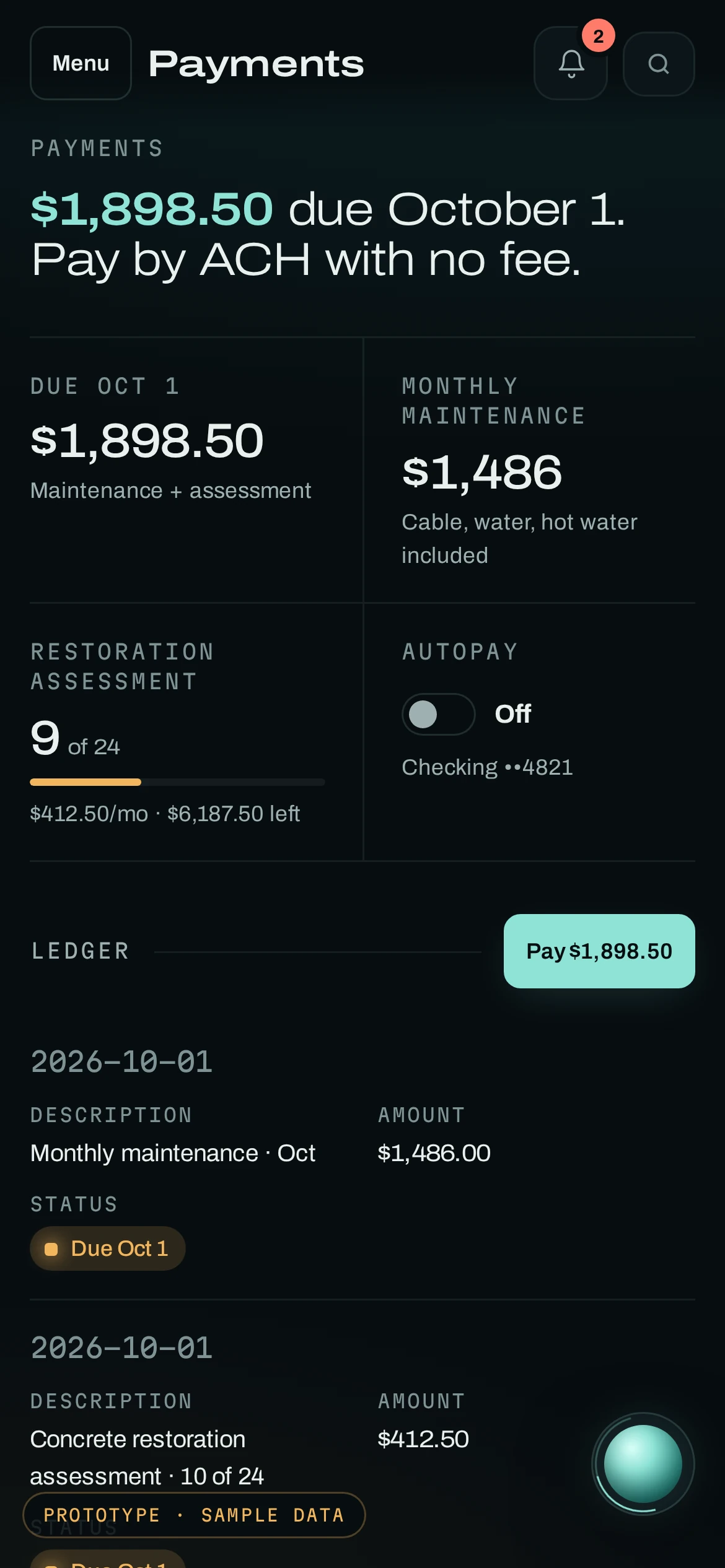
What is owed, and why.
The balance due, split into monthly maintenance and the restoration assessment, with how many installments are paid and how many are left. The ledger lists every charge and payment by date. The Pay button opens the association’s payment page, and autopay is the resident’s choice.
- LedgerEvery charge and payment, by date
- AssessmentsInstallments paid and remaining
- AutopayOn or off, from the same screen
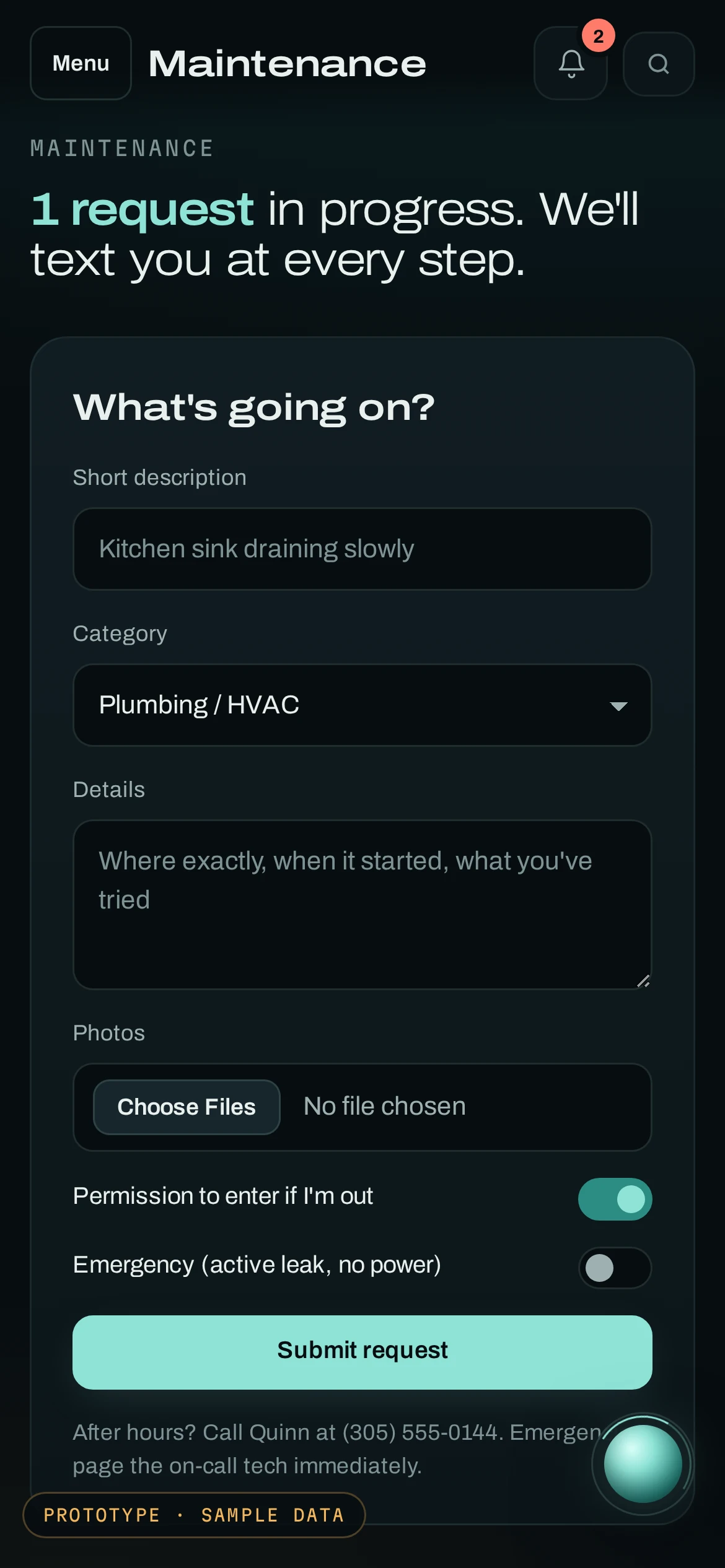
A request staff can act on the first time.
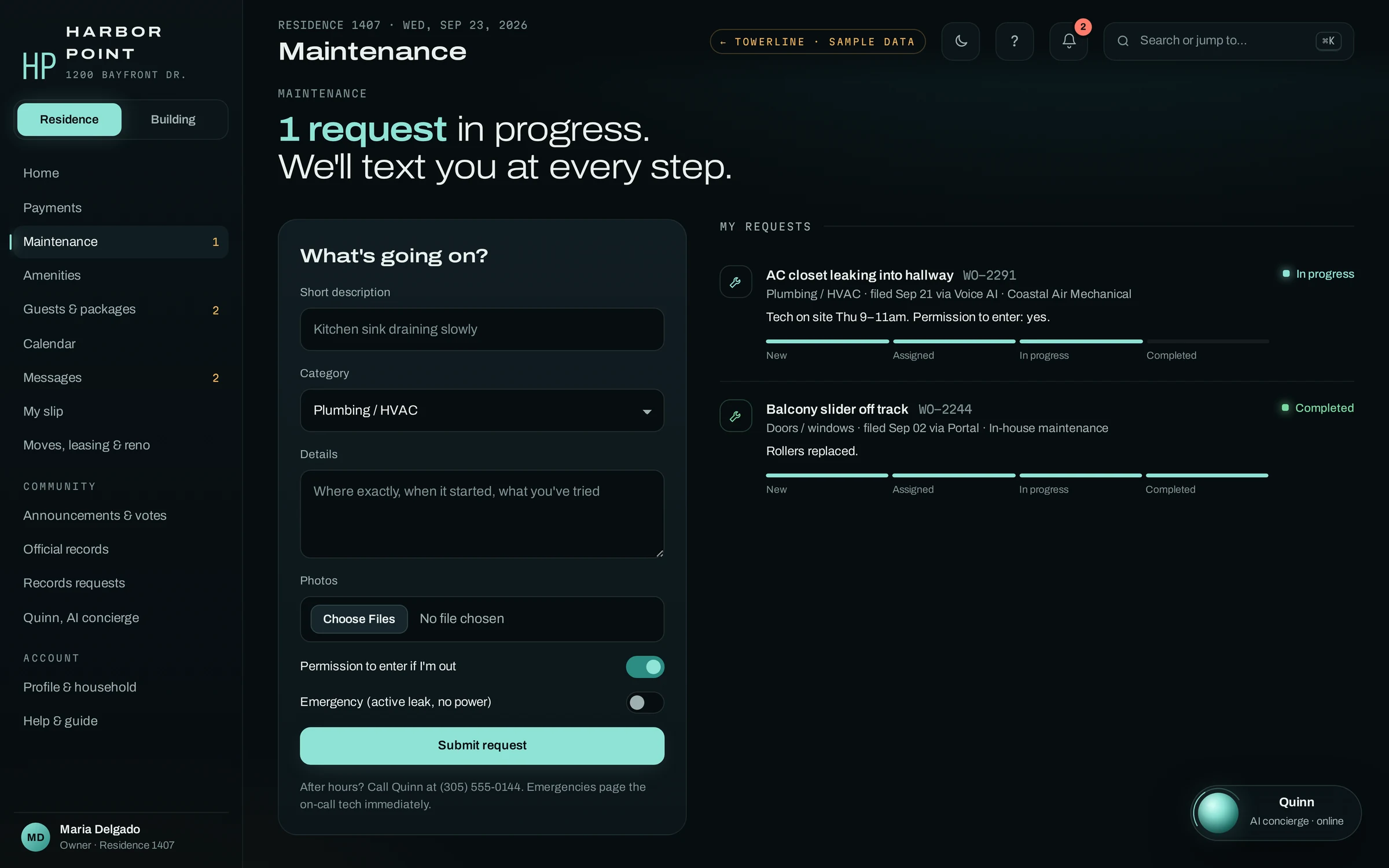
A short description, a category, details and photos, plus two switches the front desk always asks about: permission to enter if the resident is out, and whether it is an emergency. Each request then shows New, Assigned, In progress and Completed, with a text at every step.
- PhotosAttached to the work order
- EntryPermission recorded on the request
- After hoursEmergencies page the on-call tech
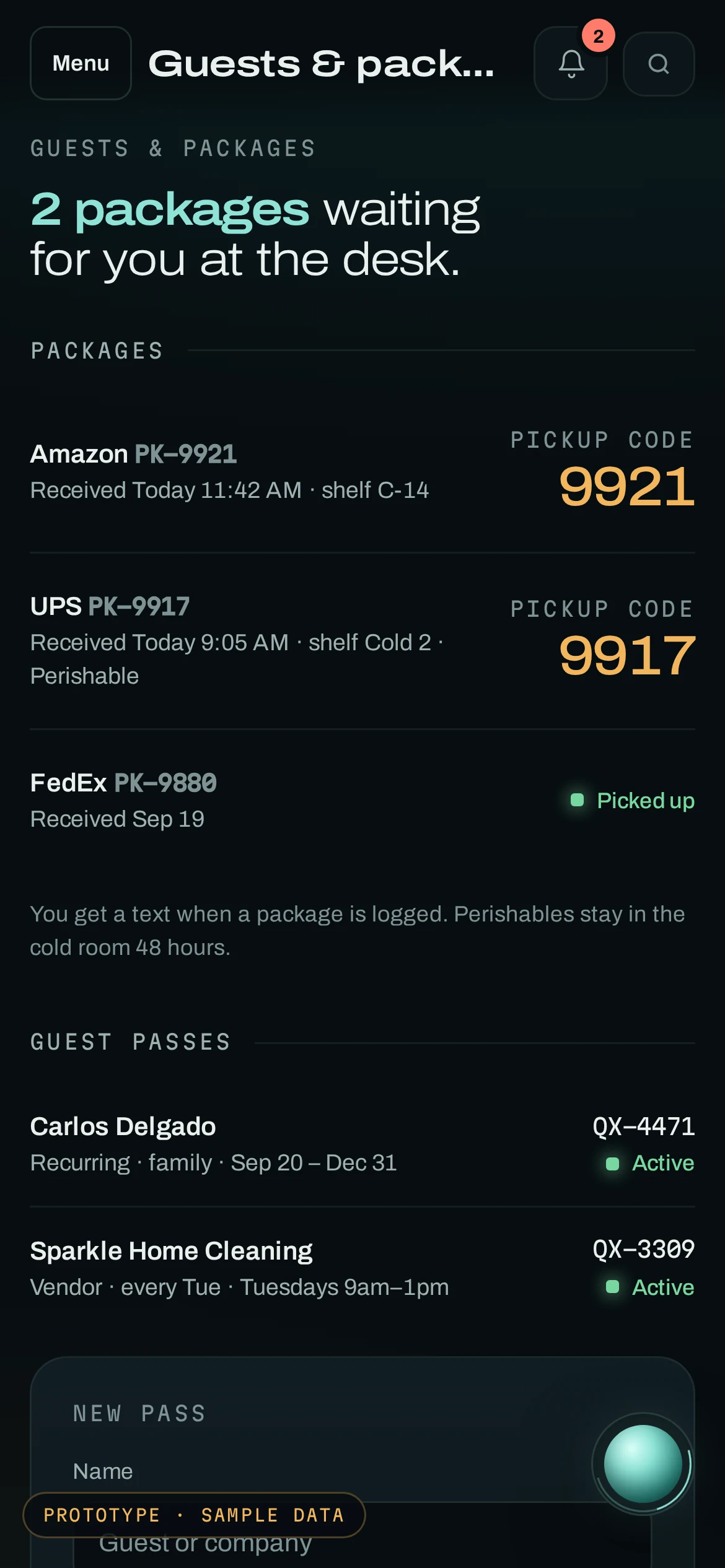
The pickup code before the elevator ride down.
Every package the desk logs appears with its carrier, shelf and pickup code, and perishables are flagged for the cold room. Guest passes sit on the same screen: one-time visits, recurring family passes and vendor passes with their own codes, which the desk sees before the guest arrives.
- PackagesShelf, carrier and pickup code
- PassesOne-time, recurring and vendor
- HistoryArrived, picked up, notices sent
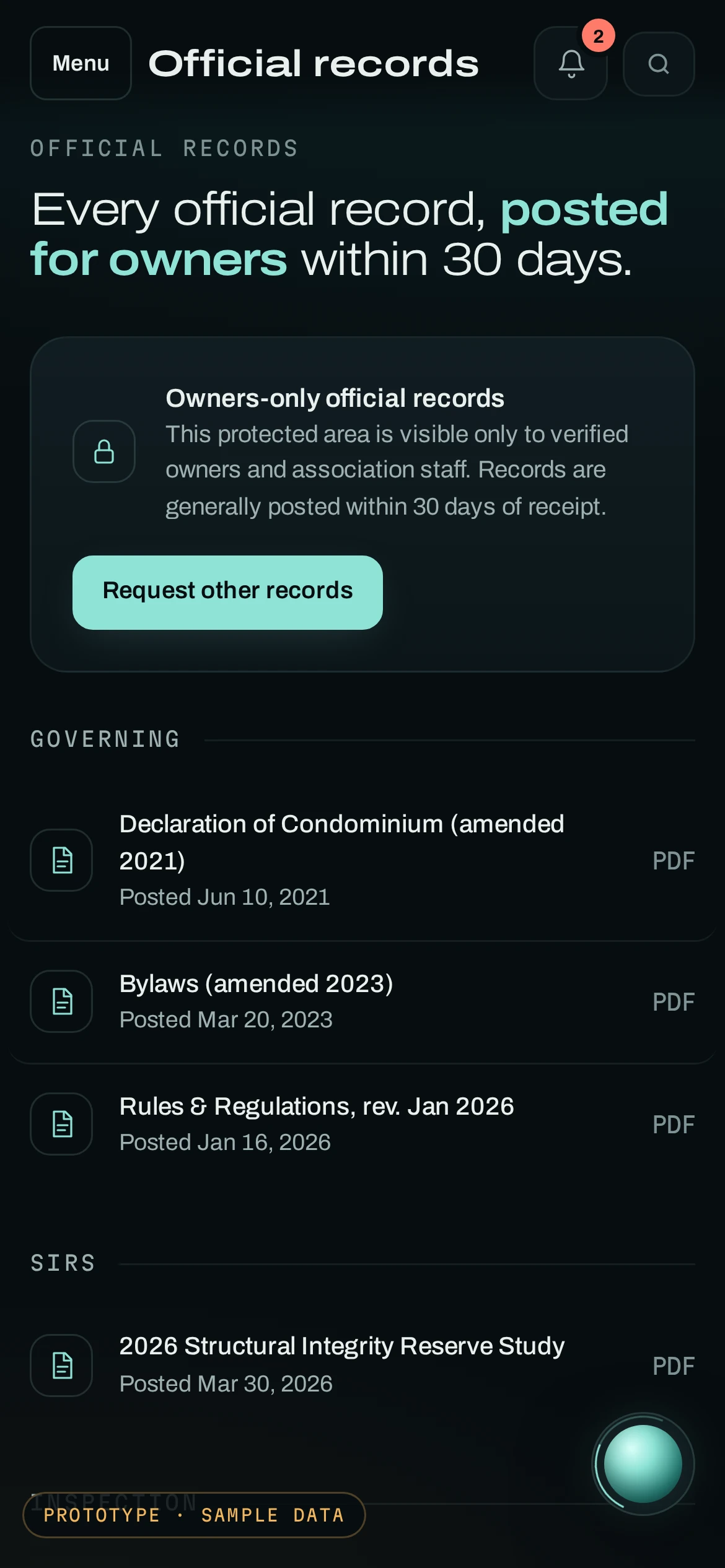
The records owners are entitled to, in one place.
Governing documents, the structural integrity reserve study, milestone inspection reports, minutes and meeting recordings, the proposed budget, conflict disclosures and insurance policies, each with the date it was posted. The area opens only for verified owners and association staff.
- AccessVerified owners and staff
- PostedEach record shows its posting date
- Missing one?File a written records request
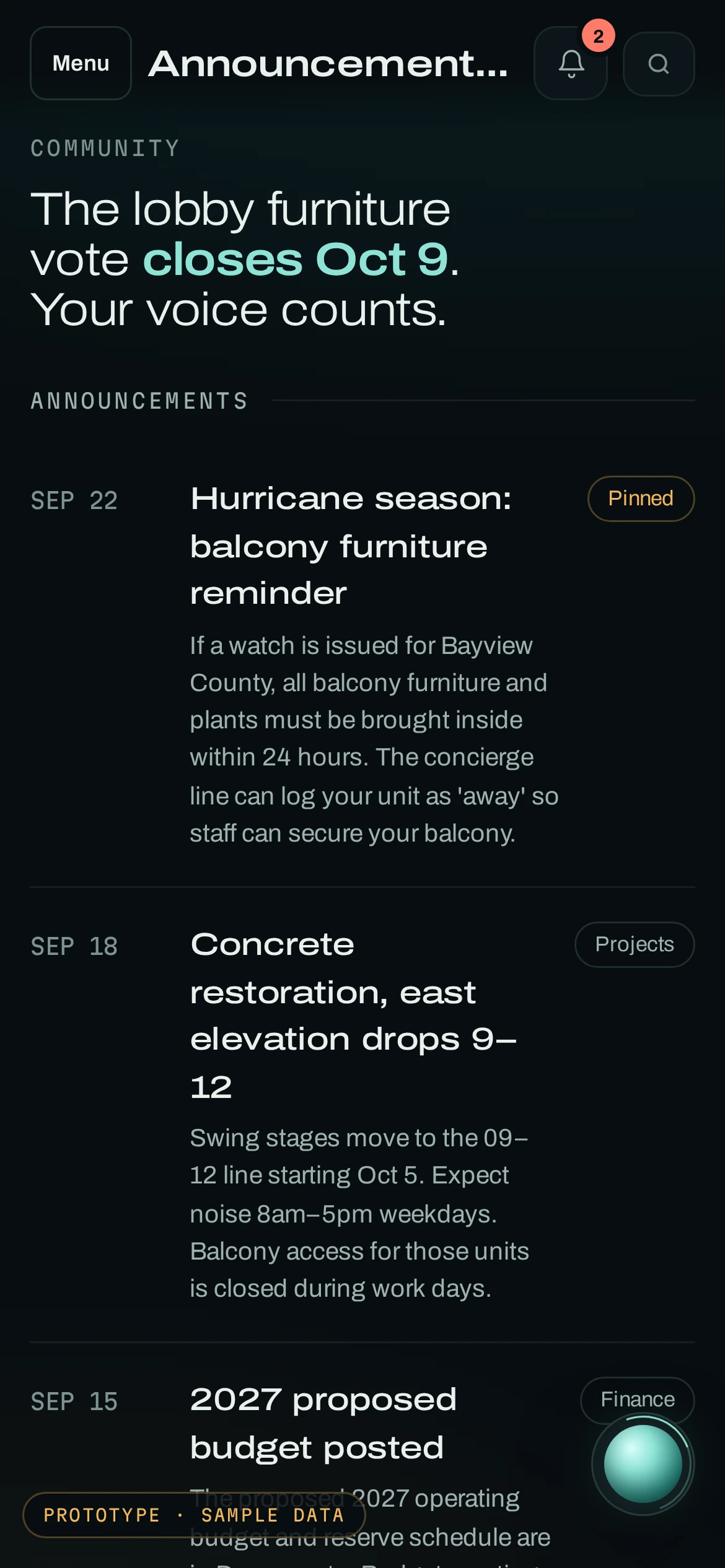
What the board posted, and what owners are asked to decide.
Pinned announcements such as a hurricane-season balcony reminder, project updates and the proposed budget. Owner votes and polls show the question, the closing date and the owner’s own ballot, where the association’s documents allow electronic voting. The next meeting adds to a calendar in one tap.
- AnnouncementsPinned, dated and tagged
- VotesWhere your documents allow them
- MeetingsDate, room and video link
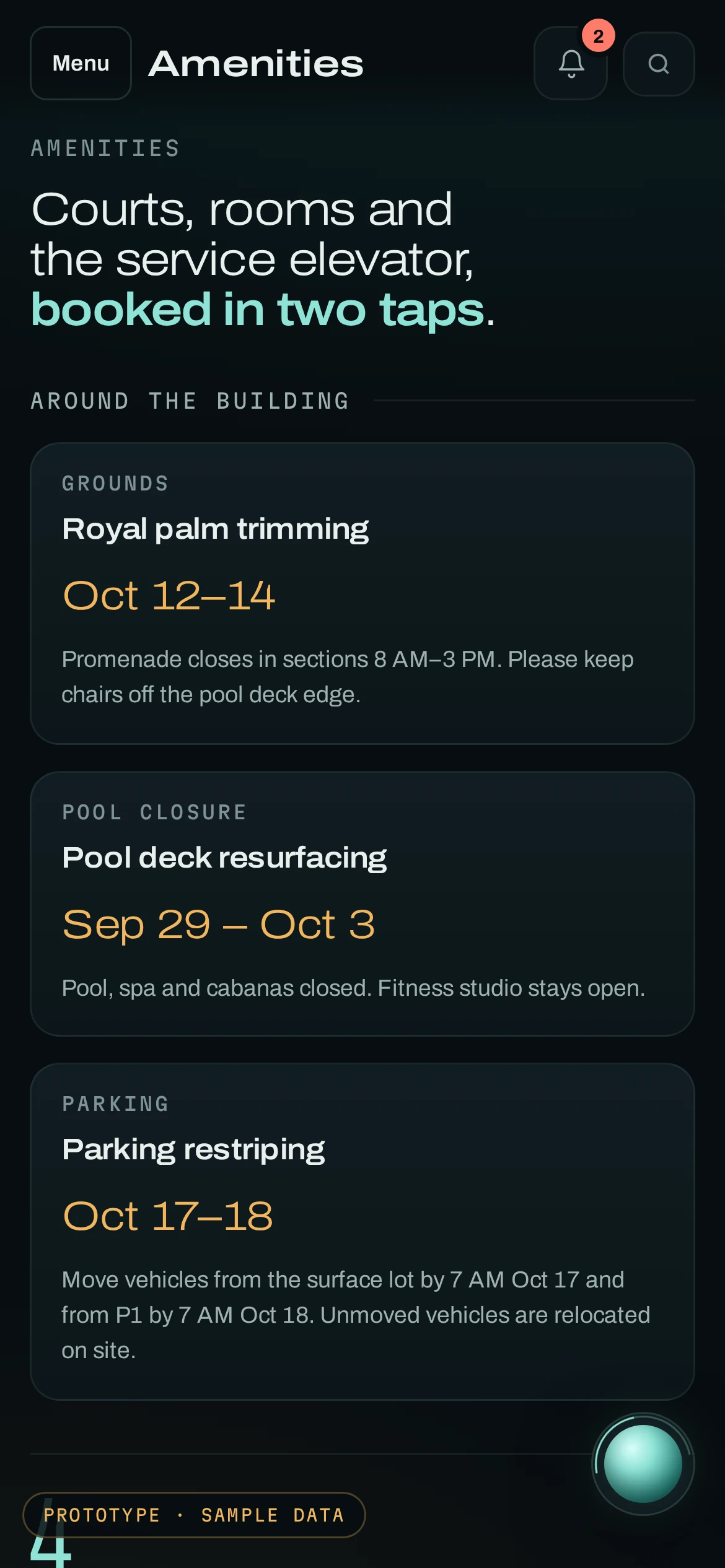
Courts, rooms and the service elevator.
Closures come first, so nobody books the pool on resurfacing week. Below them, each amenity shows what is open tomorrow, slot length, capacity and any fee or deposit. Fees and deposits are listed before anyone books, and post to the resident’s ledger afterwards.
- ClosuresDated, with what stays open
- FeesPosted to the resident’s ledger
- MovesService elevator for moves and deliveries
A phone call lands on the same work order.
At 8:47 PM Maria calls about the AC closet leaking again. The AI concierge matches her number to 1407, finds the work order she already filed, confirms Thursday’s visit and records permission to enter. Her portal shows the change.
AC closet leaking into the hallway again. Wants to be sure someone comes.
- Found work order WO-2291 already open for the AC closet
- Read back the visit: Coastal Air Mechanical, Thursday 9–11am
- Recorded permission to enter on the work order
- Told Maria she gets a text when the tech checks in at the desk
WO-2291 updated · tech confirmed Thu 9–11am
Caller ID alone gets status. Balances and other account details are read back only after the caller confirms a PIN or a code texted to the number on file.
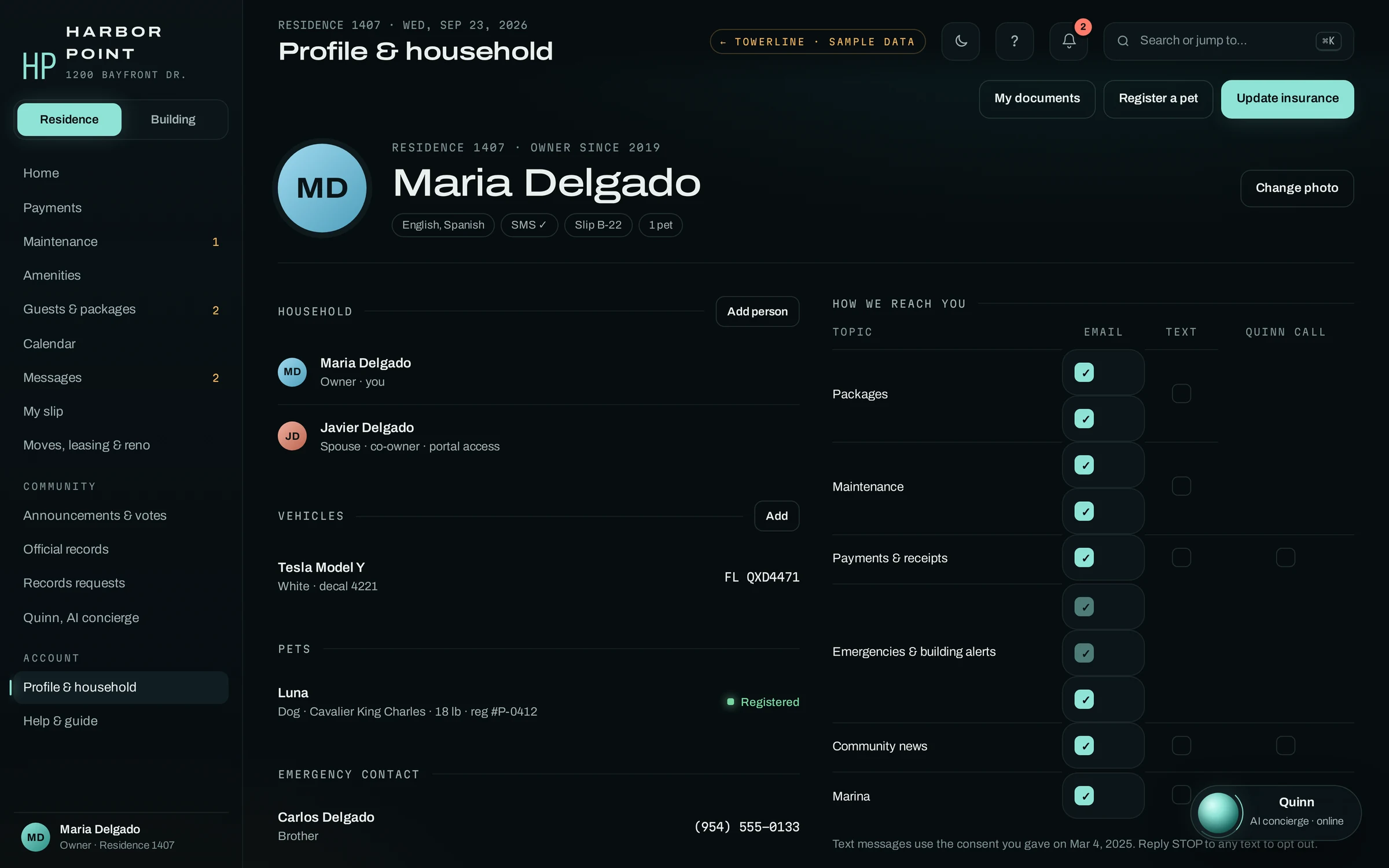
One profile covers everyone who lives in the unit.
Co-owners and family members get their own sign-in. Vehicles, decals and registered pets sit on the profile, so the desk and the garage are looking at the same list. The resident picks how the building reaches them for each topic: email, text or a call from the AI concierge. Emergencies and building alerts stay on.
- HouseholdEach person with their own portal access
- Vehicles, petsDecals and registrations staff can look up
- ChannelsEmail, text or an AI concierge call, chosen per topic
- ConsentText consent date recorded; outbound AI concierge calls only with voice consent on file
Rather call? The AI concierge has the same data.
A resident checks her packages, the pool reopening and the next board meeting by phone. The pickup code, the reopening alert and the agenda link are the same ones she would see in the portal.
Records, moves and every message on the same sign-in.
On a laptop the same sign-in opens the rest of the resident’s side of the building record.
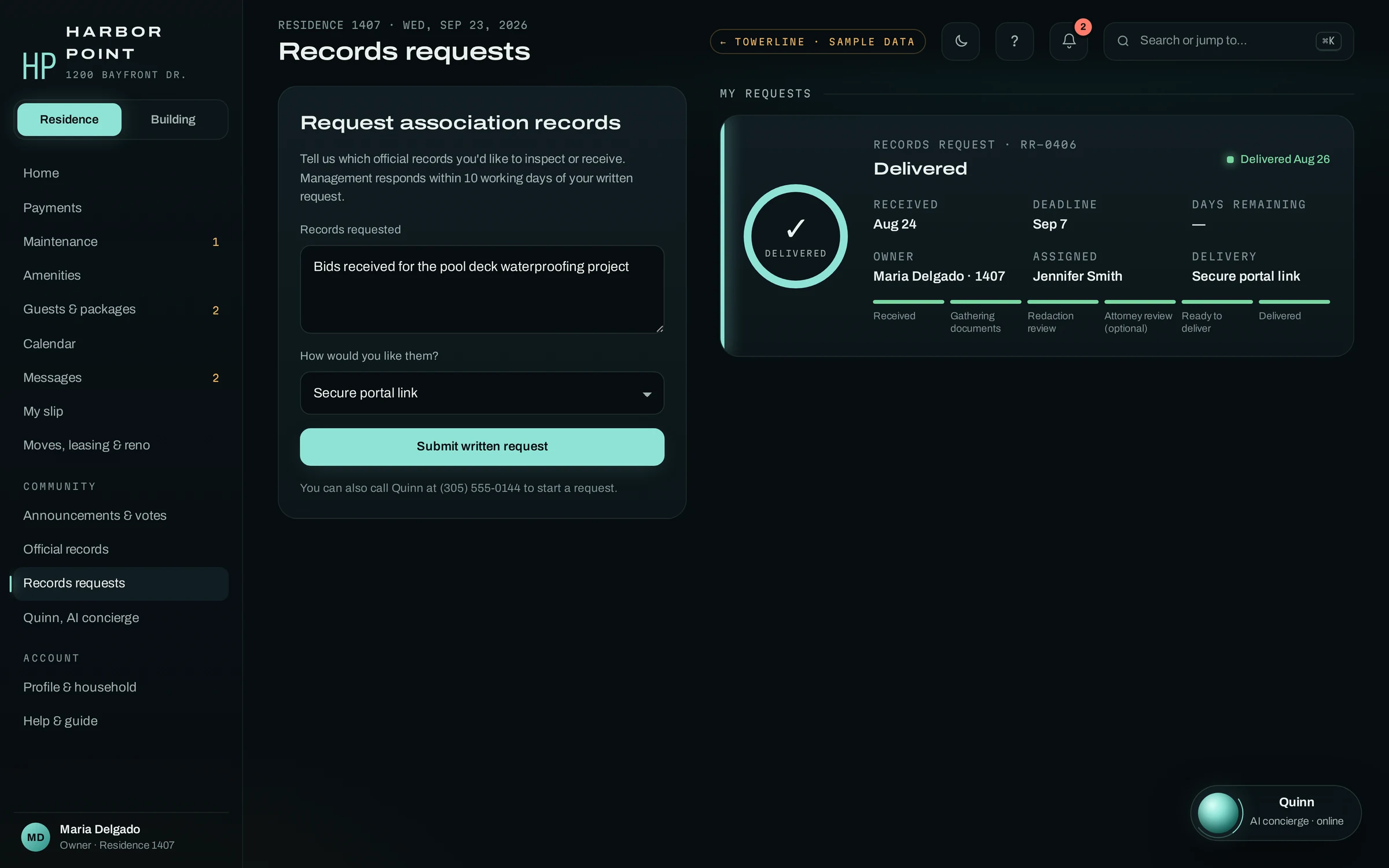
Moves, leases and renovations
Reserve the service elevator, send a lease for board approval, ask for renovation approval and keep the unit’s HO-6 policy current, with a reminder before it lapses.
Messages
Every text, email and AI concierge call between the resident and the building, with whether it was delivered or opened, so “I never got that notice” has an answer.
Questions about the Resident Portal
Do residents have to download an app?
No. The Resident Portal is a mobile web app. It opens in the phone’s browser from a link in a text or email, and in any browser on a computer. Its web address and any branding under your company name are scoped during implementation.
How do package notices work?
When the desk logs a package, the resident gets a text and an email with the shelf and a pickup code, and a reminder if the package is still waiting. Residents who call can ask the AI concierge, who can check the package log for their unit. Each pickup is logged against the unit with the time and an ID check, which is the record the desk looks at when a resident says a package never reached them.
How do guest passes work?
A resident adds the guest’s name, the pass type and the date in the portal, or asks the AI concierge to add it during a call. Recurring and vendor passes carry their own pass codes, so a cleaner calling from the gate can give the AI concierge the code and it can check it against the list. The desk still checks photo ID before letting anyone in.
Can residents pay their balance in the Resident Portal?
Residents see the balance, each charge and the assessment installments, and the Pay button opens the association’s payment page. The AI concierge can text the same secure payment link during a call once the caller is verified with a PIN or a texted code, so no card or bank number is read out on the phone. Which payment processor and methods sit behind the link is set up with you, and balances can come from your accounting system.
Who can open the owner-only records?
Verified owners on the unit and association staff. Other people on the unit can use the rest of the portal without seeing the protected records area. An owner who needs a record that is not posted can file a written records request from the same screen, and its working-day clock starts on receipt.
Does the Resident Portal work in other languages?
Each resident's preferred language is kept on their profile, and notices and status texts can go out in that language. The AI concierge answers calls in the caller's language, including English and Spanish. Which languages the portal screens, notices and documents are prepared in is set with your team during implementation, based on who lives at each community.
Open the portal the way a resident would.
In a 15-minute walkthrough we open the Resident Portal on a phone, file a request with a photo and follow it into the Command Center, where your staff pick it up.