

Apartment maintenance request software: After-hours maintenance without waking the wrong person.
When a maintenance request comes in by phone after the office closes, the AI concierge asks the questions your tech would ask, checks for a work order that is already open and applies the property’s emergency rules before anyone is paged. The humming disposal waits for the morning crew. The sewage backup does not.
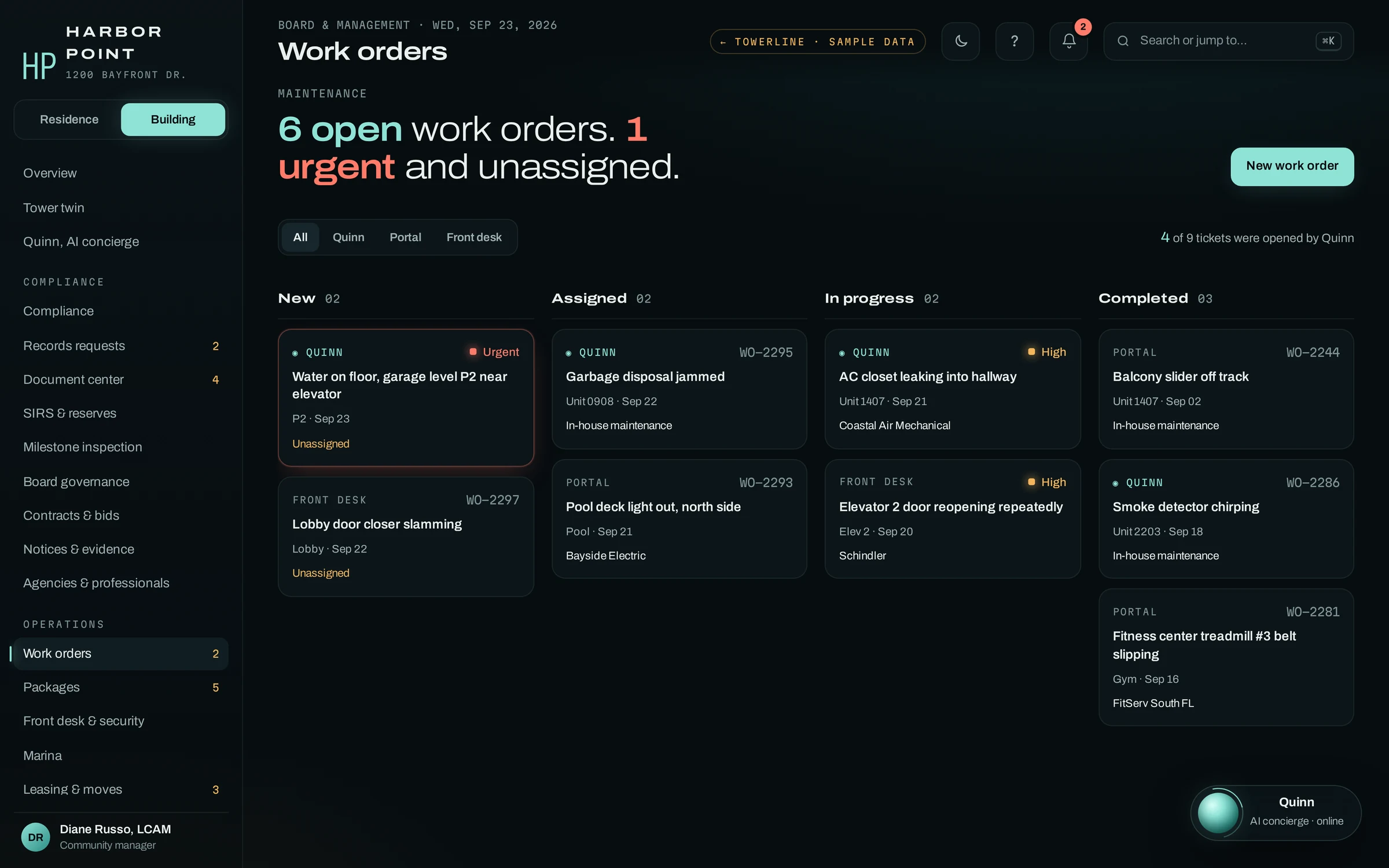
- Opened work order WO-2295, plumbing, unit 0908
- Routine under this community’s rules: nobody paged
- Told the resident maintenance calls tomorrow morning to schedule
- Call and transcript on the work order
What a first deployment covers. The AI concierge on the phone, work orders, the Resident Portal and the core manager dashboard. Other modules, such as leasing and moves, packages and resident notices, are added after launch and scoped with you.
Three calls, three different right answers.
Most after-hours lines treat every call the same way: take a message, wake somebody up. The first two are calls from the TowerLine AI product’s sample evening; the third is an example scenario. One can wait, one is about a ticket that already exists, and one needs a technician on site tonight.
-
Luis F. · Unit 0908
“My garbage disposal is jammed and humming.”
- create_work_order(
category=plumbing, unit=0908) → WO-2295
RoutineWork order opened. Maintenance calls in the morning to schedule. - create_work_order(
-
Maria D. · Unit 1407
“The AC closet is leaking again, there’s water getting into the hallway.”
- get_work_order(
WO-2291) → Coastal Air, Thu 9–11am - update_work_order(
permission_to_enter=true)
Open ticketVisit window read back. Permission to enter added to WO-2291. - get_work_order(
-
Example scenario · Unit 214
“Water is dripping through my bathroom ceiling from the unit upstairs, and it’s getting faster.”
- create_work_order(
priority=emergency, unit=214, source=unit 314) - page_oncall(
maintenance) → tonight’s on-call tech
EmergencyActive leak under this community’s rules. Emergency work order for 214 and 314, and the on-call tech your roster names is paged. - create_work_order(
The call that usually ends in voicemail
Plenty of evening calls are about a ticket that already exists. The resident wants to know someone is coming. The AI concierge finds work order 2291, reads back the vendor’s window, asks for permission to enter and writes the answer onto the ticket. Nobody on call is paged for a visit that is already booked.
- Category
- Plumbing / HVAC
- Opened
- Sep 21 · by phone · the AI concierge
- Vendor
- Coastal Air Mechanical · assigned by staff
- Visit
- Thursday, 9–11am
- Entry
- Permission to enter · added 8:48 PM by the AI concierge
- Resident
- Text when the tech checks in
- On the record
- Call C-4417 · transcript attached
Who decides what counts as an emergency?
The AI concierge does not decide what counts as an emergency or what to tell the caller. The community’s rules and approved scripts do. Who is paged, and in what order, is set up with you property by property, and the acknowledgement lands on the work order with the transcript.
- Life safety
“I smell gas in the hallway.”
Nothing that delays leaving. The safety instruction comes first.
Leave now and call 911 or the gas utility from outside. Then the AI concierge alerts tonight’s on-call tech and the property manager.
- Emergency
“The toilet backed up and now it’s coming up in the tub.”
Is it sewage or clean water? Is it still rising? Which drains?
Emergency work order and a page to tonight’s on-call tech. The AI concierge reads your approved script, such as holding off on running water.
- Urgent
“The heat stopped working tonight.”
What does the thermostat read inside? Is it set to Heat? Is the furnace fan running?
Your cold-weather rule decides: below its line, page tonight; above it, the first morning slot.
- Routine
“My garbage disposal just hums.”
Can it wait until morning? Is the sink draining?
Morning-queue work order. If your approved script includes reset steps, the AI concierge can text them.
Every community sets its own emergency definitions and on-call contacts, and the AI concierge gives safety instructions only from scripts you approve.
Move days on the same calendar as the repairs
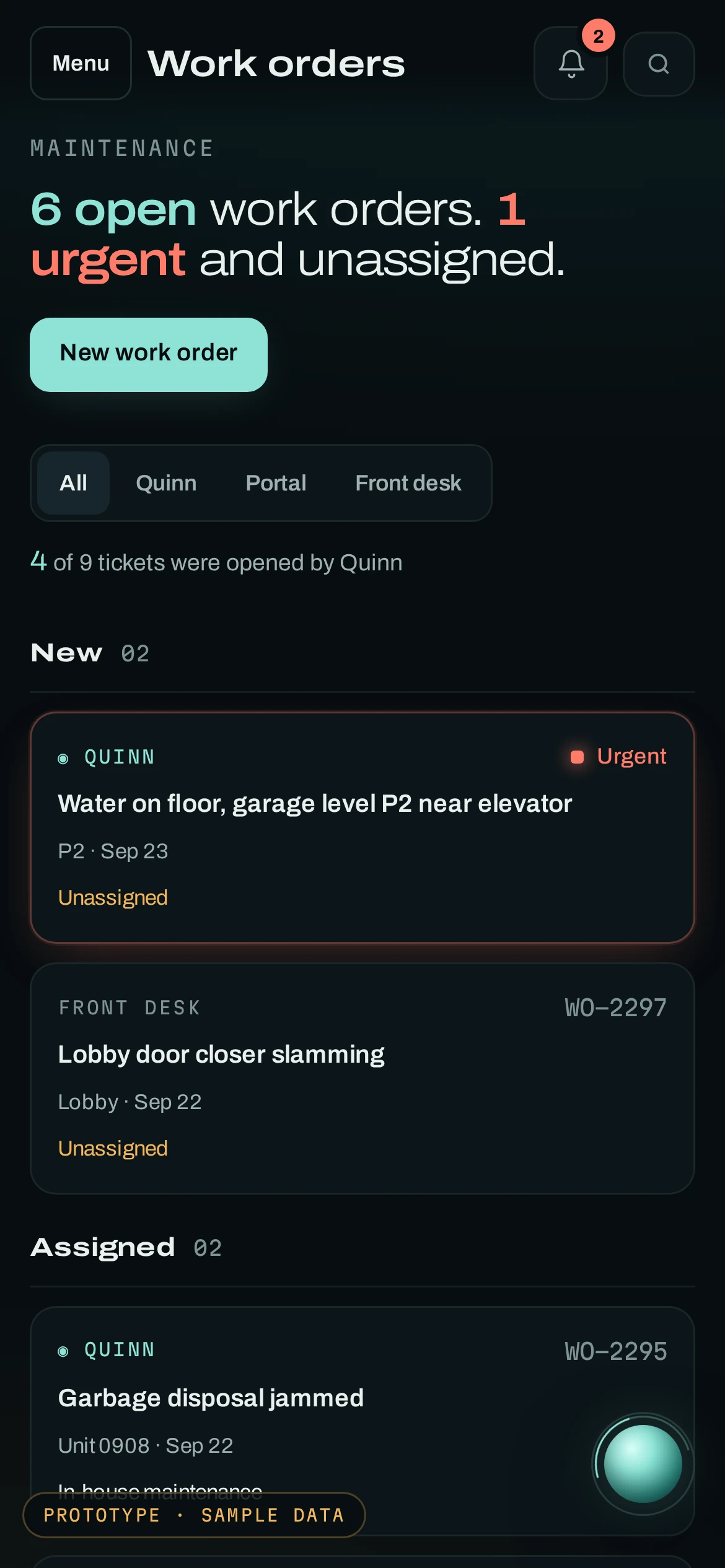
Elevator and loading-dock reservations, move-out steps and building notices sit beside the work orders, so the day crew knows the service elevator is padded from nine to noon before they plan the morning.
This screen comes from the tower TowerLine AI was designed in, where the board approves each lease. At an apartment community that step is set up for your leasing team during implementation, and leases stay in your property management system.
Where the AI concierge stops. For prospects, the AI concierge answers only from information you approve, such as pet policy, parking and how to apply. Routing tour requests to your leasing team can be set up. It does not quote pricing you have not published, promise a unit or approve an application.
What carries over, and what we set up with you
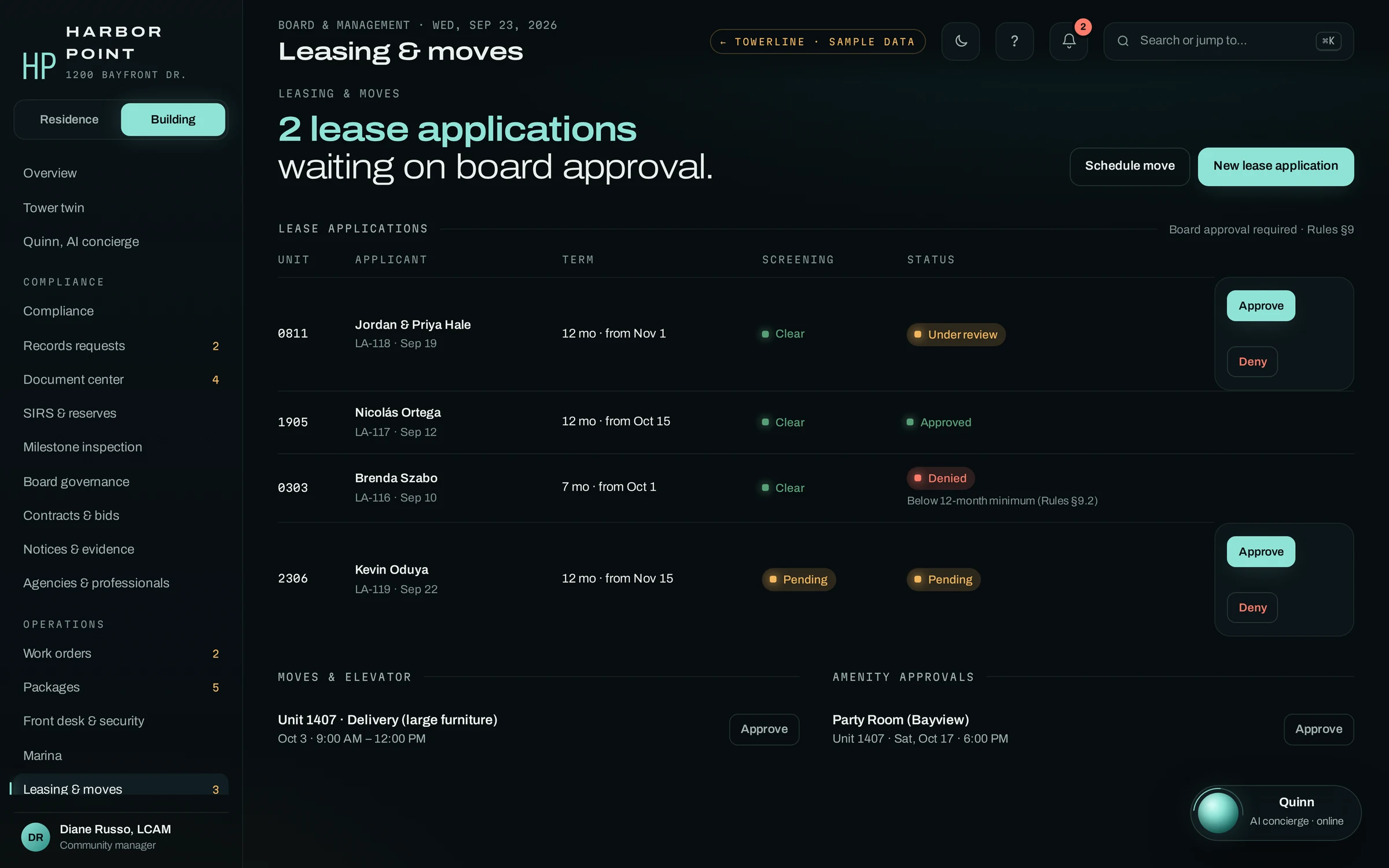
TowerLine AI was designed first for a 24-story condominium tower in South Florida. The maintenance side of that building is the same job at an apartment community. The governance side is not, and it stays out of an apartment setup. Nothing is installed as a stock package: we build each apartment deployment with your maintenance and leasing teams, community by community.
The maintenance loop
- The AI concierge on the phone, in your residents’ languages
- The work-order board and on-call paging
- Resident Portal requests with photos and permission to enter
- Package log, messages and building notices
- The audit trail behind every call and page
Your rules
- Emergency definitions and the on-call roster
- Approved safety scripts
- Vendors and who assigns them
- The lease approval step, for your leasing team
- Which residents get which notices
Condo governance
- Board governance and votes
- Florida records-request clocks
- Reserve studies and milestone inspections
- Leases, rent and accounting stay in your PMS
Student, single-family, affordable, 55+ and military housing
These communities get the same maintenance loop as a garden-style property: the AI concierge on the phone, the work-order board, on-call pages under your rules and the Resident Portal. What changes is the calendar, the people involved and a few rules, set up community by community. None of them has its own page, so here is what differs for each.
Student housing
Move windows and service-elevator holds for move-in week go through one approval queue in Leasing and moves, and the AI concierge answers move-in questions from the plan you approve. Late-night lockouts can be routed to the staff member on duty. Unit-and-bed records and what parents or guarantors may be told are scoped with you during implementation. The student housing move-in week communication playbook sets out what to send residents at 30, 14 and seven days out.
Build-to-rent and single-family
Each home’s requests sit on that home’s record, and your coordinator assigns the vendor. Vendor insurance status is on the vendor list before a job is assigned. Routing by market and trade, and builder warranty checks, are scoped with you during implementation.
Affordable housing
The AI concierge answers in the caller’s language, including English and Spanish, and each household’s preferred language sits on its resident record; hear the Spanish call below. Reminders can be set up for recertification dates. Eligibility, income, recertification and accommodation decisions stay with your staff.
55+ and active adult
Many residents would rather call. The AI concierge can book the clubhouse, a court or the guest suite under each amenity’s rules, and a caller can ask for a staff member at any point. Household members and emergency contacts live on the resident profile; family update permissions are scoped with you. The AI concierge gives no medical advice. Read why 55+ communities need a phone-first resident experience.
Privatized military housing
The family follows the request in the Resident Portal while maintenance works the same work order, and each status change keeps who made it and when. A read-only role for the installation housing office can be set up during implementation, and the format of a maintenance-history summary is scoped with you. Our MHPI Tenant Bill of Rights guide for work orders covers the repair-request rights.
Start with nights and weekends, then widen
After hours is where calls go to voicemail or a relay service today, so that is where the AI concierge goes first. Daytime overflow and office questions can follow once your team has listened to enough calls to trust the triage.
First, nights and weekends
Overnight and weekend calls go to the AI concierge. Daytime calls keep ringing the office until you choose otherwise.
Then, each community
Units, the on-call roster, emergency definitions, approved safety scripts, vendors and the questions residents ask most, loaded one community at a time.
Every morning after
The day team opens what came in overnight: the work orders, who was paged and who acknowledged, with each transcript attached. Where a call landed in the wrong tier, adjust that community’s rules.
A caregiver’s pass in Spanish.
A resident calls in Spanish to set up a standing pass for her mother’s home health aide. The AI concierge switches languages, verifies her by PIN, creates the weekday pass, tells the front desk to check ID on the first visit and confirms tomorrow’s AC appointment. The second tab is the front desk reporting an elevator outage at 6 AM, handled in one call.
Frequently asked questions
What counts as an after-hours maintenance emergency in an apartment?
You decide, community by community. Many operators treat gas smells, fire or smoke, active water leaks, sewage backups, no heat in freezing weather, no cooling in extreme heat and security problems as emergencies. The AI concierge is set up per community to apply the definitions you set, ask the follow-up questions in your script and page on-call staff only for the tiers you mark as emergencies. Everything else goes to the morning queue as a work order.
Can an AI answering service replace our after-hours call center?
The AI concierge can take routine and after-hours calls, and how much of your call center it replaces is up to you. The difference is what each call is set up to leave behind: a work order with the answers your tech needs, a page to whoever is on call tonight, and the transcript on the record instead of a relayed message. You can keep a person on any call type you choose. Compare the two approaches.
Does TowerLine AI work with Yardi, RealPage, Entrata or AppFolio?
It runs alongside them. Leases, rent and accounting stay in your property management system, and TowerLine AI keeps the calls, work orders, pages and notices. Every PMS connection is scoped during implementation for your account: what moves, in which direction and how often, by API where your plan allows it, or by scheduled export or CSV.
Will residents know they are talking to AI?
Yes. The AI concierge opens every call by giving its role, the community’s AI concierge, and saying that the call is recorded. A resident who would rather talk to a person can say so at any point: during staffed hours the AI concierge transfers the call, and after hours it takes a message for the team your rules name.
How much does apartment maintenance request software cost?
Each community gets its own quote once we have scoped it; we do not publish a price list. The quote depends on the number of communities and units, the modules each one uses, the systems we connect and how many calls the AI concierge takes after hours. The quote arrives in writing after the demo, and one community can go first as a fixed-scope pilot.

Is 56 degrees at 10 PM an emergency at your properties?
In the demo, the AI concierge sorts that call by your written cold-weather rule. Then we open the board your day team would see the next morning.