

HOA and condo board portal: Give directors the facts before the meeting starts.
The Board Portal is the board’s view of the record your management team keeps. Certifications, reserves, inspections, bids, notices and the budget sit in one place, so directors see what needs a decision before the meeting without asking the manager for another status email.
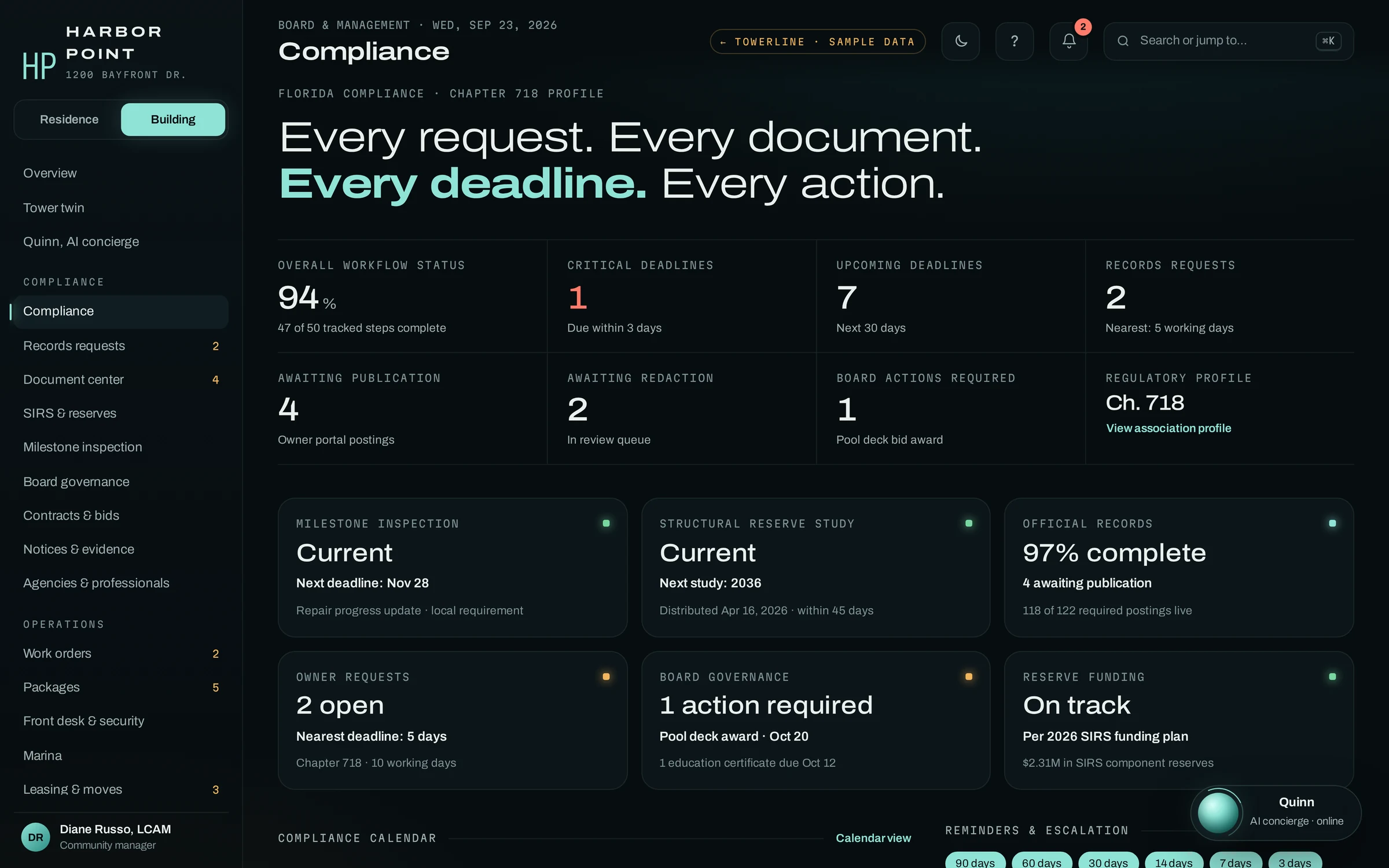
What does a director see in the Board Portal?
The page a director opens first. It shows whether each director is current on certification, education, the SIRS affidavit and conflict disclosure, and what needs a board vote this month.
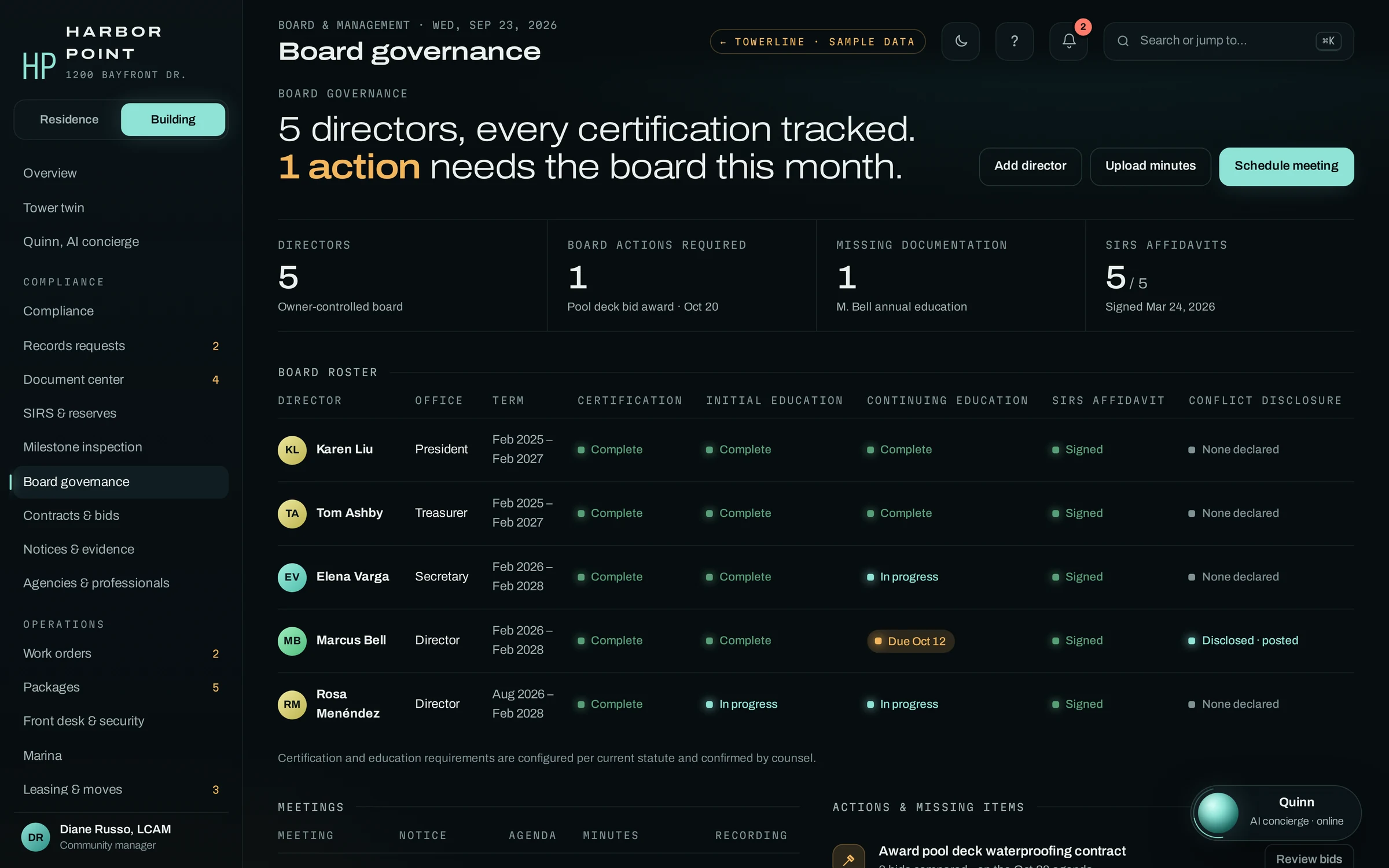
Check your own standing
Certification, initial and continuing education, the SIRS affidavit and any conflict you disclosed, with the date the next item is due.
See what needs a vote
Each board action with its date and the material behind it, such as the bids compared for the pool deck contract.
Find the meeting record
Notice, agenda, approved minutes and the recording for each meeting, in one row, for the director and for the owner who asks.
Posted on a clock, released by a person.
Two screens answer the questions owners put to the board most often: is it posted, and when will I get it. Posting rules, who can open each kind of record and the review before release are set up for your association’s statute and governing documents during implementation.
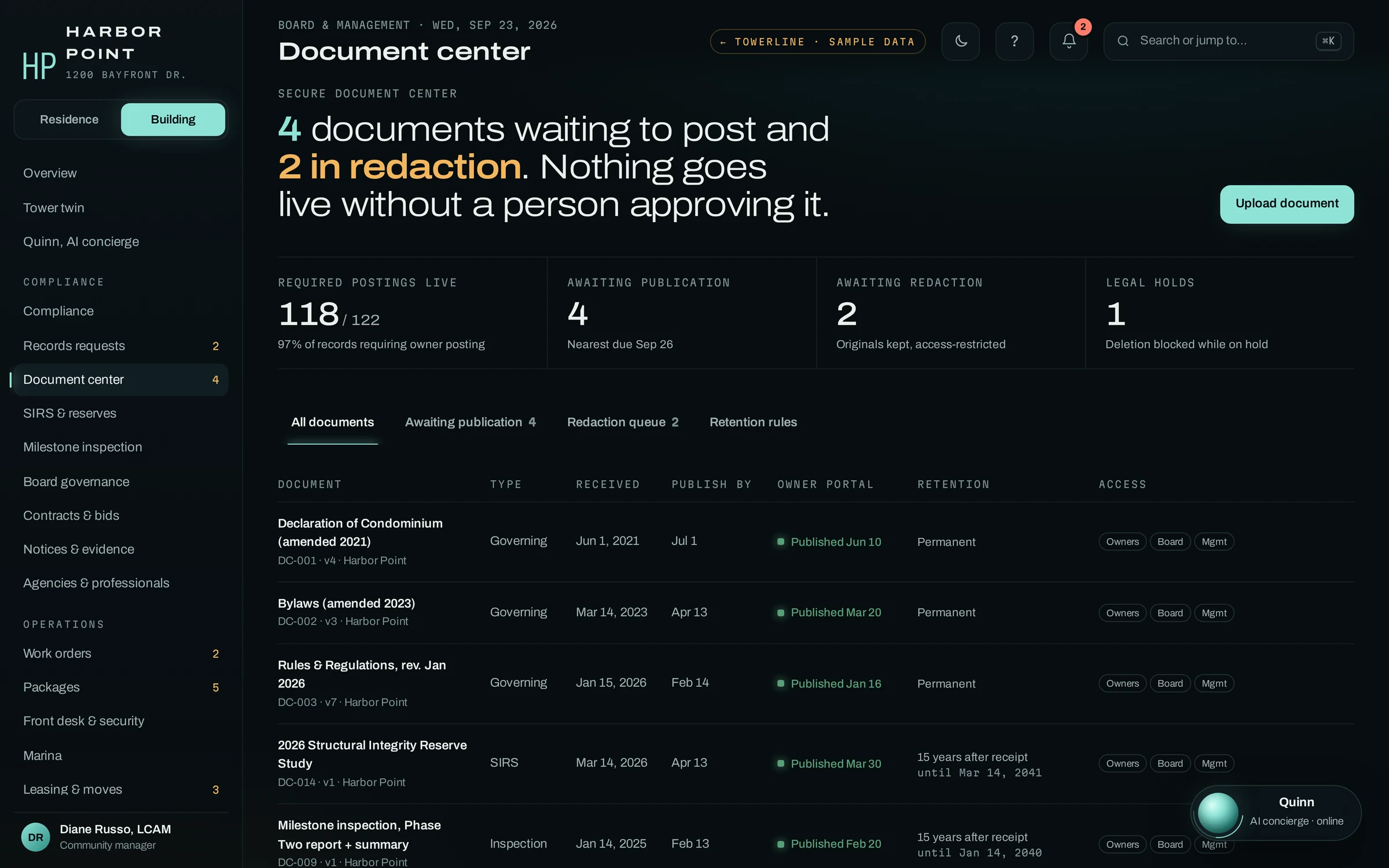
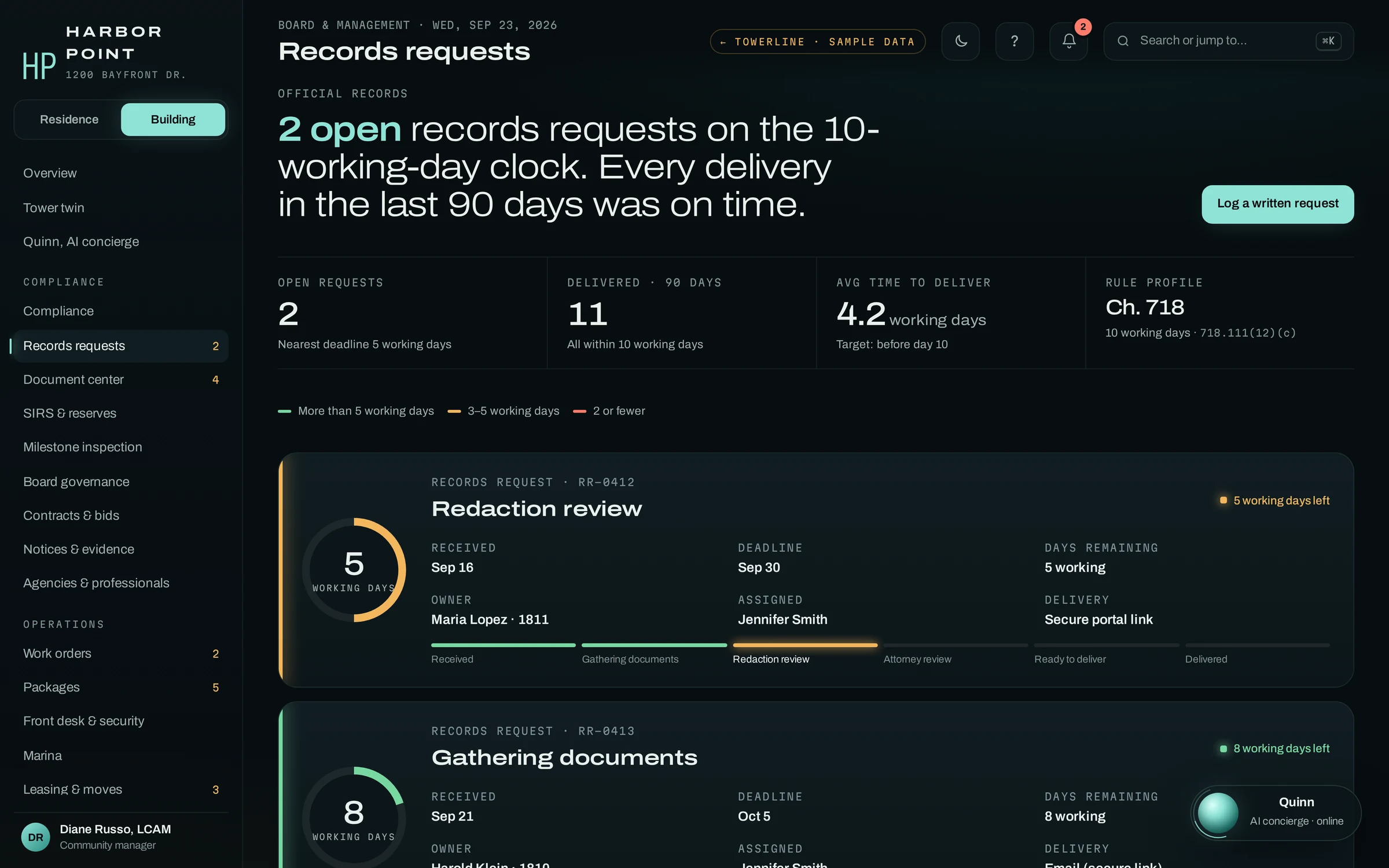
Florida condominium associations with 25 or more units (other than timeshare condominiums) must post specified records on a website or app, in an area only owners can open, within 30 days of receiving or creating them. A written owner request for condominium records starts a 10-working-day count. In TowerLine AI, the document center shows that posting clock on each record, staff track each request against its due date, and a person reviews redactions before anything is released. Chapter 720 associations follow different posting rules, and their clocks are set up separately.
Sources: F.S. 718.111(12) (condominium official records, records requests, records owners may not inspect, website posting) and F.S. 720.303(4) (HOA official records and website; HOAs with 100 or more parcels must keep a protected website area, and Chapter 720 sets lead times for meeting documents rather than a general 30-day posting window). General information, not legal advice. TowerLine AI helps organize the records and deadlines these statutes address; your association and its counsel remain responsible for compliance.
Reserves, inspections, projects and the budget
The four screens a treasurer and a president live in during an assessment year. Pick one to see what a director reviews on it.
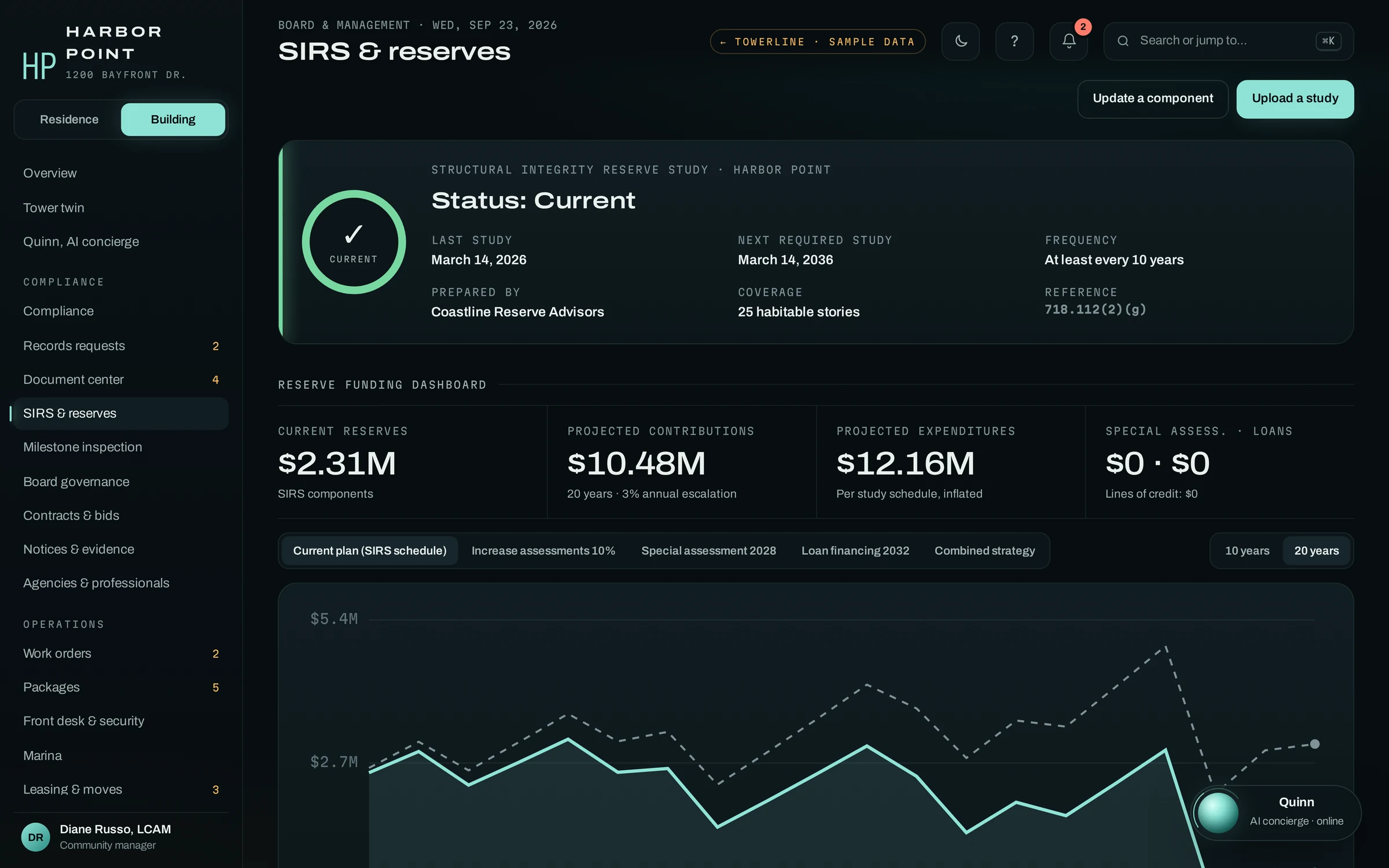
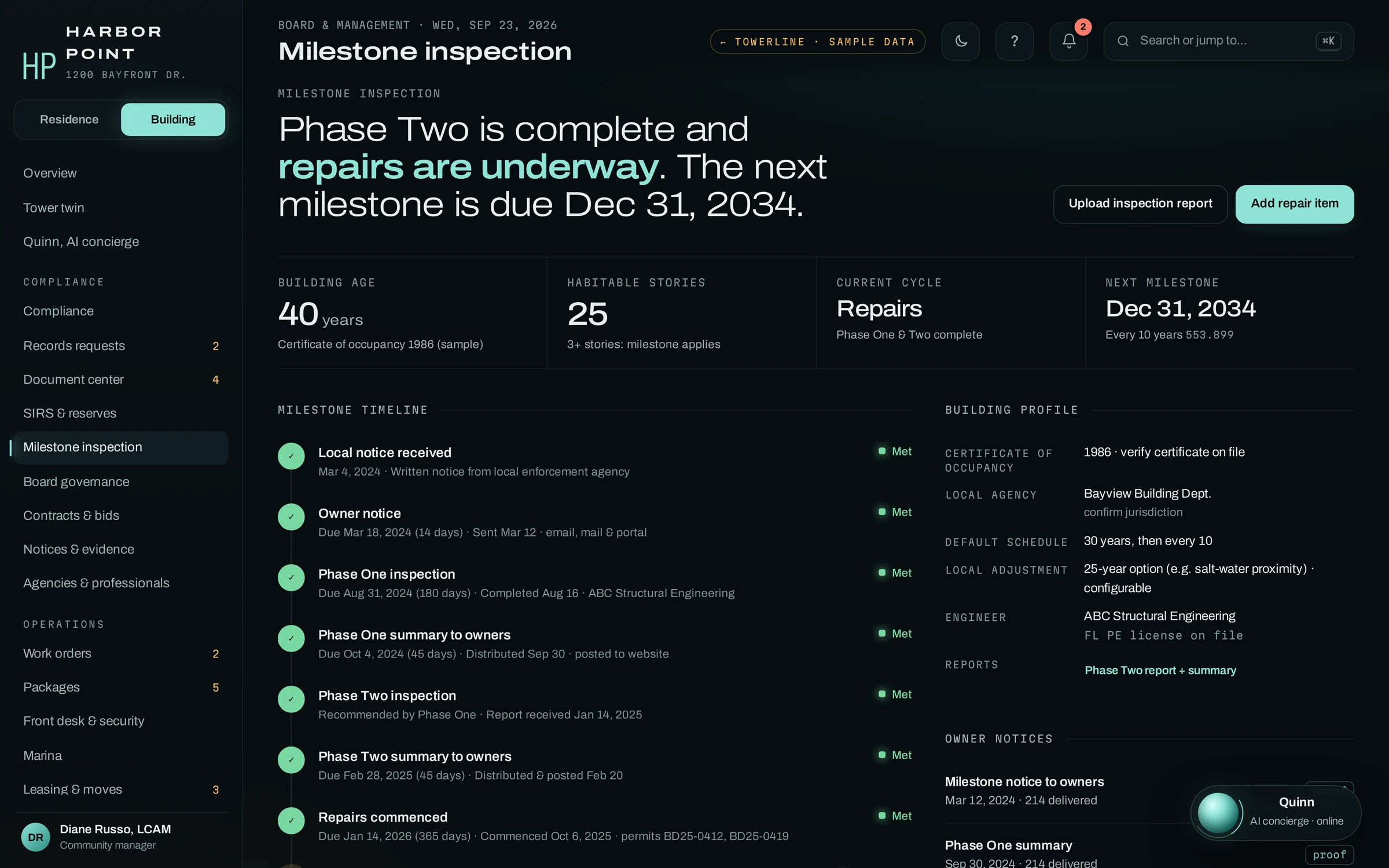
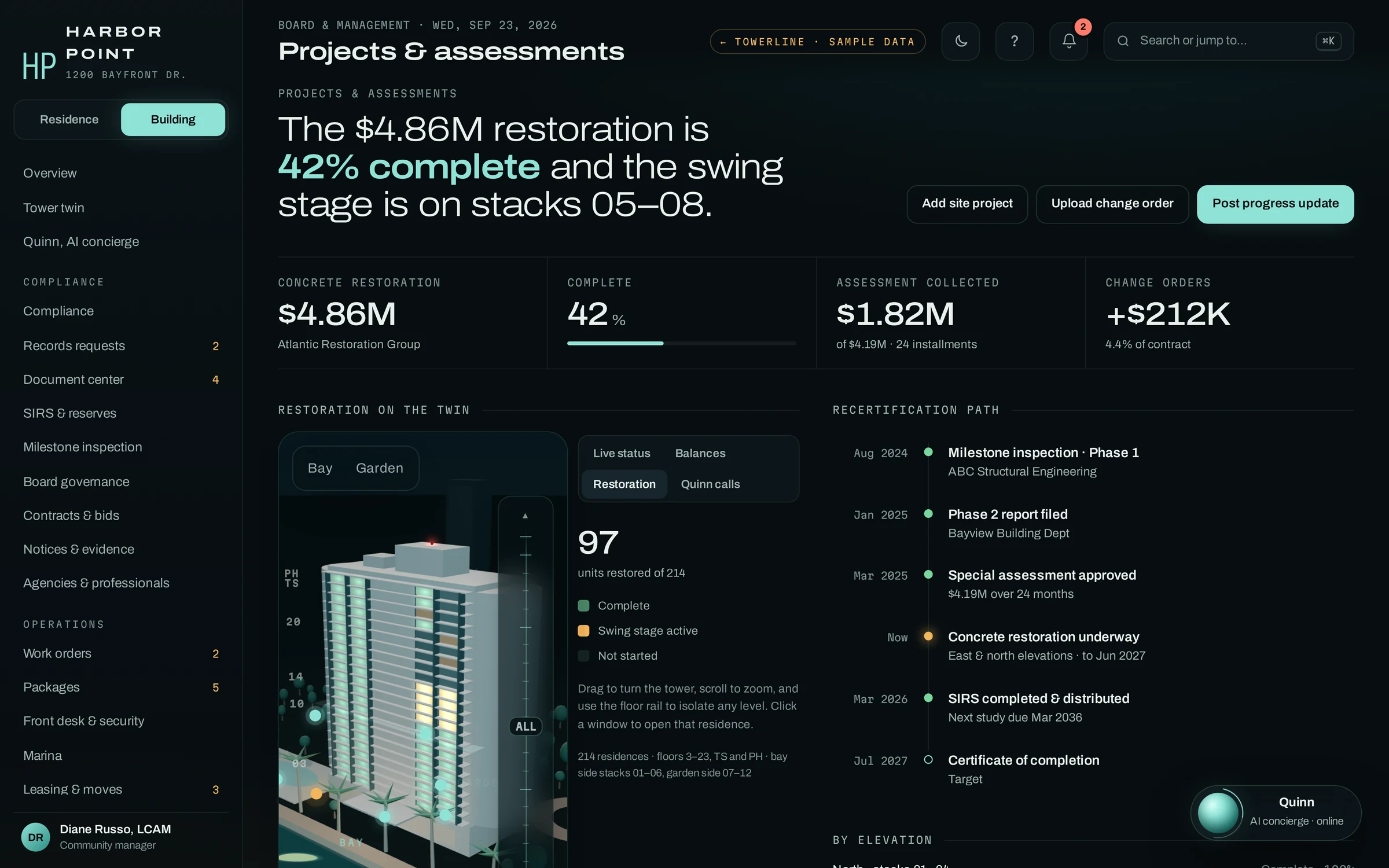
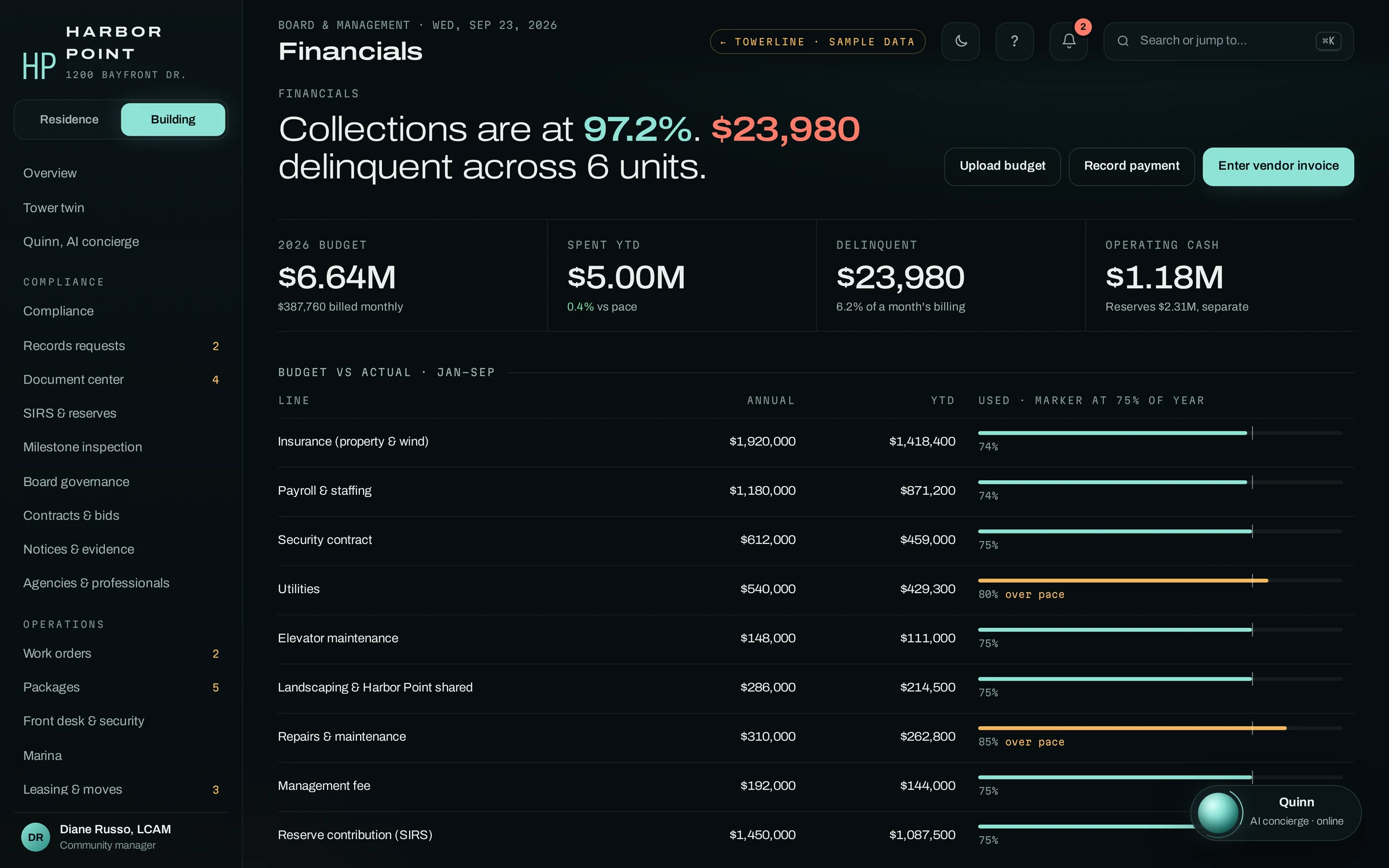
Check vendors, insurance and conflicts before the board votes.
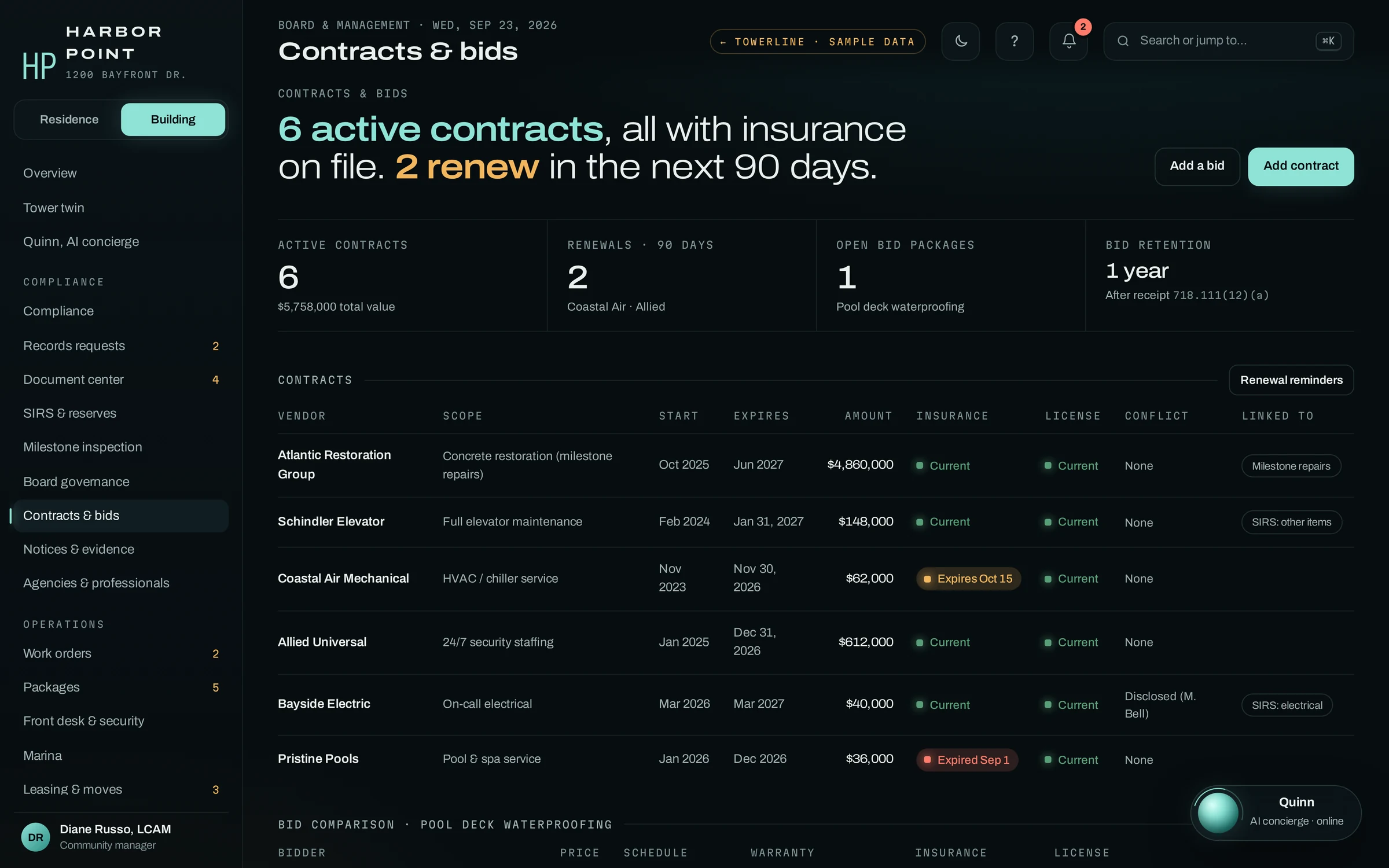
Every active contract with its amount, term, insurance and license status, any conflict a director disclosed, and the reserve item or project it pays for. Renewals inside 90 days are flagged. Bid packages, like the pool deck waterproofing bids, are compared side by side, and bids stay on file for the year the statute sets.
- InsuranceCurrent, expiring or expired, per vendor
- ConflictsDisclosed by the director, beside the contract
- BidsCompared side by side for each package
- Linked toThe SIRS item or project it funds
Each statutory notice, with proof it went out.
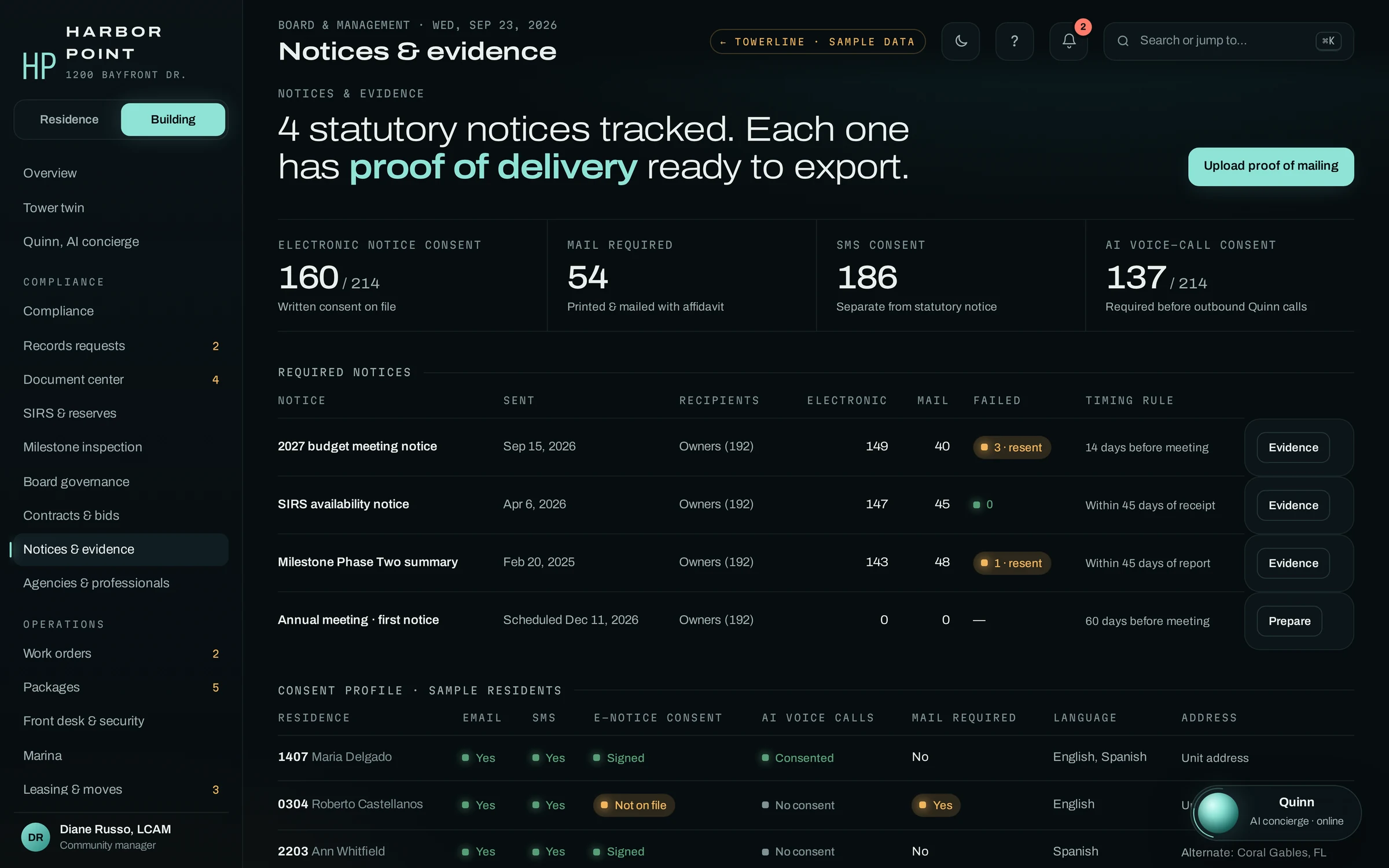
The date each notice was sent, how many went electronically and how many by mail, which deliveries failed and were resent, and the timing rule it follows, such as 14 days before a budget meeting. Consent is tracked owner by owner for electronic notice, texts and AI voice calls. When an owner says they were never told, the board has the evidence.
- TimingThe rule each notice follows
- DeliveryElectronic and mailed, failures resent
- EvidenceProof of delivery, ready to export
- ConsentElectronic notice, text and voice, per owner
The Board Portal prepares decisions. It does not replace a noticed board meeting where your statute or bylaws require one.
Owners hear the same facts the board approved.
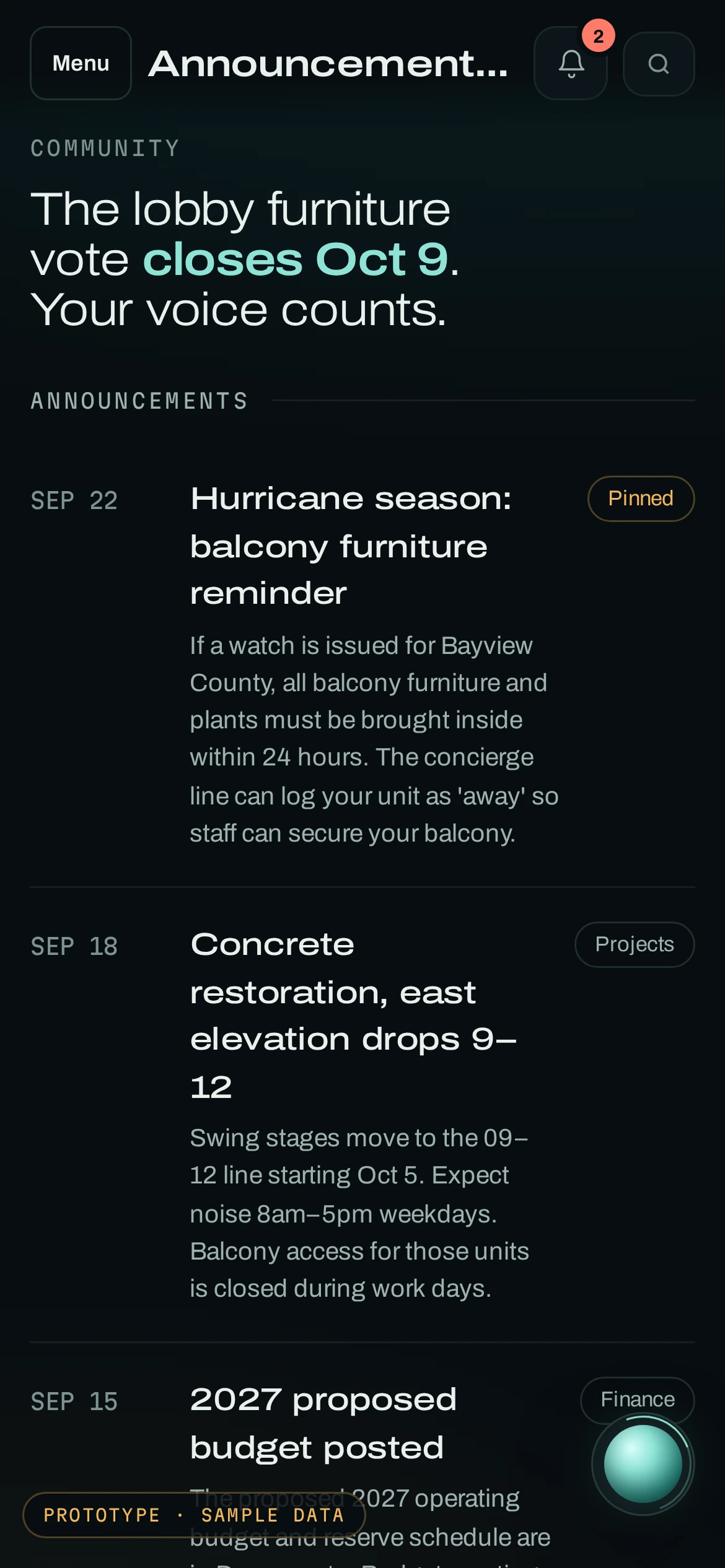
Announcements, owner votes and meeting dates post to the Resident Portal. When an owner calls about a balance or an assessment instead, the AI concierge answers from the same record once the caller is verified.
“What do I owe for October?”
- Verified the owner by caller ID and a code texted to the number on file
- Read back the October total, $1,742.10, due October 1
- Texted a secure payment link; no card number on the call
Resolved by the AI concierge · payment link texted
Balances after verification
The AI concierge reads back a balance only after the owner confirms a PIN or a code texted to the number on file, then texts a secure payment link. No card number is read out on the call.
Hardship and disputes go to the manager
Routing rules can send an owner who asks about a hardship plan, disputes a charge or asks for a director to the manager, with the transcript attached. The AI concierge does not give legal opinions.
Questions about the Board Portal
What is an HOA board portal?
A private workspace where directors see the association’s projects, finances, records and pending decisions between meetings. Directors are volunteers: about 2.5 million people serve on community association boards and committees in the United States (Foundation for Community Association Research, 2024). In TowerLine AI, the Board Portal is the board’s view of the same record the manager and staff work from, so the bid a director compares is the file the manager uploaded.
Can board members vote in the portal?
Not on board decisions. Directors vote at the noticed board meeting and use the portal to prepare, and the audit trail records who did what and when, such as an approval or a posted document. After the meeting, the approved minutes and the recording are attached to that meeting. Owner votes are a separate feature in the Resident Portal, used only where the governing documents and Florida’s electronic voting rules allow them.
Who can see board-only documents?
Only the roles you allow. Each document in the document center carries its own access, such as owners, board and management, or board and management only. Counsel memos, lease application files and staff personnel records can stay out of the owner area. In Florida condominiums, owners can still inspect most other official records, minus the categories the statute withholds, such as personal identifying information. Other states set their own rules.
Do directors need to install anything?
No. The Board Portal opens in a phone or desktop browser, with a login limited to board permissions. Team and role settings track who has two-step sign-in turned on; how directors sign in is set during implementation and covered in the security review that the Security page describes.
How much does the Board Portal cost?
The Board Portal is part of TowerLine AI and is priced with the rest of a deployment, per building, after scoping. There is no public price list. In a first deployment it is added after the AI concierge, work orders and the Resident Portal are running at the community, and the written quote after the demo shows each part.

Bring the decision your board is working on now.
A reserve plan, a bid award or a records request on day eight. In a 15-minute walkthrough we show where each piece of it sits in TowerLine AI and what a director would open before the vote.