
Work order and maintenance command center: See every open issue, owner, response time and next action.
The Command Center is where property staff run maintenance. Every request from the AI concierge, the Resident Portal, the front desk and staff becomes a work order in one queue, with priority, permission to enter and the vendor your team assigns. Vendors, the desk log, resident notices and the audit trail sit beside it.
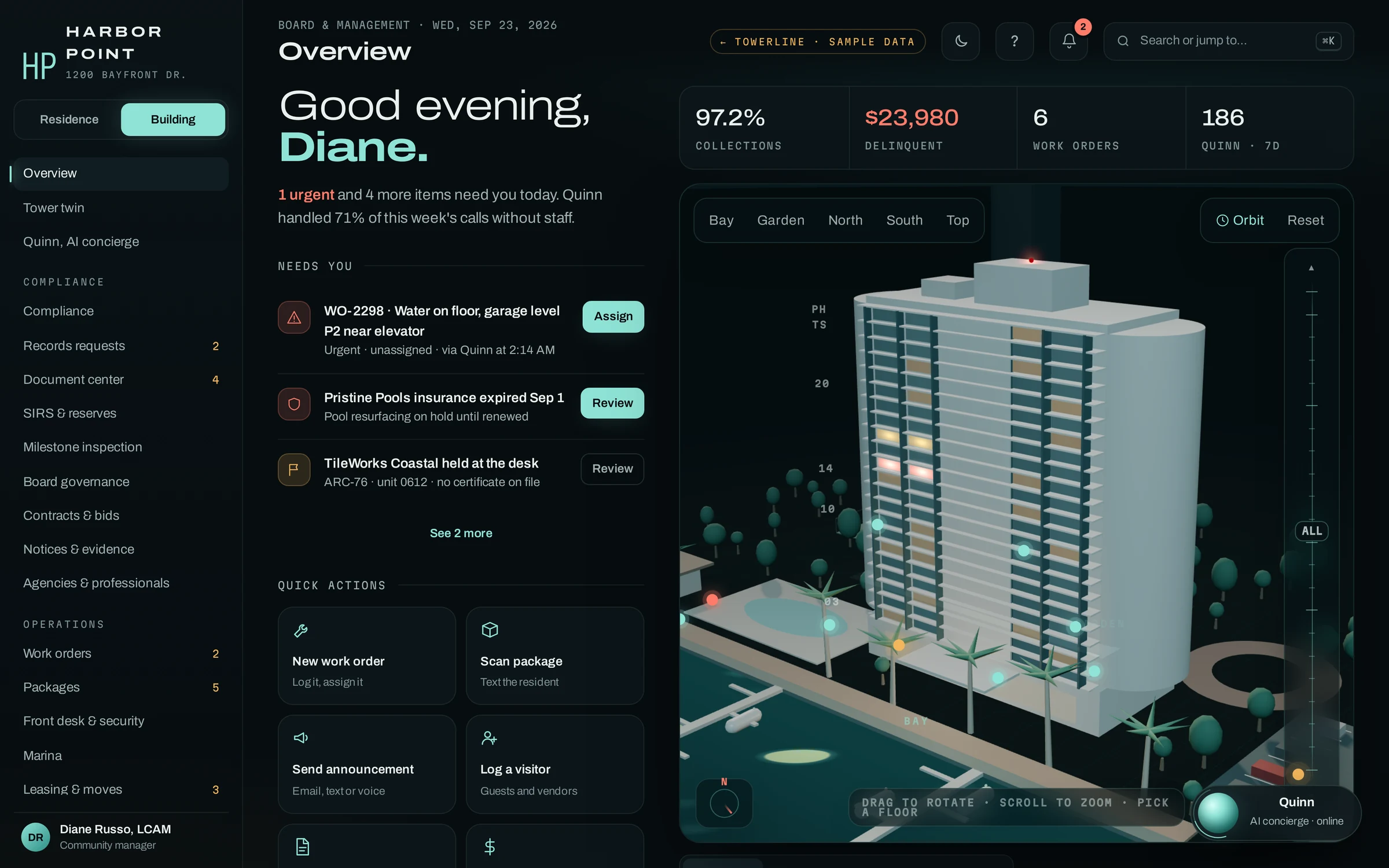
- Work ordersFrom the AI concierge, the portal, the desk and staff
- VendorsInsurance checked before building entry
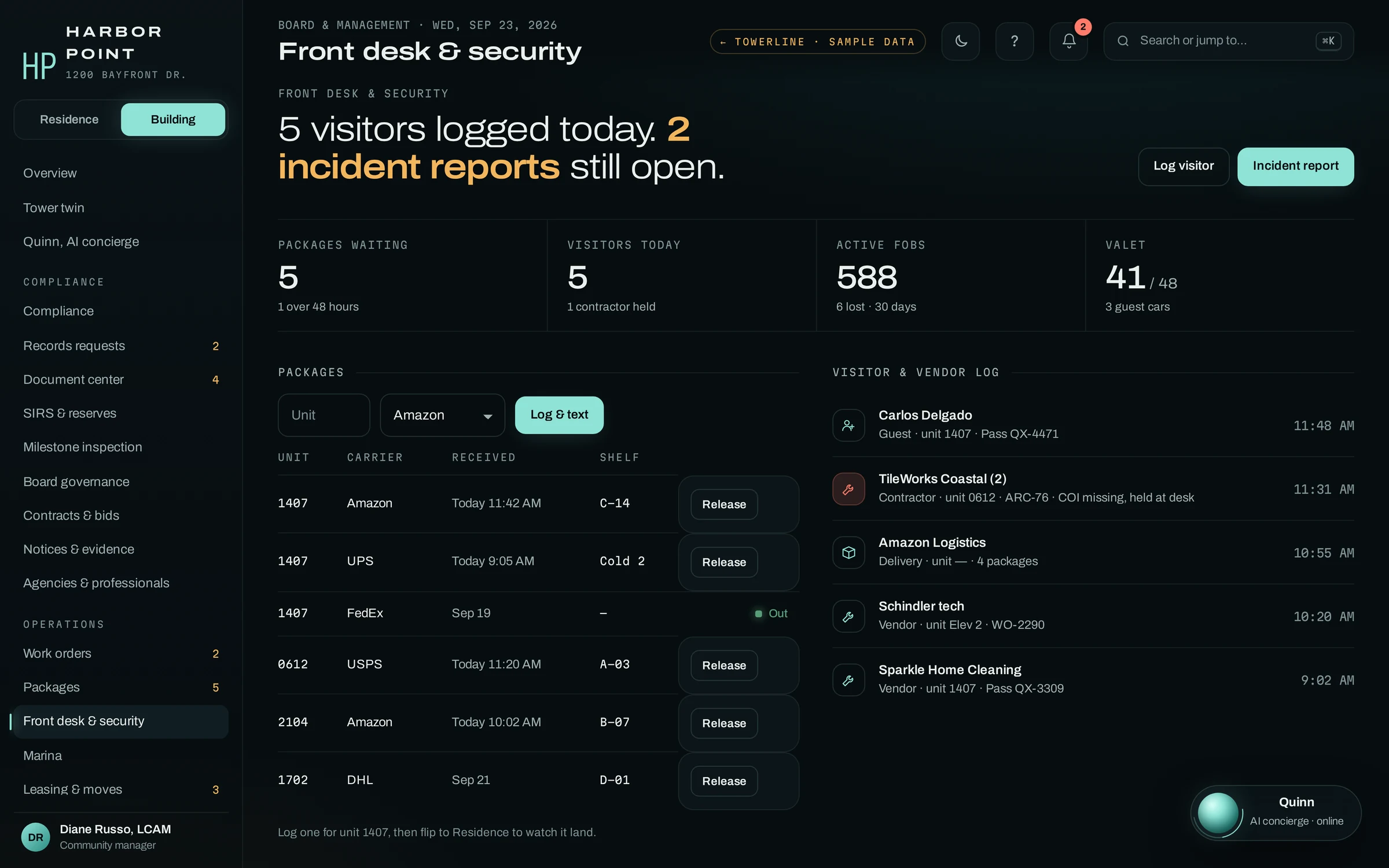
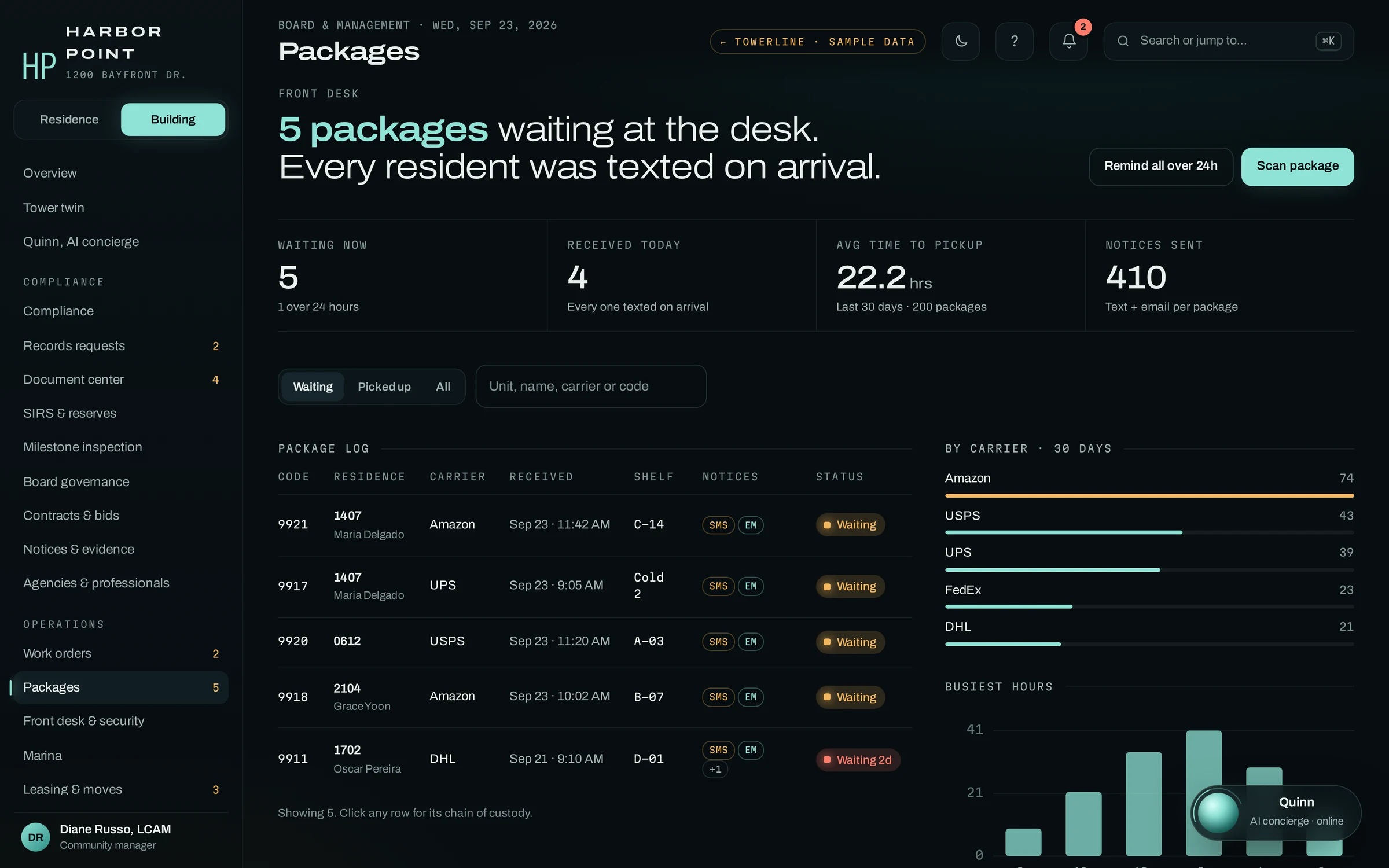
- Front deskPackages, visitors and incidents
- Audit trailEvery action with a name and a time
The morning list, on a desk or a phone.
Before the phones pick up, the manager opens one short list instead of rebuilding the night from inboxes and text threads: overnight work that still needs a person, lapsed insurance, a contractor held at the desk. Each item has one action beside it. The same screens work in a phone browser, so whoever is walking the building opens the work order board with the urgent, unassigned ticket at the top.
- Urgent workAn unassigned water leak on the garage level, with Assign beside it
- InsuranceA pool vendor whose certificate expired, paused until renewed
- Front deskA contractor held for a missing certificate
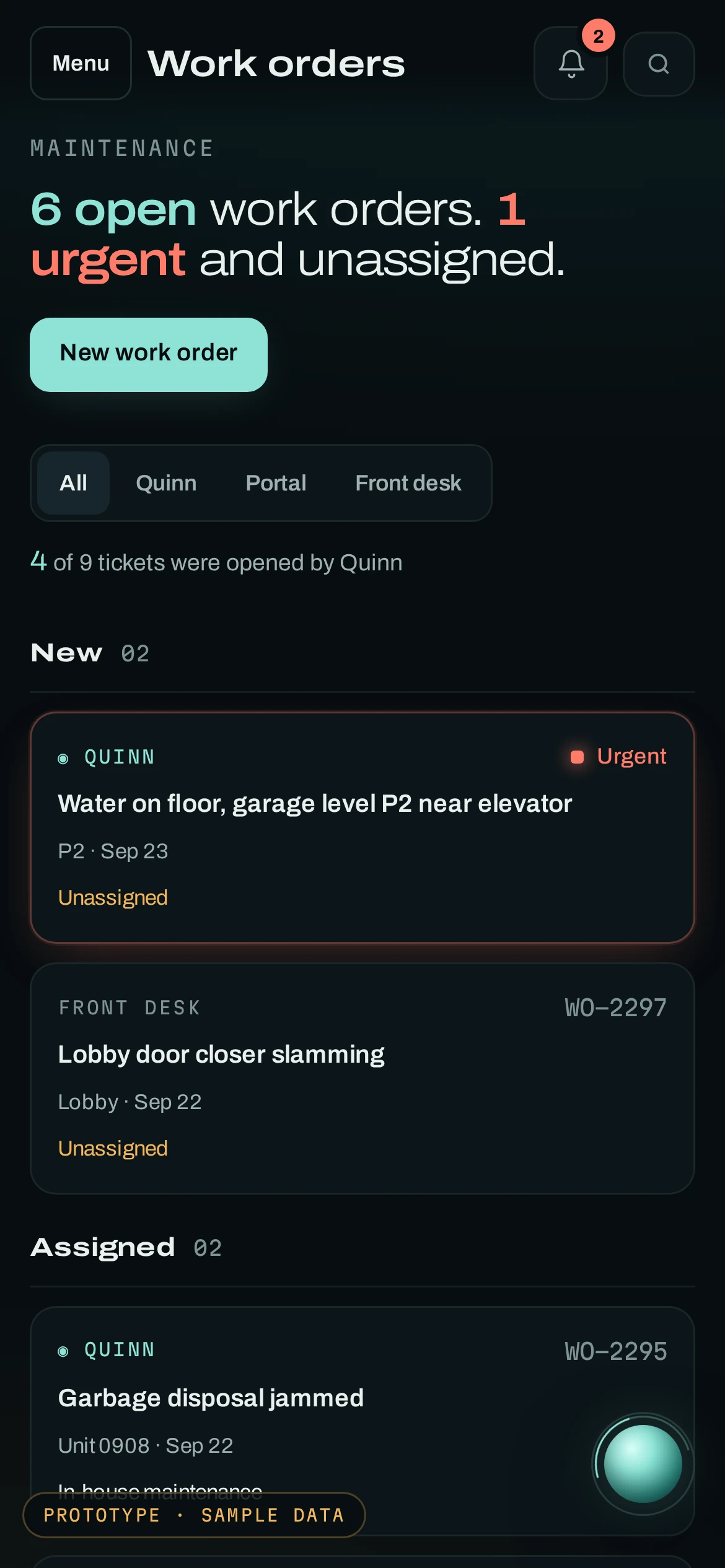
Work orders on a phone · sample data
What does a work order in TowerLine AI include?
Whether the AI concierge took it by phone or it came from the Resident Portal, the front desk or staff, a request is filed as the same kind of work order on the same board, tagged with its source.
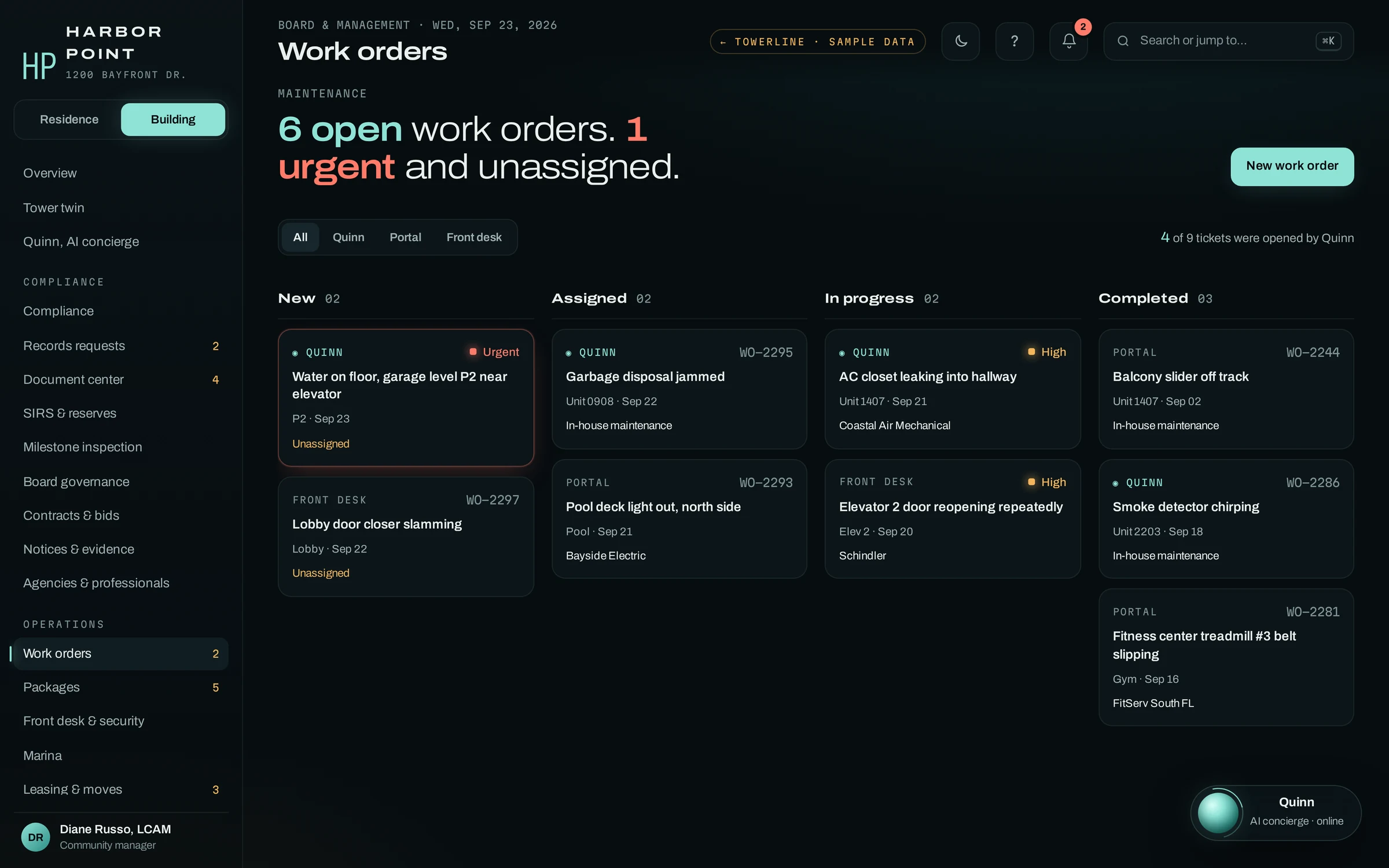
- SourceThe AI concierge, portal, front desk or staff, with the call transcript when there is one
- PriorityUrgent tickets page the on-call person under your policy
- OwnerWho acknowledged the page and who the ticket is assigned to
- VendorPicked by staff, with insurance status on the vendor record
- EntryPermission to enter and the visit window
- ResidentEach text the resident received, from received to complete
WO-2291
AC closet leaking into the hallway, unit 1407
- Opened by the AI concierge from a resident call, transcript attached
- Vendor assigned by staff: Coastal Air Mechanical
- Resident called again; the AI concierge read back the visit window
- Permission to enter recorded on the ticket
- Tech checks in at the desk; the resident gets a text
Insurance on file before anyone works in the building.
Each vendor and contractor carries a license, an insurance certificate and a building-entry status. Certificate requests go out before a policy lapses, and the front desk and the AI concierge check the same list, so a contractor with an expired certificate is held at the desk instead of sent upstairs.
- InsuranceCompliant, expiring or expired, with the policy end date
- RequestsCertificate requests at 30, 14 and seven days before expiry
- EntryCleared or held, read by the desk and by the AI concierge
- JobsOpen work orders per vendor, assigned by staff
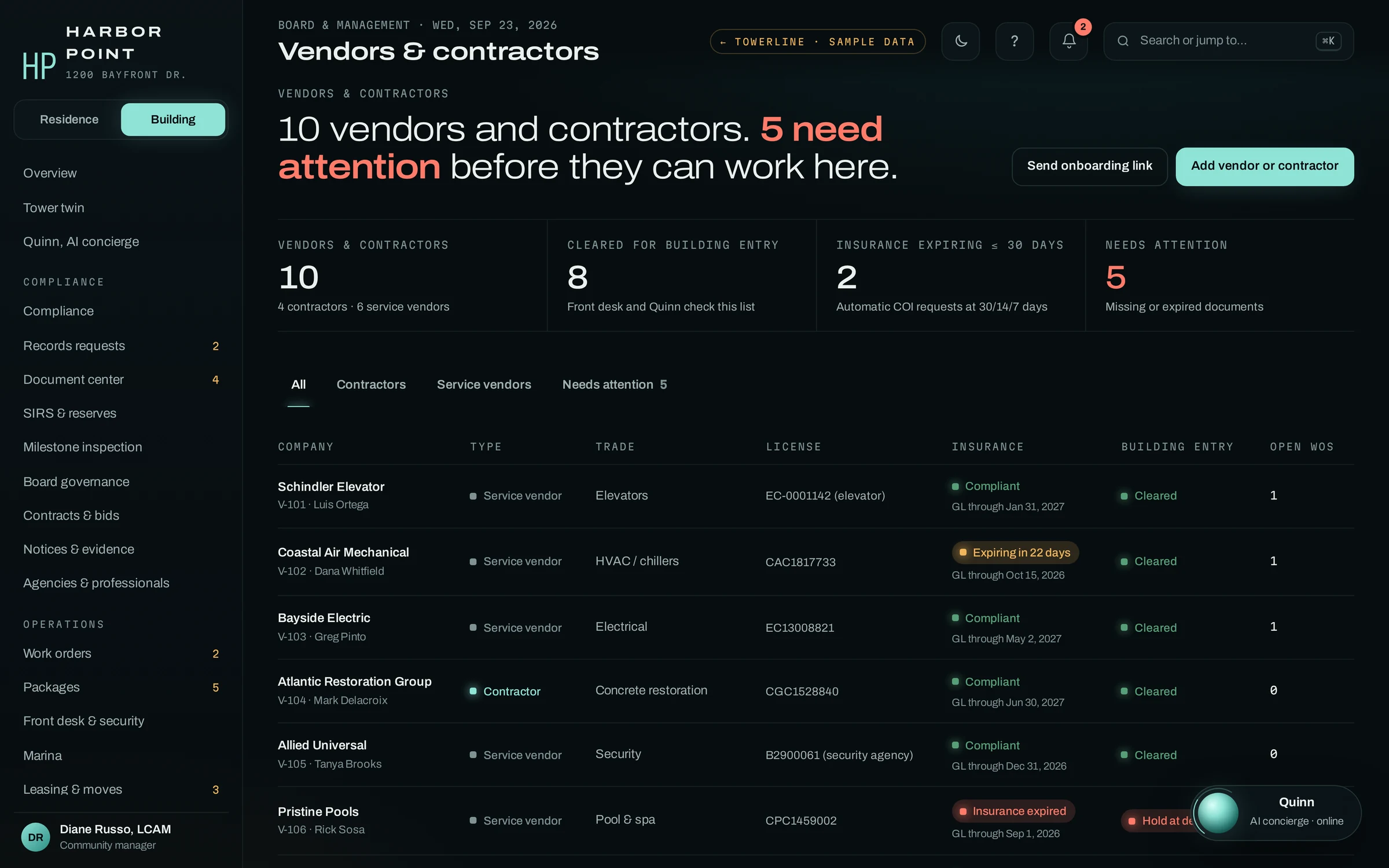
The rest of the building’s work, beside the queue
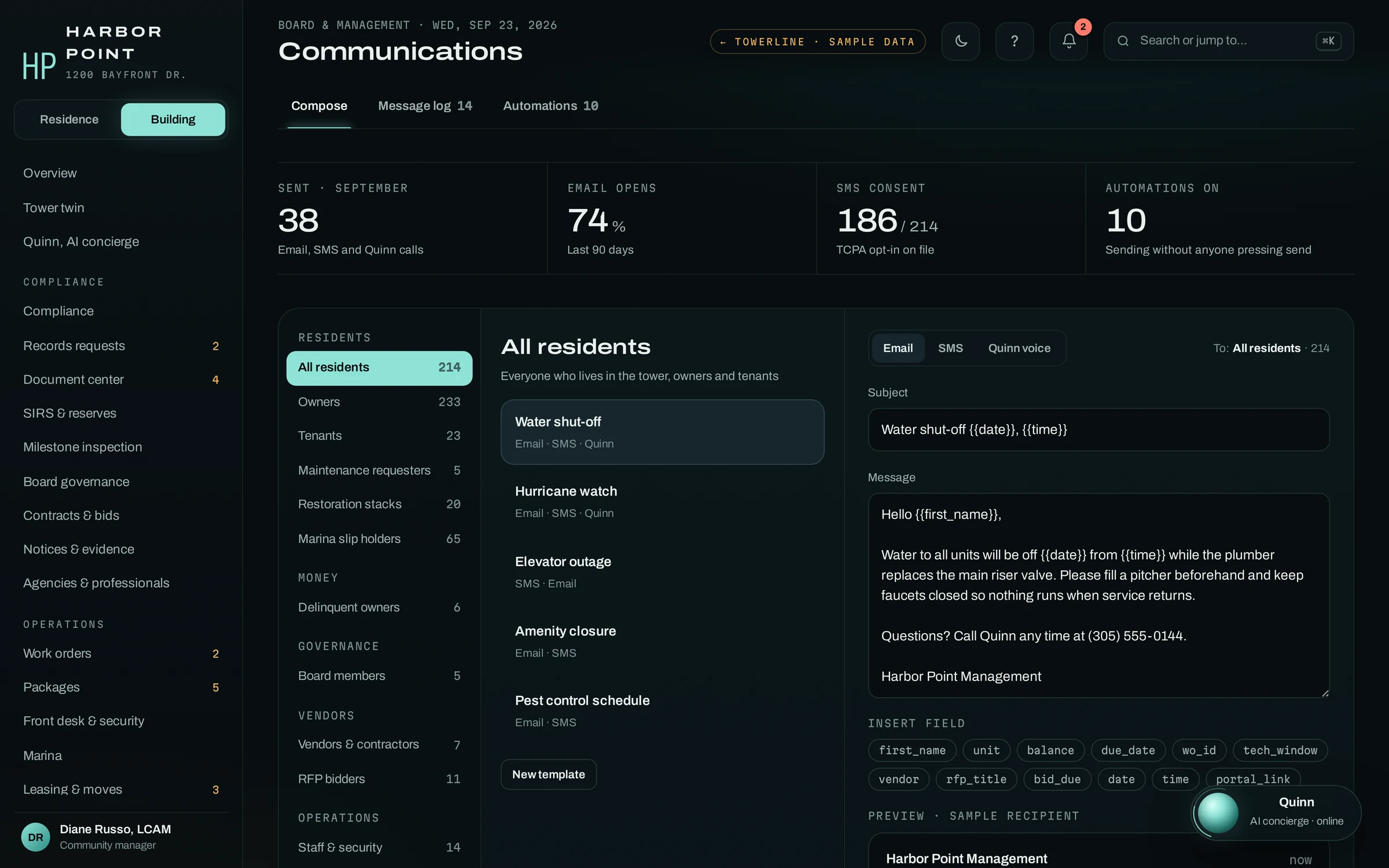
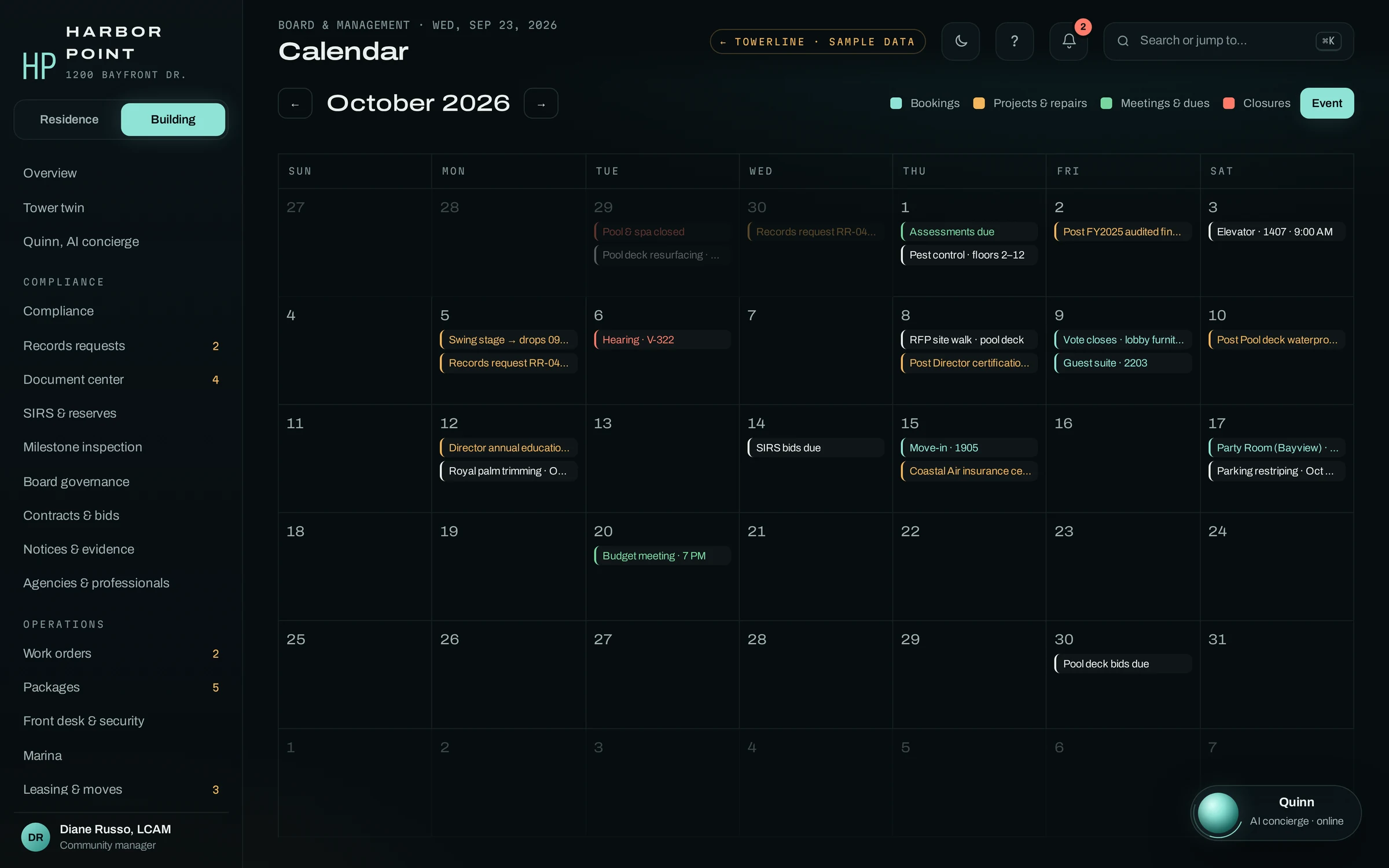
The desk, the vendors, the notices and the calendar read from the same record as the work orders, so the AI concierge can tell a caller what the desk logged a minute ago. None of it arrives as a fixed template: which modules a community runs, how its priorities are set, its vendor list and the reports its managers read are built with your team during implementation.
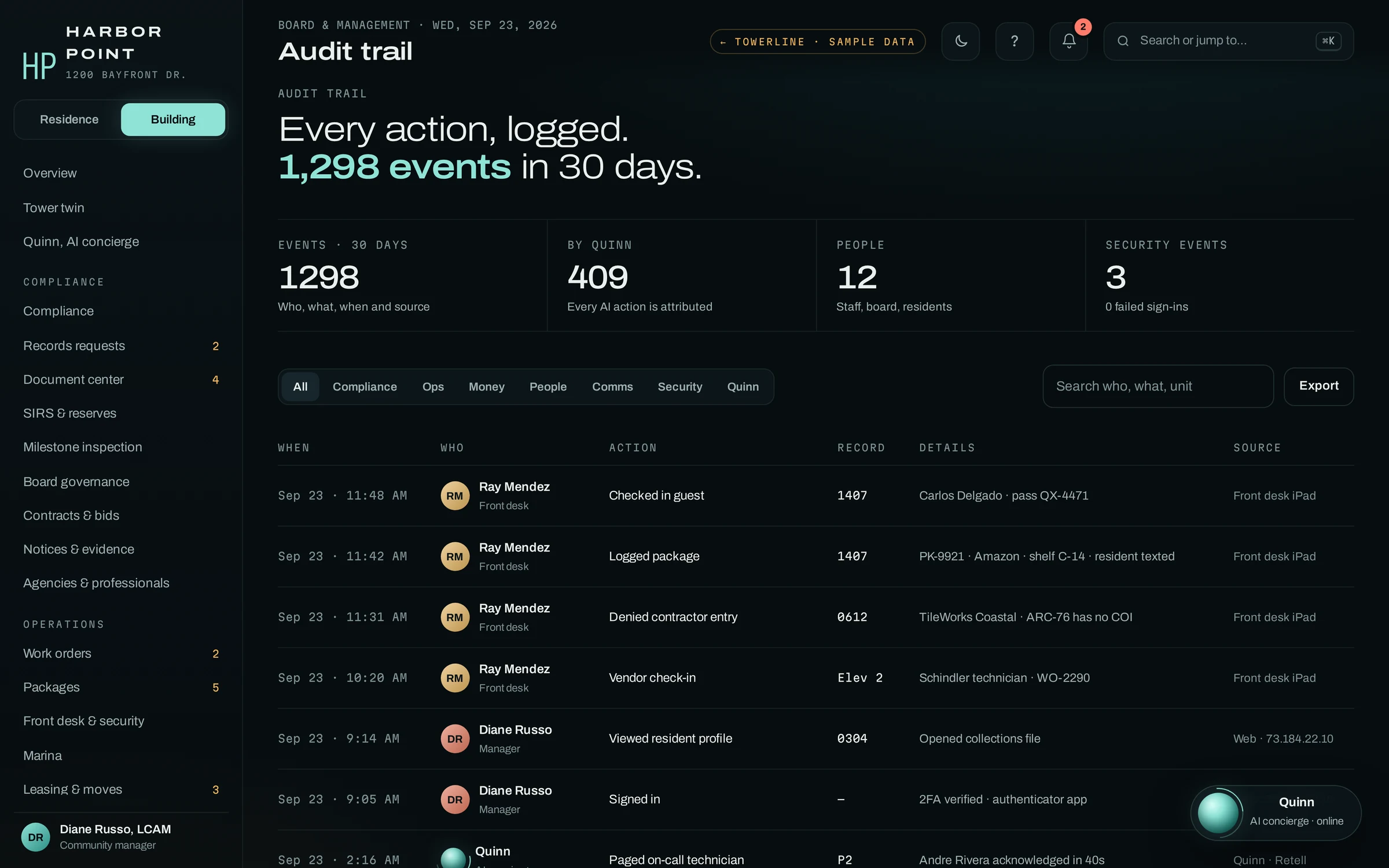
Who works in the Command Center
Roles decide what each person sees. Whatever they change is logged in the audit trail with their name and the time.
Community manager
Works the Needs you list, assigns vendors, sends notices and reads the reports for their communities.
Maintenance
Gets pages and assigned tickets with entry notes and photos, from a phone browser.
Front desk
Logs packages, visitors and incidents, sees guest passes and holds contractors without current insurance.
Accountant
Sees balances and payment activity without the maintenance traffic.
Running more than one community?
Each property gets its own queue, vendor list and on-call roster. How communities are grouped and reported on across a portfolio is scoped during implementation.
The call behind the urgent card.
The 6 AM elevator outage that puts an urgent item at the top of the board. One call from the front desk opens the work order, pages the contractor and notifies 212 residents before anyone else on staff touches it.
Questions about the Command Center
What is a property management command center?
It is the workspace a community manager, maintenance supervisor or front-desk lead works from all day: the work-order queue, pages and acknowledgements, vendors, the desk log and outgoing notices. In TowerLine AI, requests from the AI concierge, the Resident Portal, the front desk and staff arrive as tracked work orders instead of messages to chase.
Is TowerLine AI maintenance work order software?
Work orders are the core of the Command Center. Each one carries a priority, where it came from, the staff member it is assigned to, the vendor your team picks, permission to enter, what the resident has been told and a timestamped history from the first report to closeout.
Does the Command Center replace our property management or accounting system?
No. Leases, ledgers and owner balances stay in the system you already run, and the Command Center holds the work around them: tickets, pages, vendors, the desk log and notices. Data can move between the two by API, scheduled export or CSV; the fields, direction and frequency are scoped for your account during implementation.
Can maintenance technicians and vendors use it?
Technicians work their pages and assigned tickets from any browser, including on a phone, with the entry notes, photos and transcript on each ticket. Nothing has to be installed. Vendor access is scoped during implementation, for example a limited role that shows a vendor only the jobs assigned to them.
How does the Command Center handle after-hours emergencies?
An urgent call to the AI concierge becomes an urgent work order during the call, and the on-call person your escalation policy names is paged. The page, who acknowledged it and when are logged on the ticket. In the morning the manager sees it at the top of the Needs you list with the transcript attached, instead of rebuilding the night from voicemail.

Watch one call land in the queue.
We call the AI concierge on a property set up with your priorities and vendors, and you watch the work order, the page and the resident notice appear in the Command Center.